Trello
Send the companies, people and places SpecStream finds on the live web to a Trello board as cards, one card per find, on the list you pick. Sending again updates each card, wherever it has moved since.
What you need
- A SpecStream account. Starting is free.
- A Trello account that can add cards to the board.
- Results from a finished request, like "dental clinics in Austin that opened this year".
- 1
1. Connect Trello
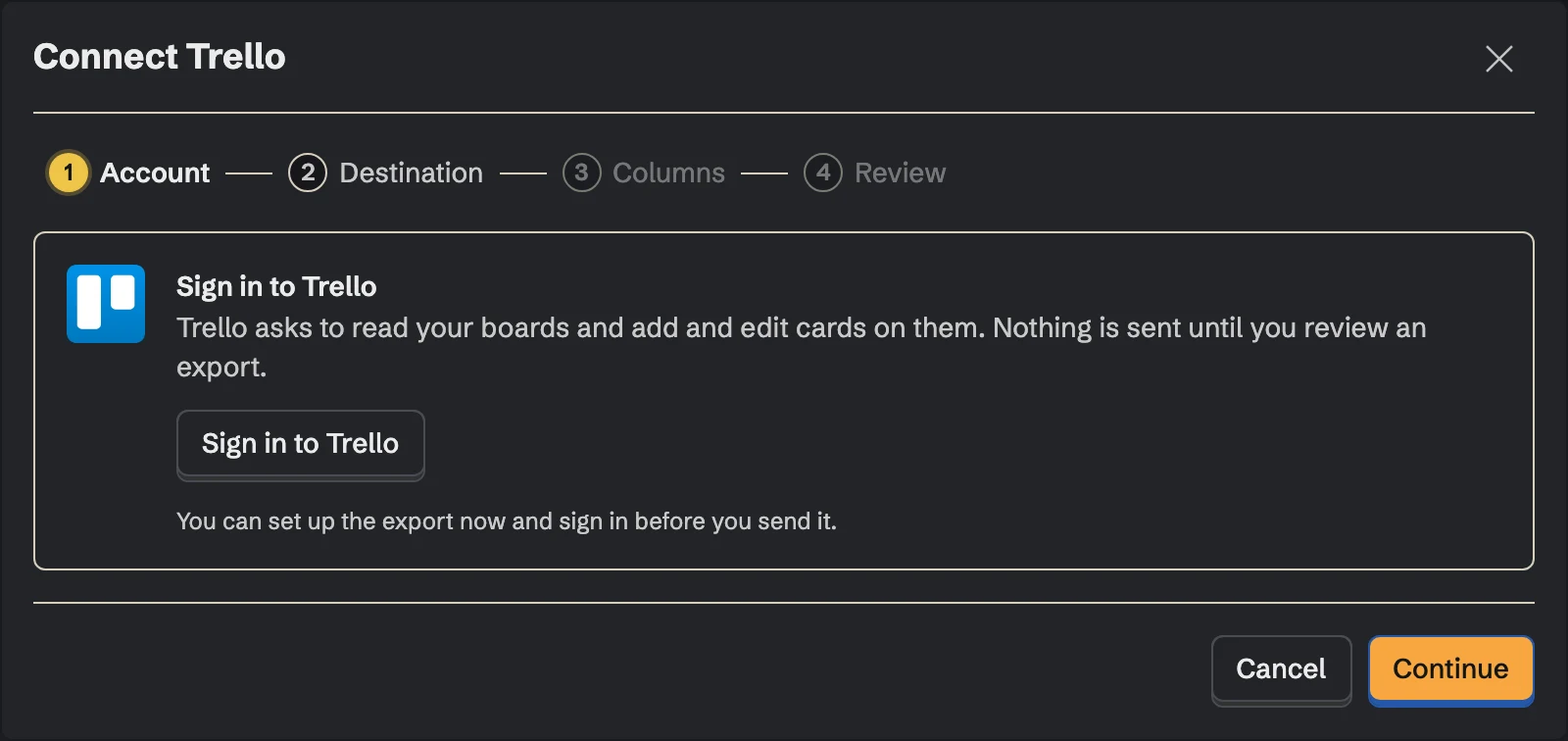
In SpecStream, open Connections, choose Trello and click Connect. Trello signs you in with your Atlassian account and asks you to allow SpecStream to read your boards and add and edit cards on them.
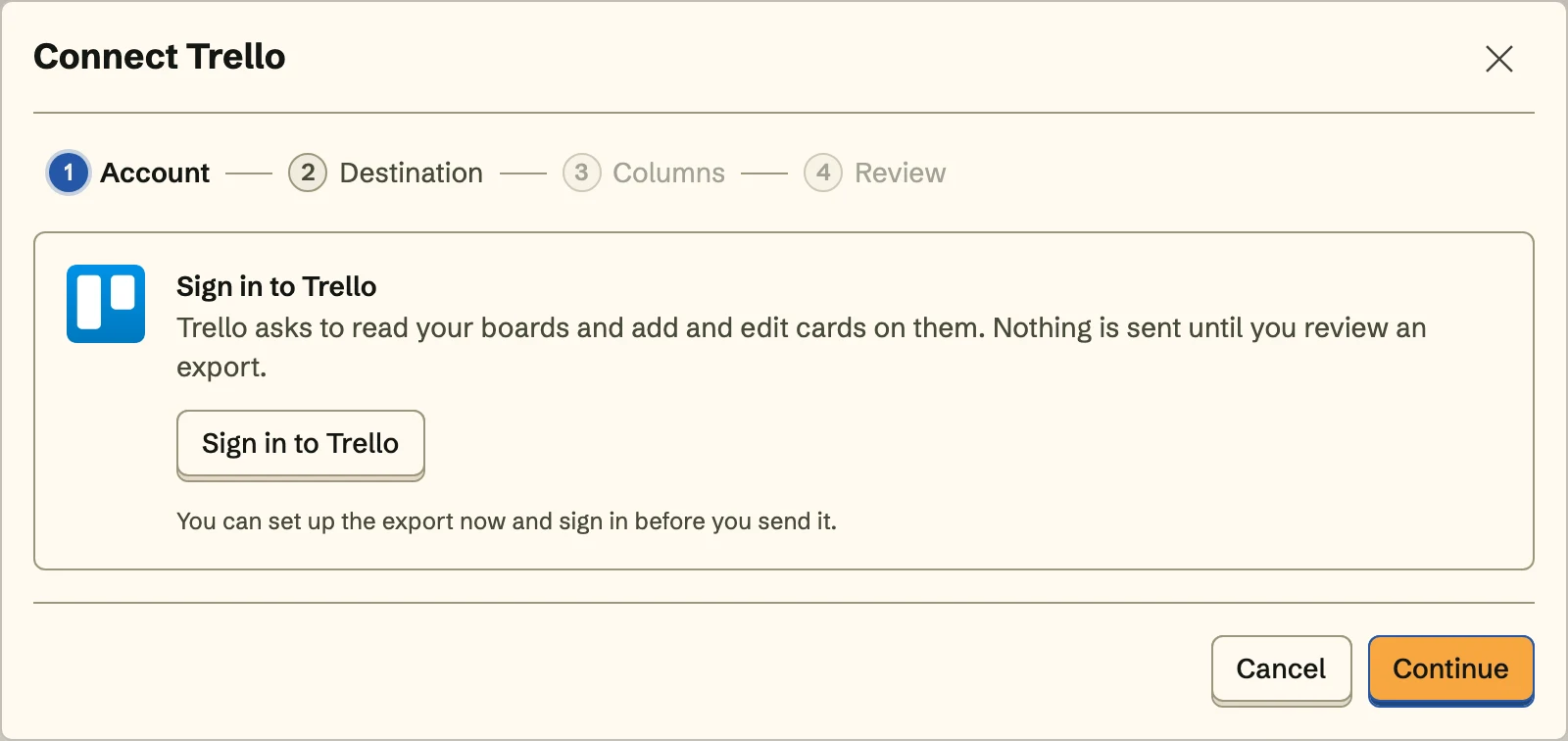 SpecStream never changes who's on a board or what's in your workspace.
 - 2
2. Choose the board and list
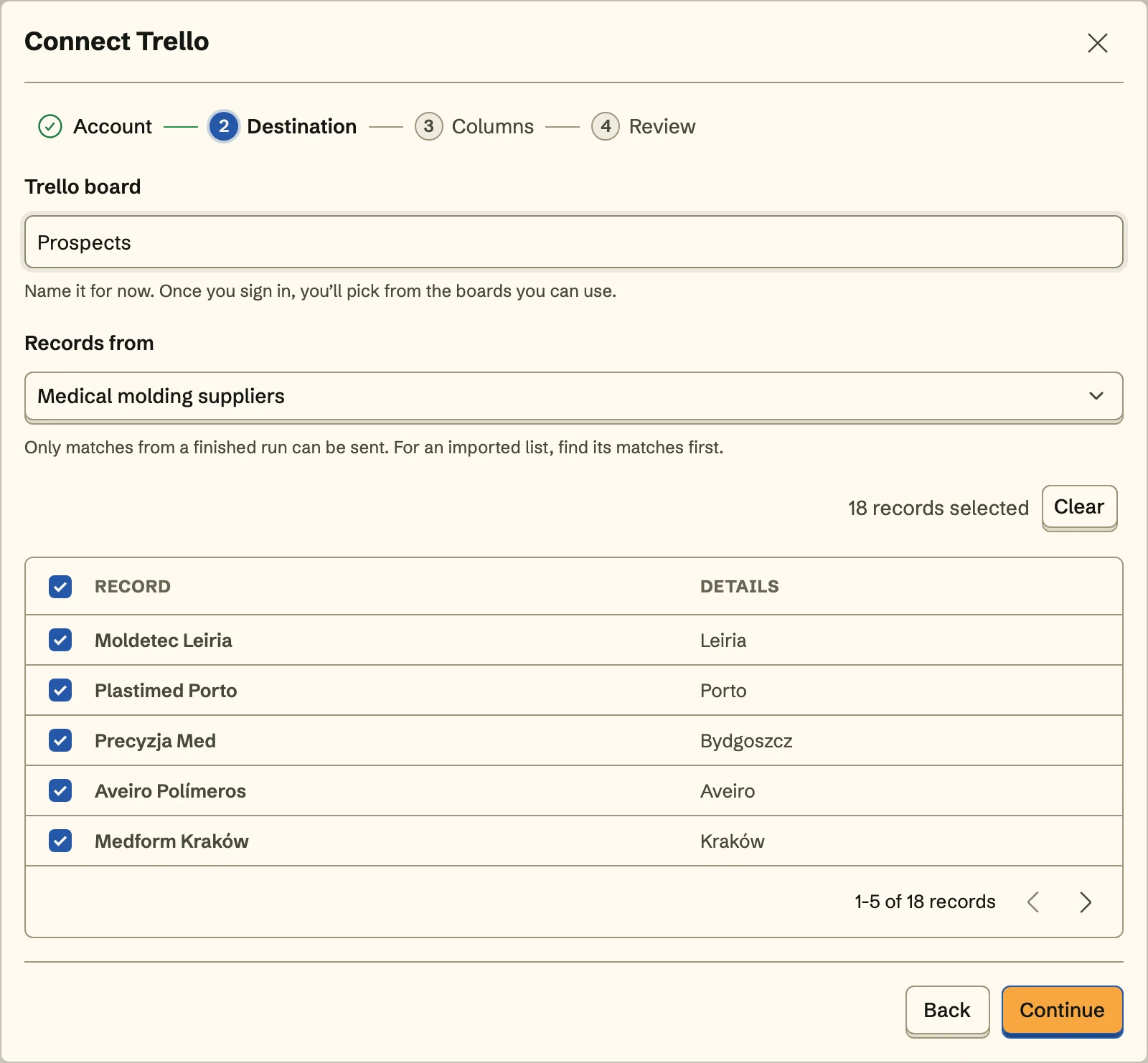
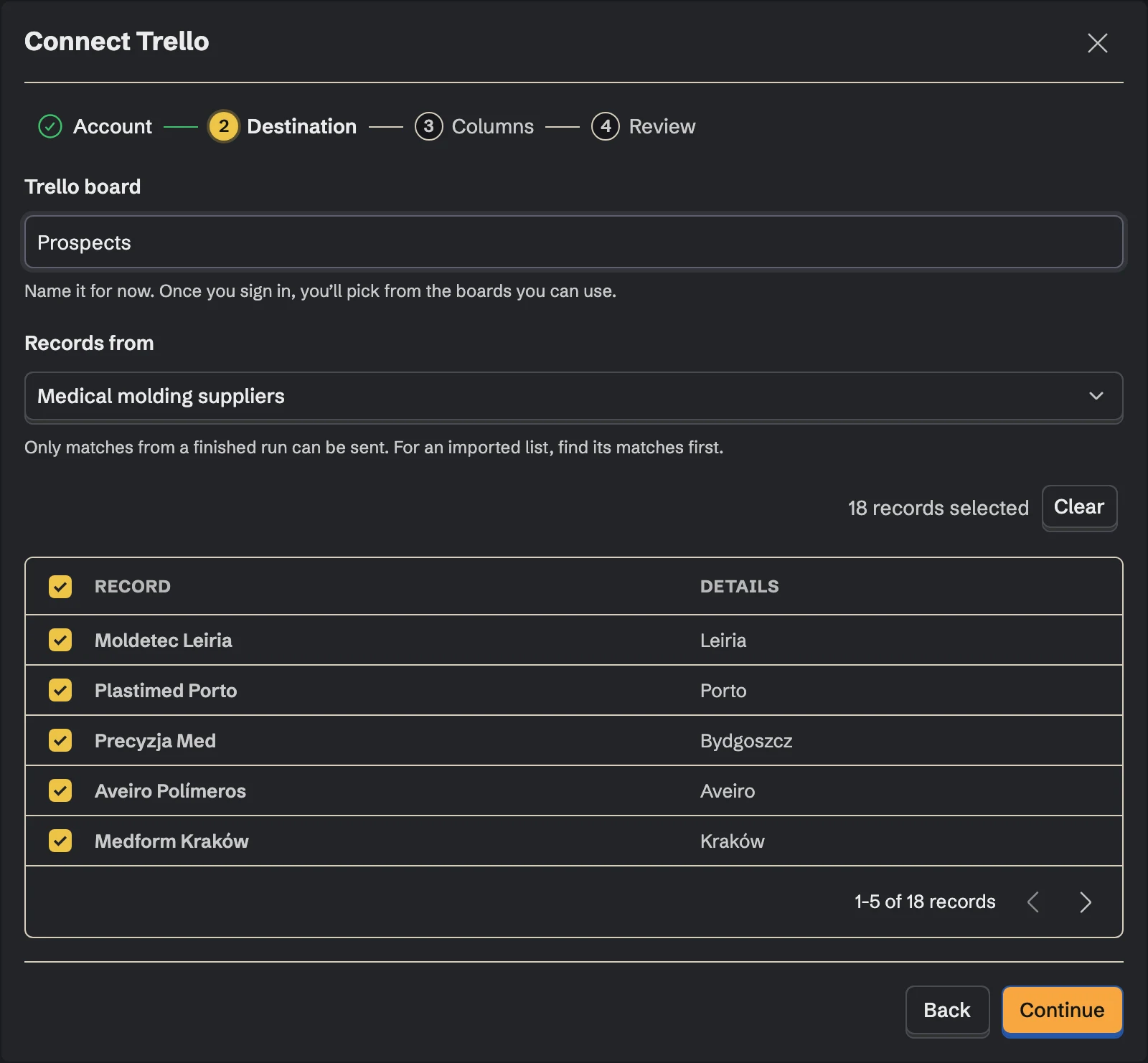
Pick the board, then the list new cards join, like New or To research. Cards go to the bottom of it. Then pick the collection the records come from and the records to send.
- 3
3. Match the card fields
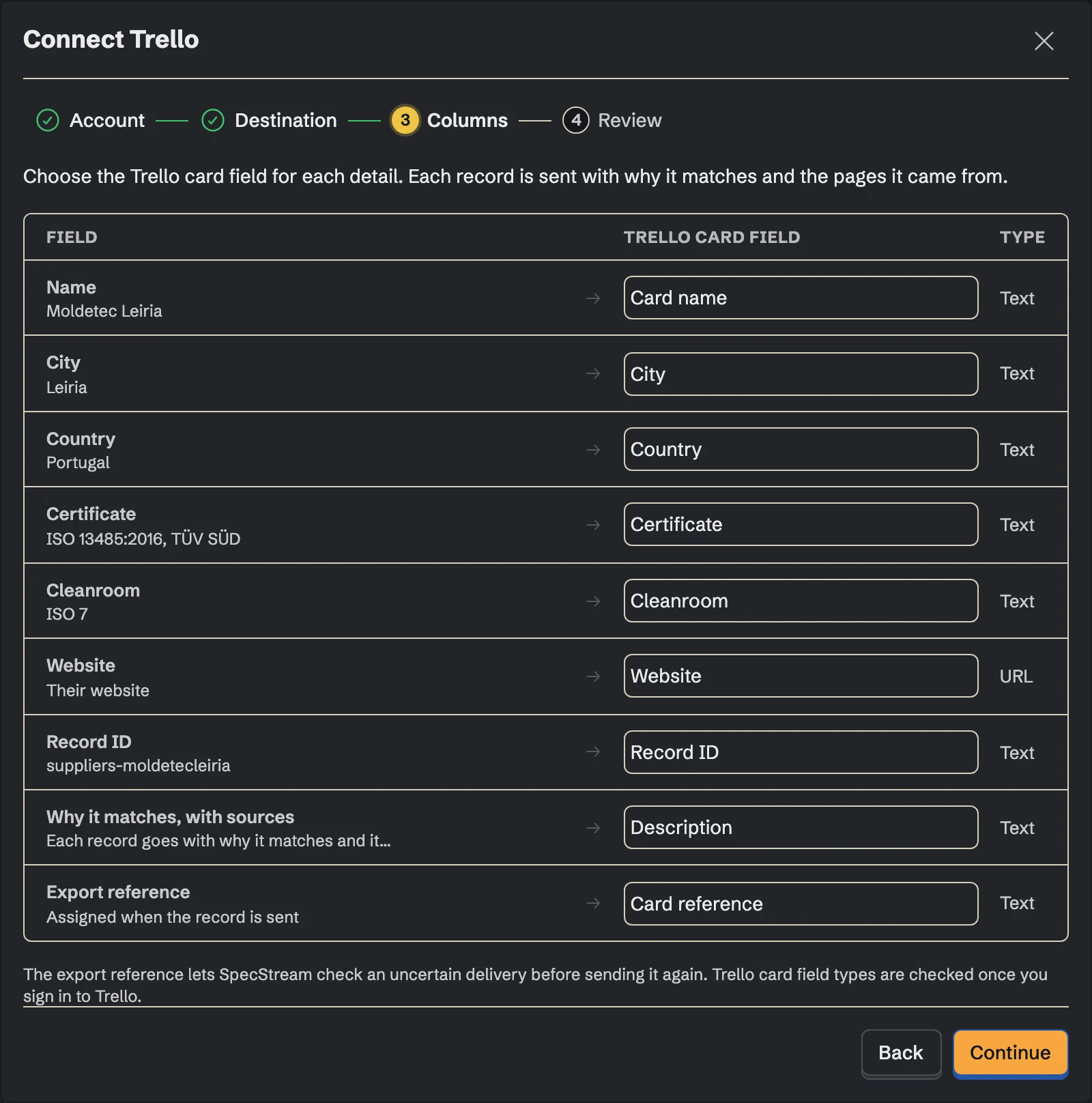
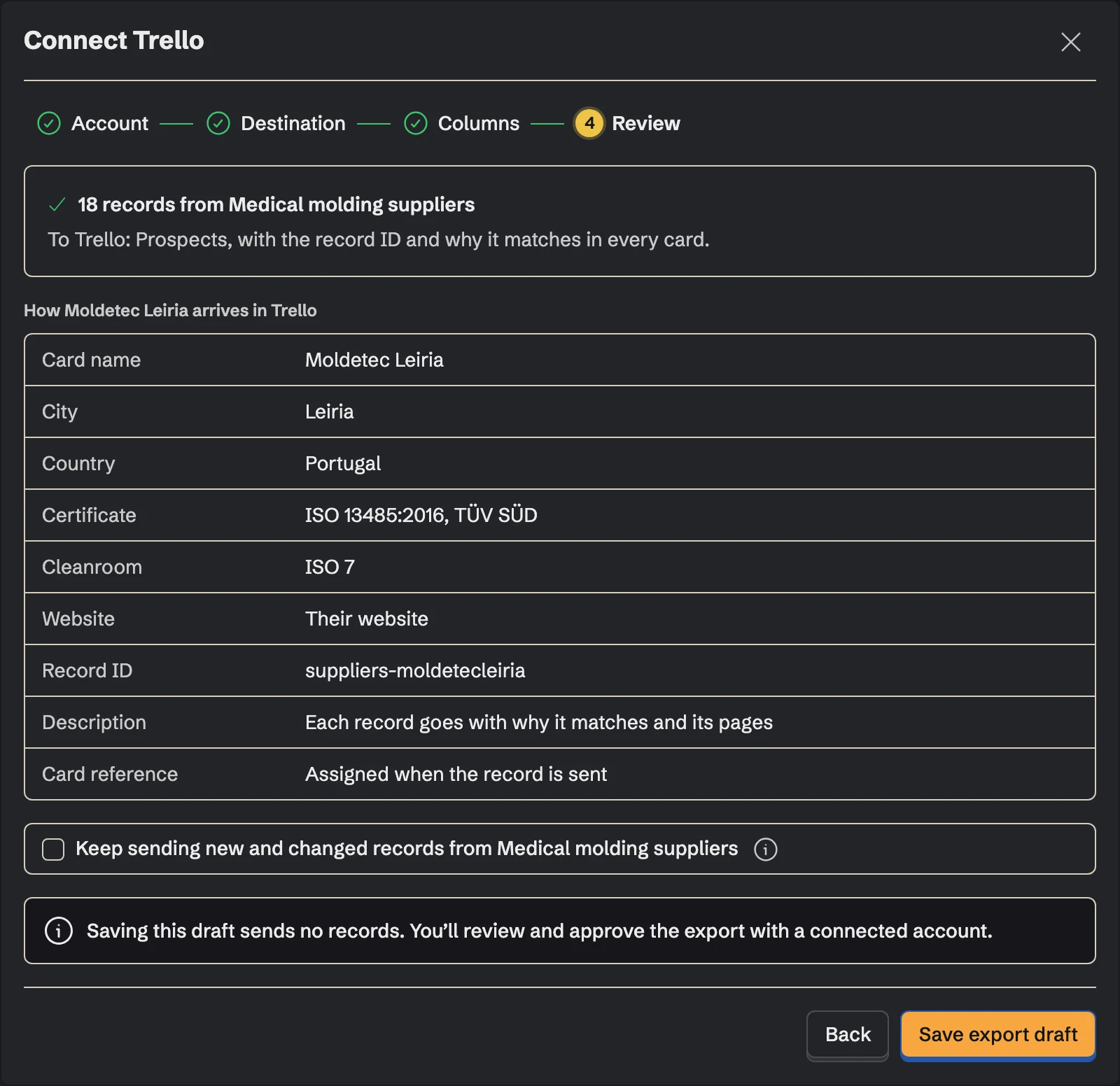
The record's name becomes the card name. Pick one detail for the description, like the source page or what the company does, and send the rest to the board's text and number custom fields by their names. Details you don't map aren't sent.
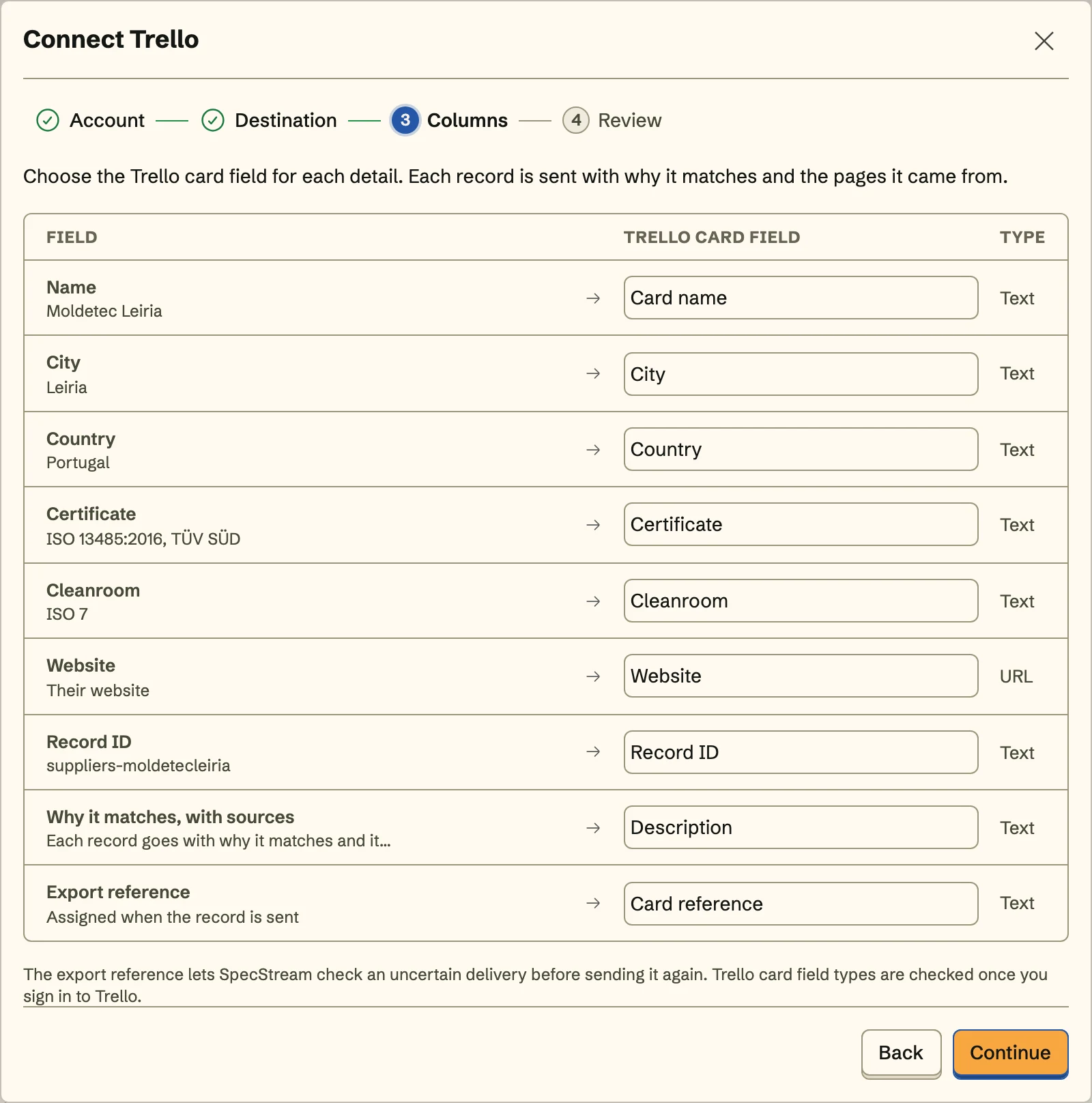
The last line of each description is the card's SpecStream reference. Leave it there: it's how a resend finds the card.
- 4
4. Review and send
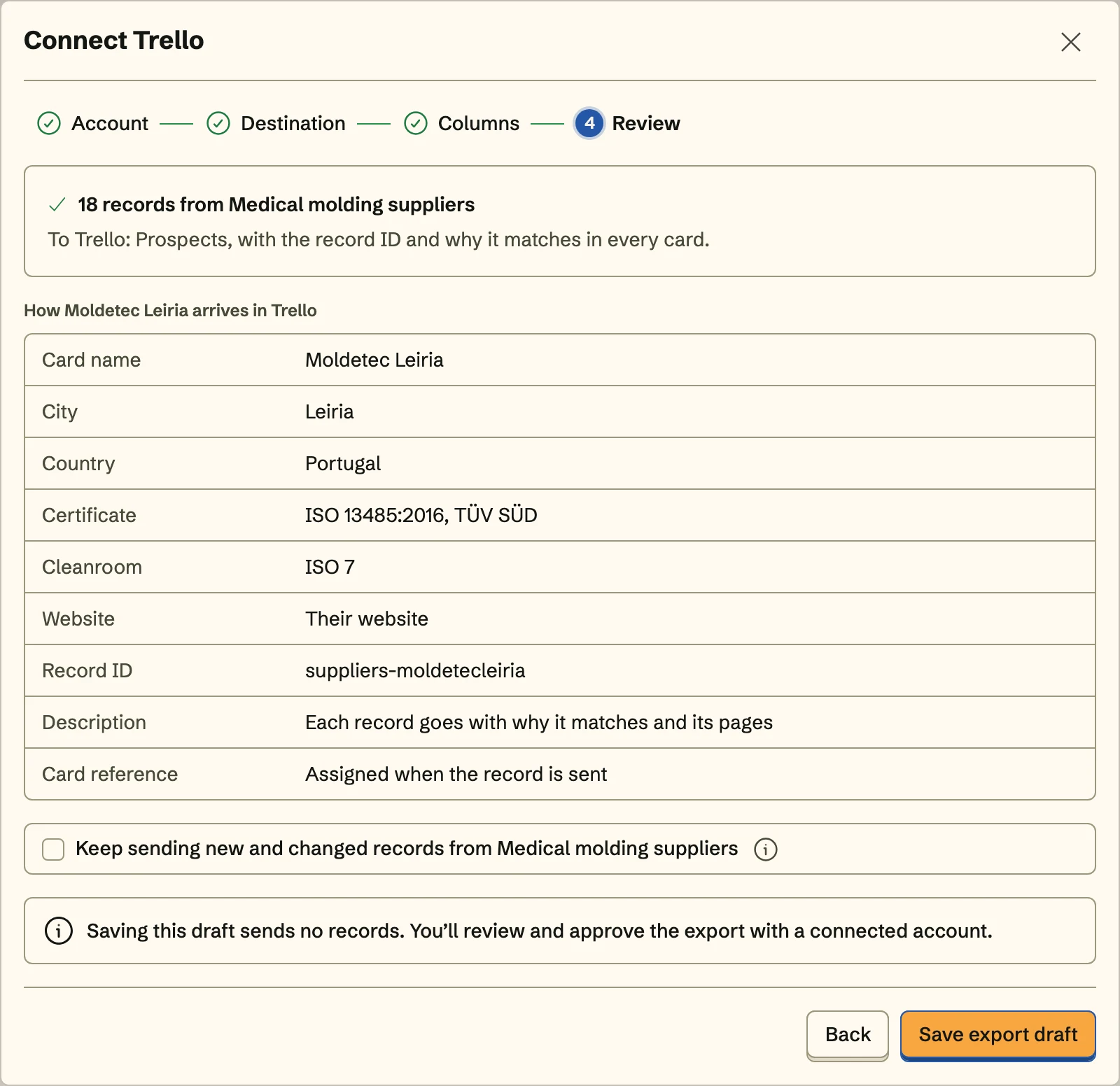
Review shows exactly how the first card arrives. Send it, and turn on Keep sending to add the collection's new and changed records to the same list with the same mapping, including what a monitor finds on its schedule.
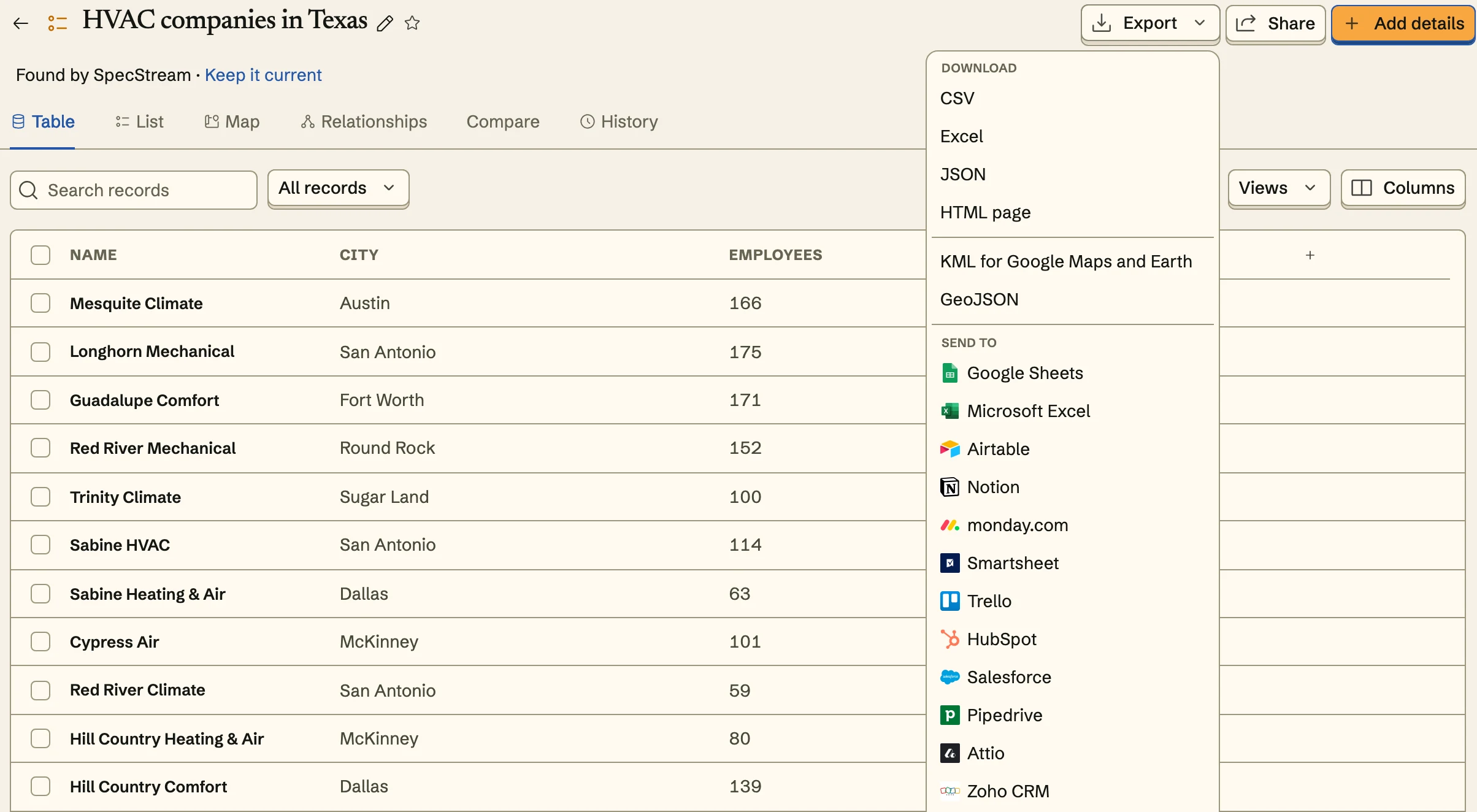
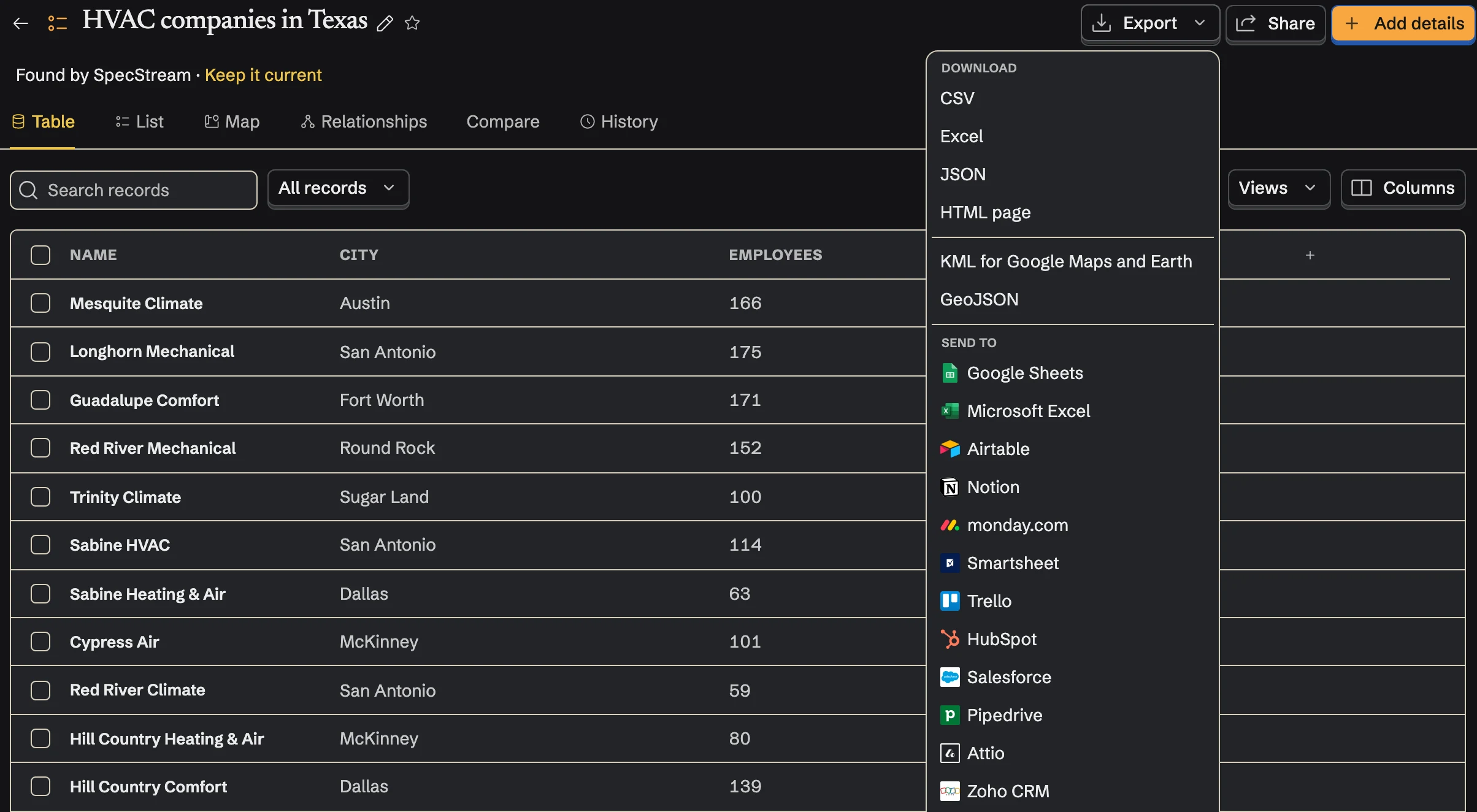
Once Trello is connected, send from any collection too: select results, open Export and choose Trello under Send to.
Updates, not duplicates
When you send a record again, SpecStream updates the card it made, even after someone dragged it to Contacted: the name, the description and the mapped custom fields. A detail that's gone empty clears its field. If a write times out, SpecStream looks for the card's reference on the board instead of making a second card.
SpecStream doesn't comment, assign members, add labels or run automations on your board, and it doesn't touch cards it didn't make. An archived card isn't found again, so a resend makes a new one.
Cost
Sending results to Trello costs nothing. Requests are paid from your SpecStream balance, and each one shows the most it can cost before it starts. See balance, quotes and billing.
Disconnect
Disconnect from Connections in SpecStream, which deletes the stored sign-in. Removing SpecStream from your Atlassian account's connected apps stops it at once. Cards already on the board stay there. The other tools SpecStream connects to are in Connect your tools; for help, email [email protected].