Smartsheet
Send the companies, people and places SpecStream finds on the live web to a Smartsheet sheet as rows. Each value comes with the page it was read from, and sending again updates the row instead of adding a second one.
What you need
- A SpecStream account. Starting is free.
- A Smartsheet account on smartsheet.com that can edit the sheet. Accounts in Smartsheet's EU and Australia regions sign in somewhere else and can't connect yet.
- A sheet with a text column for SpecStream's reference, titled
specstream_export_idso SpecStream picks it on its own. Each row's reference goes there, which is how SpecStream finds the row again. - Results from a finished request, like "specialty coffee roasters in Portland with a published wholesale email".
- 1
1. Connect Smartsheet
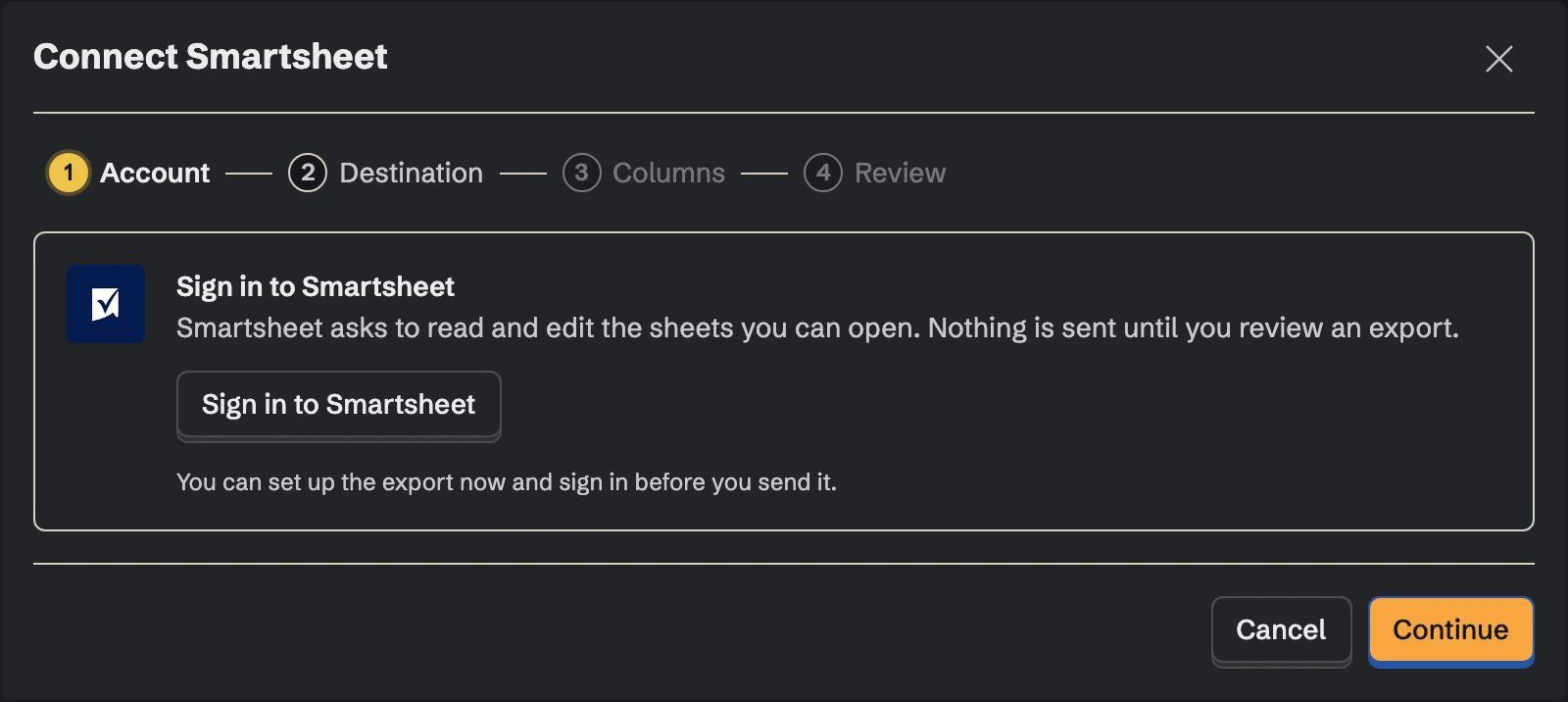
In SpecStream, open Connections, choose Smartsheet and click Connect. Smartsheet asks you to allow SpecStream to read and edit your sheets.
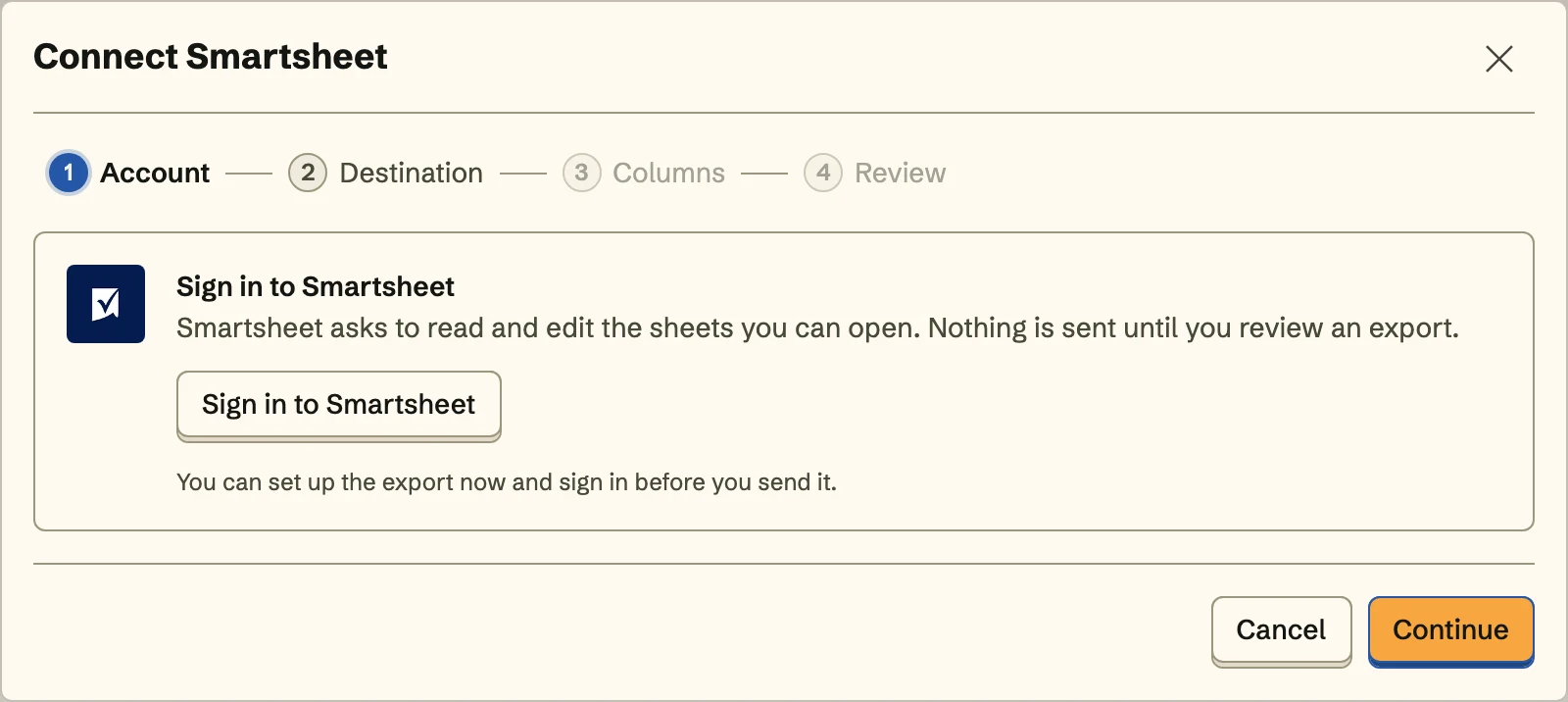 SpecStream never creates, shares or deletes sheets.
 - 2
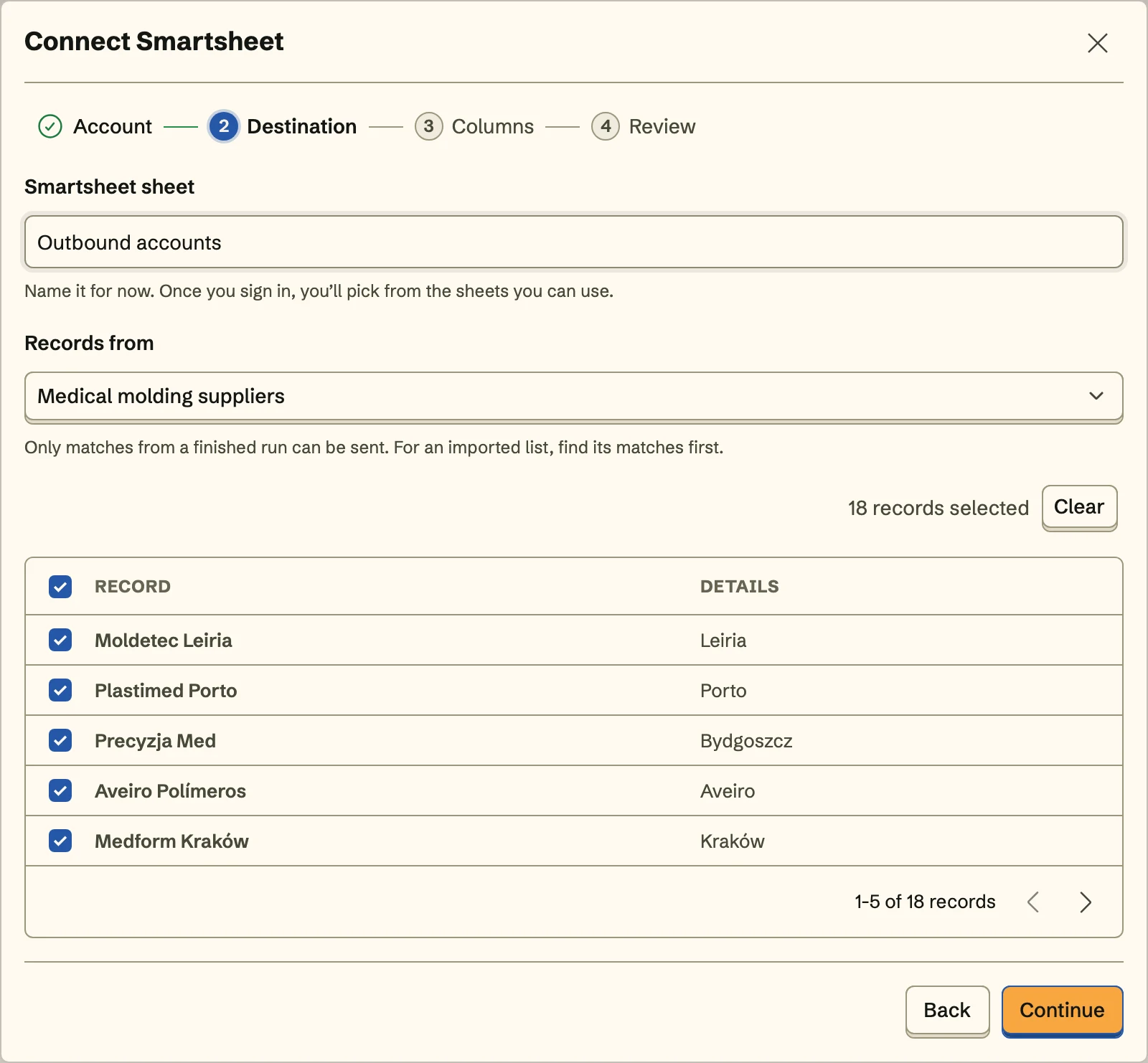
2. Choose the sheet
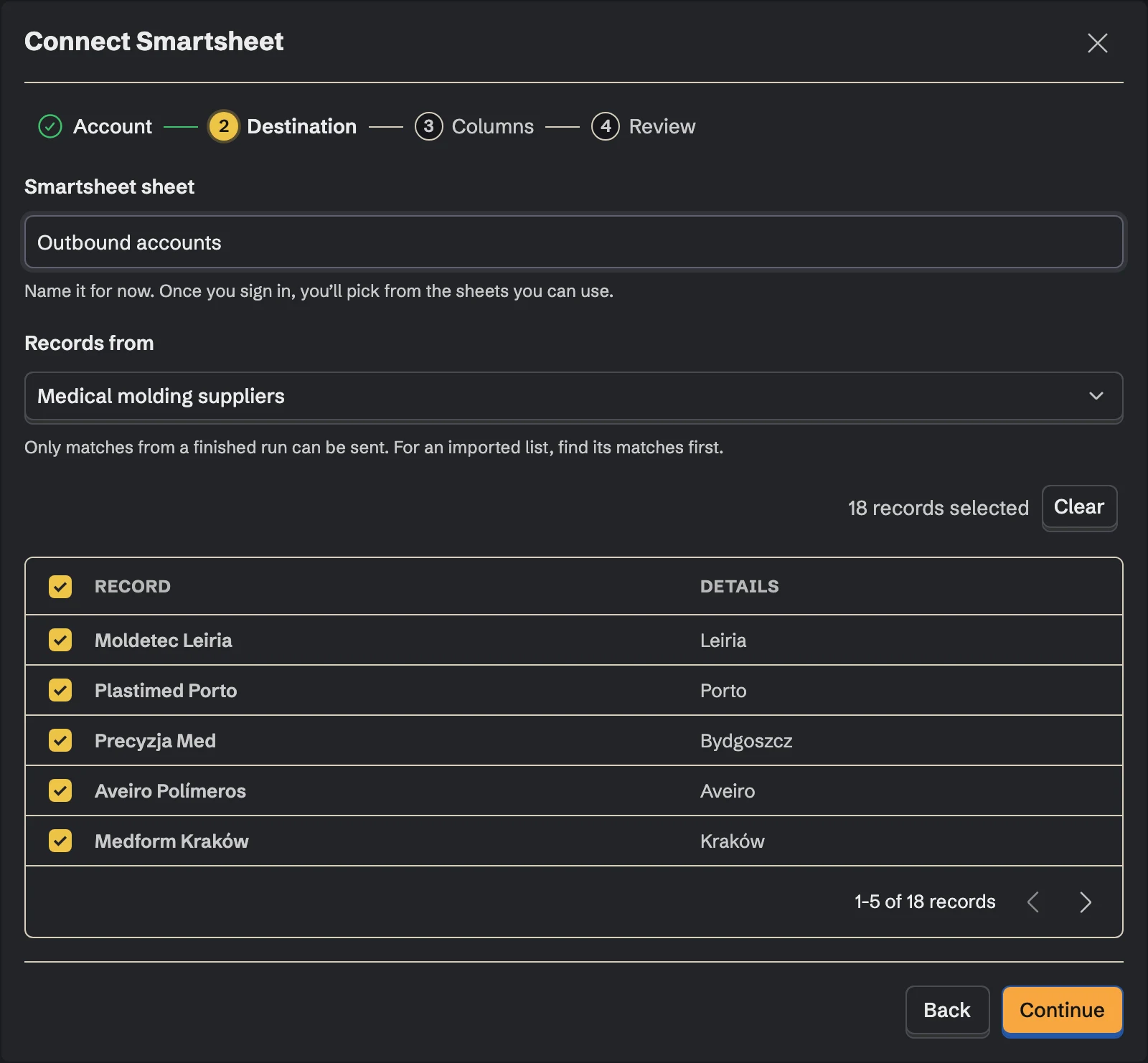
Pick the sheet from the ones your account can open, then the collection the records come from and the records to send.
- 3
3. Match the columns
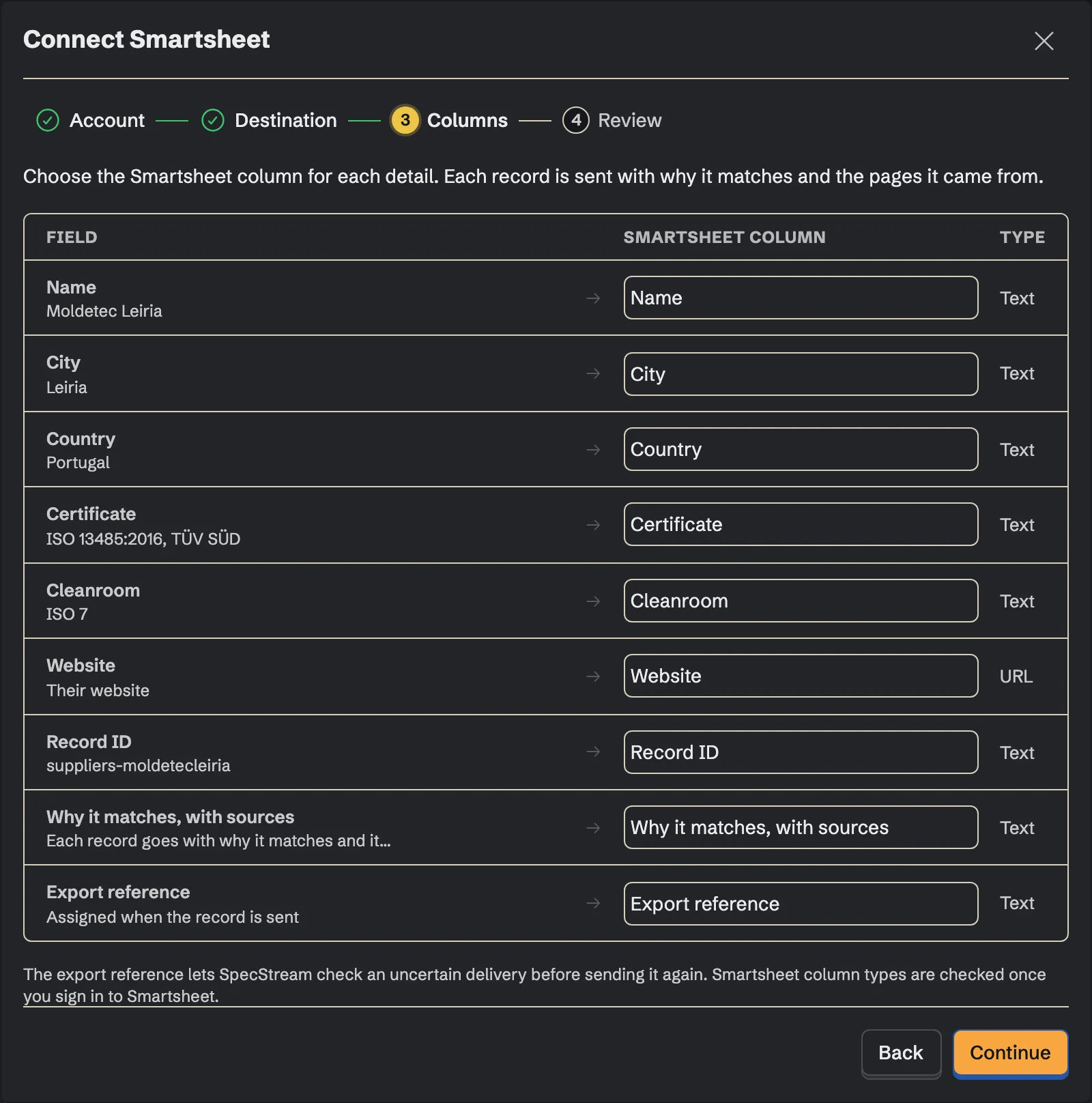
Choose a column for each detail by its title: name, website, city, headcount, the source page. Export reference goes to the reference column. Details you don't map aren't sent, and formula and system columns (Created, Modified) are left alone.
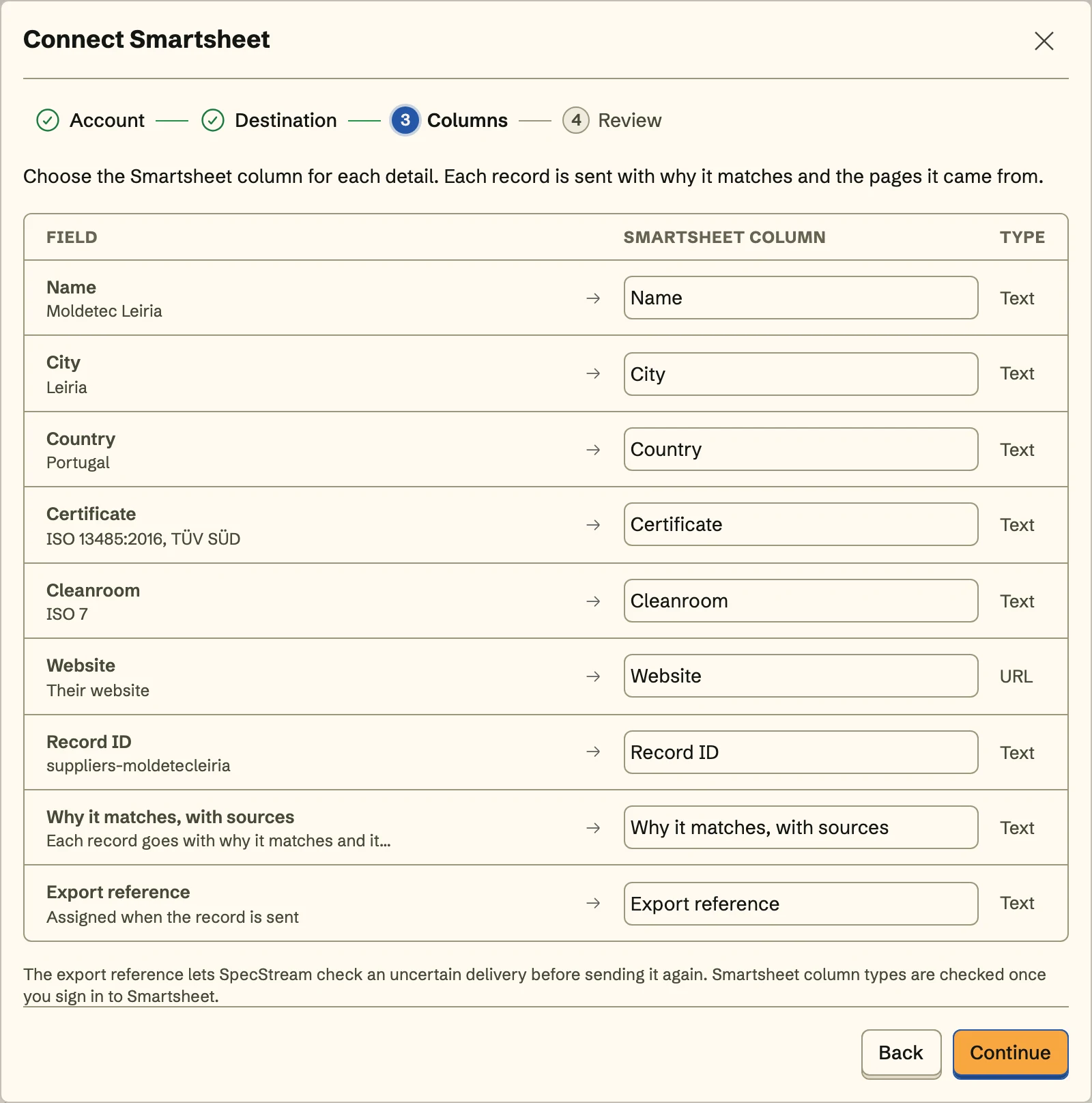
Values go in as Smartsheet would take them typed: a number lands in a number column, a date in a date column, and anything a column can't hold is kept as text.
- 4
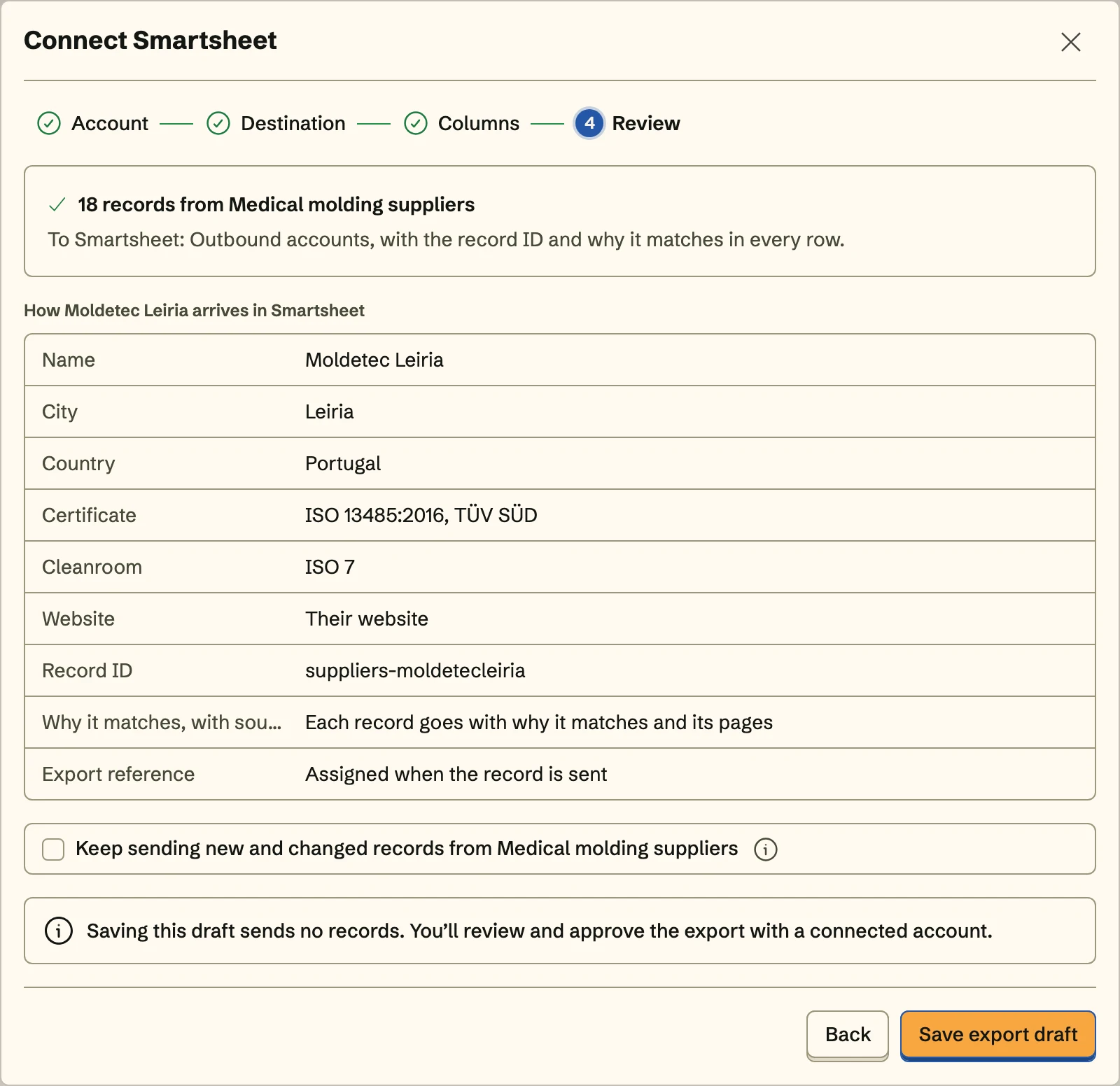
4. Review and send
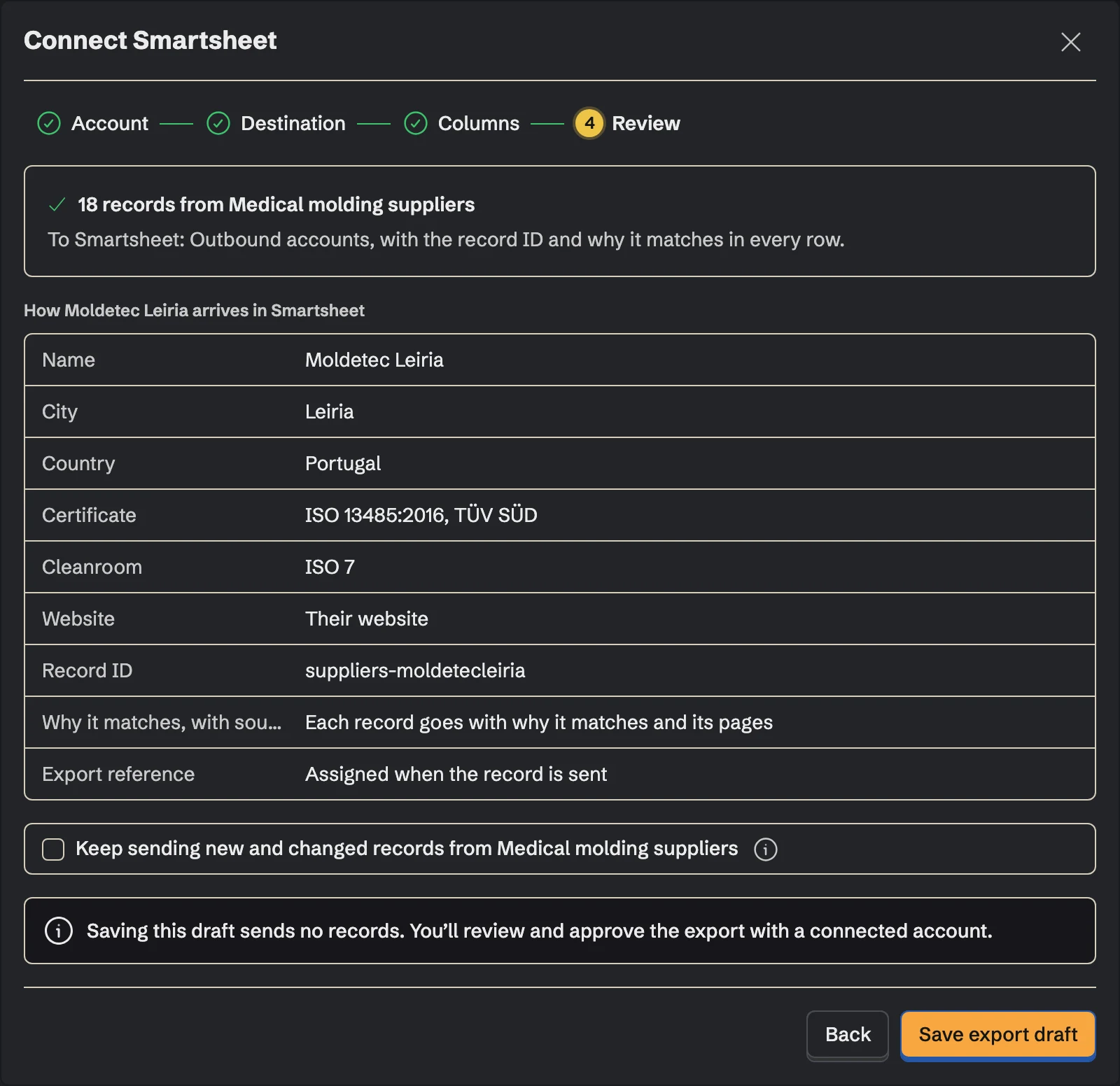
Review shows exactly how the first record arrives in the sheet. Send it, and turn on Keep sending to add the collection's new and changed records to the same sheet with the same mapping, including what a monitor finds on its schedule.
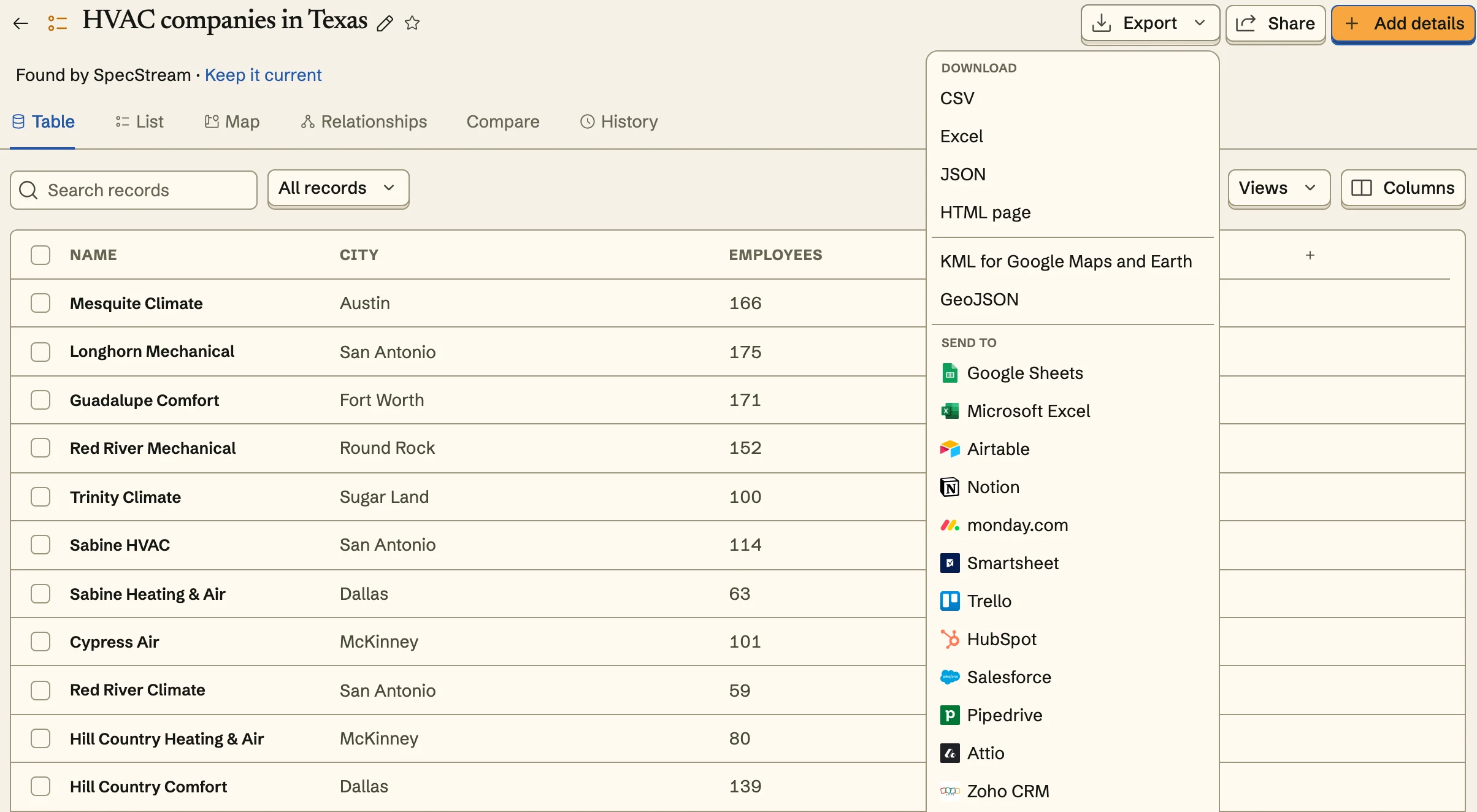
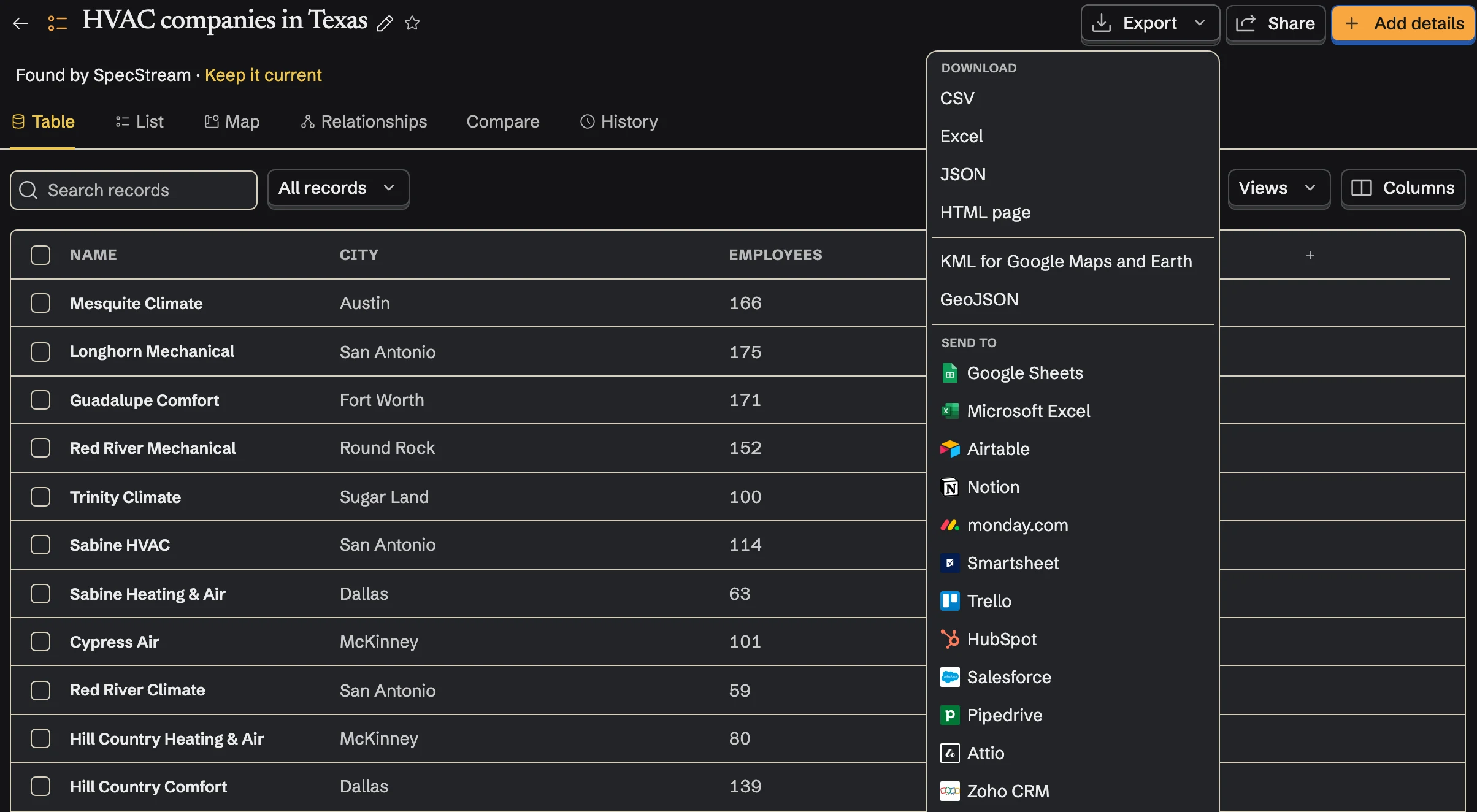
Once Smartsheet is connected, send from any collection too: select results, open Export and choose Smartsheet under Send to.
Updates, not duplicates
New rows go to the bottom of the sheet. When you send a record again, SpecStream updates the row it wrote, even if someone sorted the sheet since. If a write times out, SpecStream reads the reference column to see what arrived instead of writing it again.
SpecStream doesn't send update requests, alerts or reminders from your sheet, and it doesn't touch rows it didn't write.
Cost
Sending results to Smartsheet costs nothing. Requests are paid from your SpecStream balance, and each one shows the most it can cost before it starts. See balance, quotes and billing.
Disconnect
Disconnect from Connections in SpecStream, which deletes the stored sign-in. Removing SpecStream's access in your Smartsheet account settings stops it at once. Rows already in the sheet stay there. The other tools SpecStream connects to are in Connect your tools; for help, email [email protected].