Pipedrive
Send live web data to Pipedrive as organizations and people. Every record arrives with why it matches and the pages it came from, and SpecStream looks for the same website or email in Pipedrive before it adds anything.
What you need
- A SpecStream account. Starting is free.
- A Pipedrive account that can add organizations and people.
- Results from a finished request. An imported file needs its matches found first.
- 1
1. Connect Pipedrive
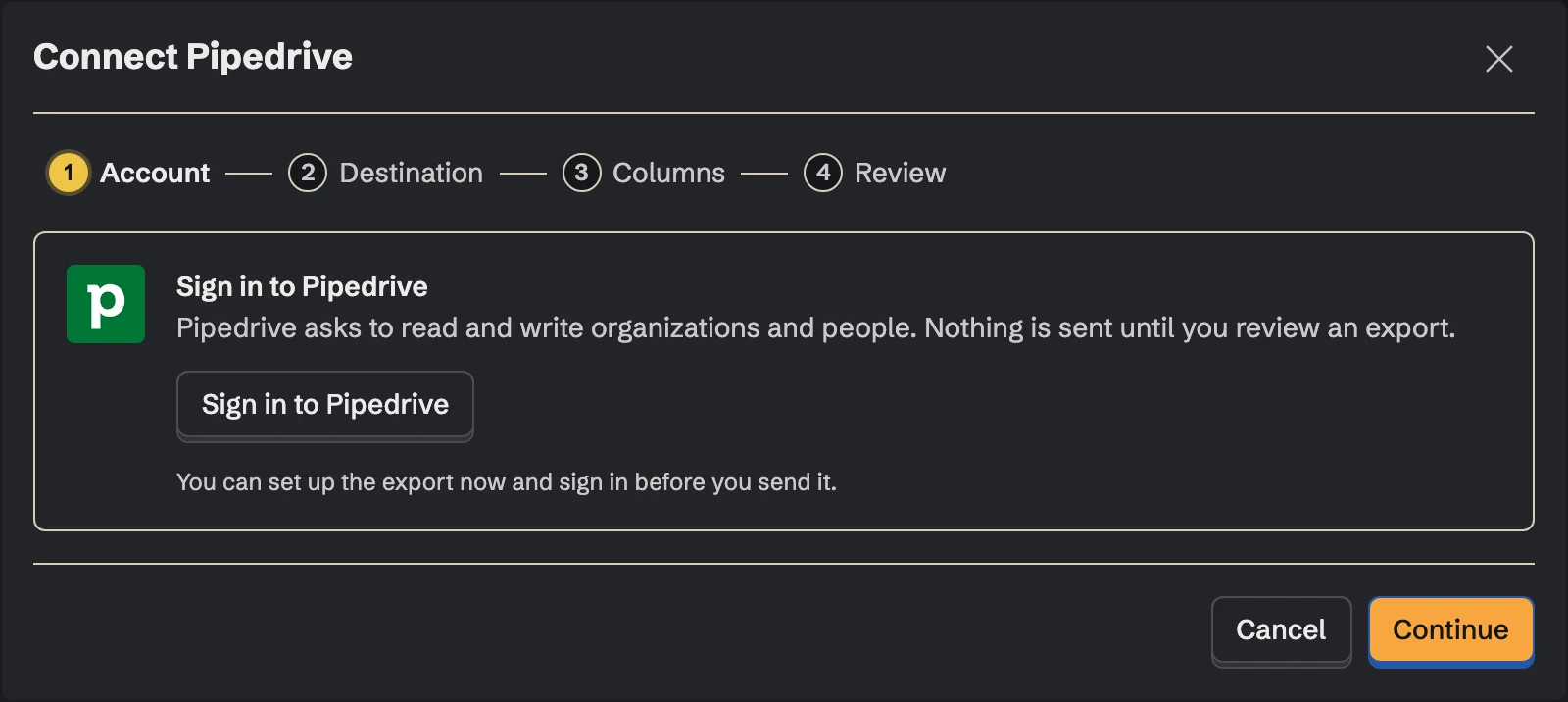
Install SpecStream from the Pipedrive Marketplace, or open Connections in SpecStream, choose Pipedrive and click Sign in to Pipedrive. Pipedrive asks you to approve access to your contacts, which covers organizations and people, and to your basic user details.
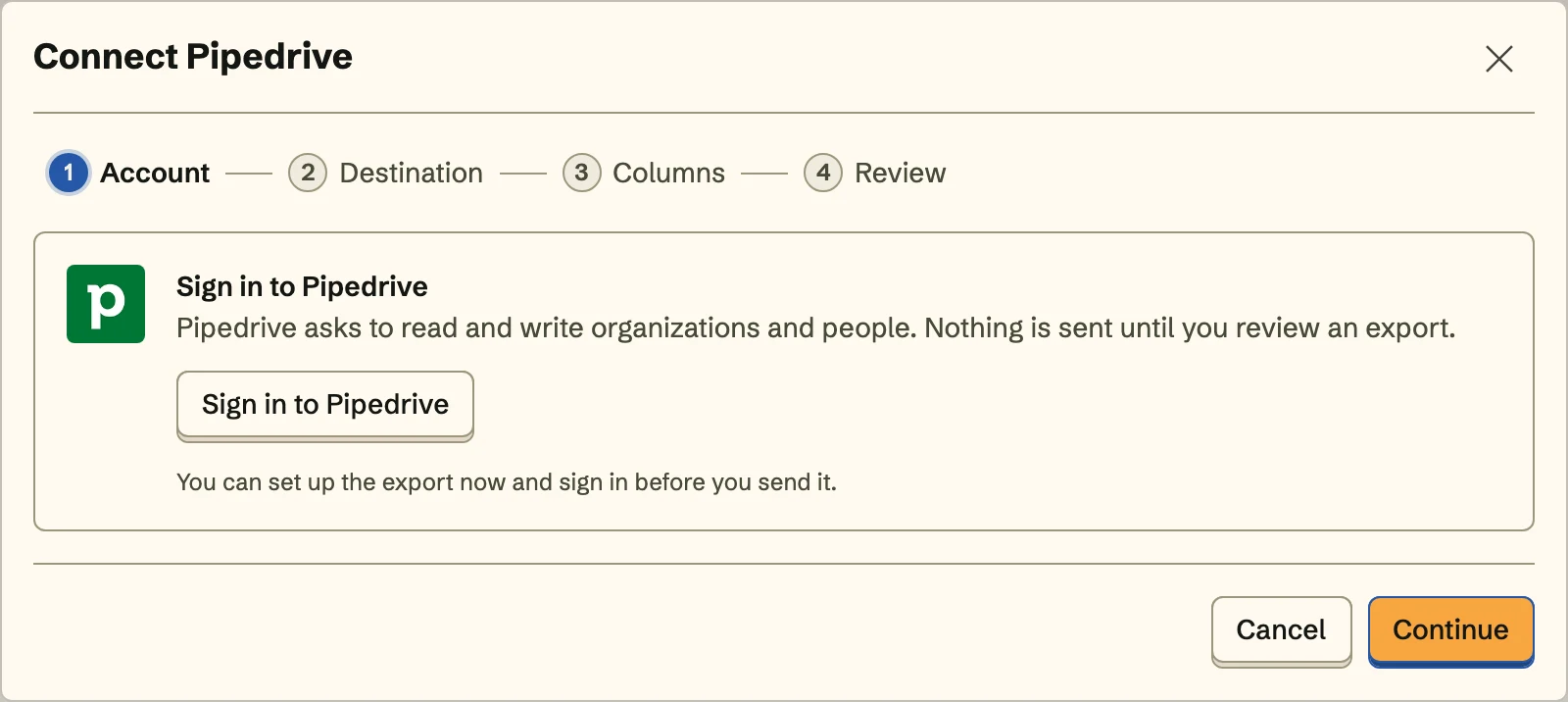 Nothing is sent until you review an export.
Coming from the Marketplace, SpecStream asks you to sign in or create an account, then names the Pipedrive company and user being connected. Nothing connects until you click Connect Pipedrive.
SpecStream doesn't read or write deals, activities, emails, notes or products.
- 2
2. Choose where records go
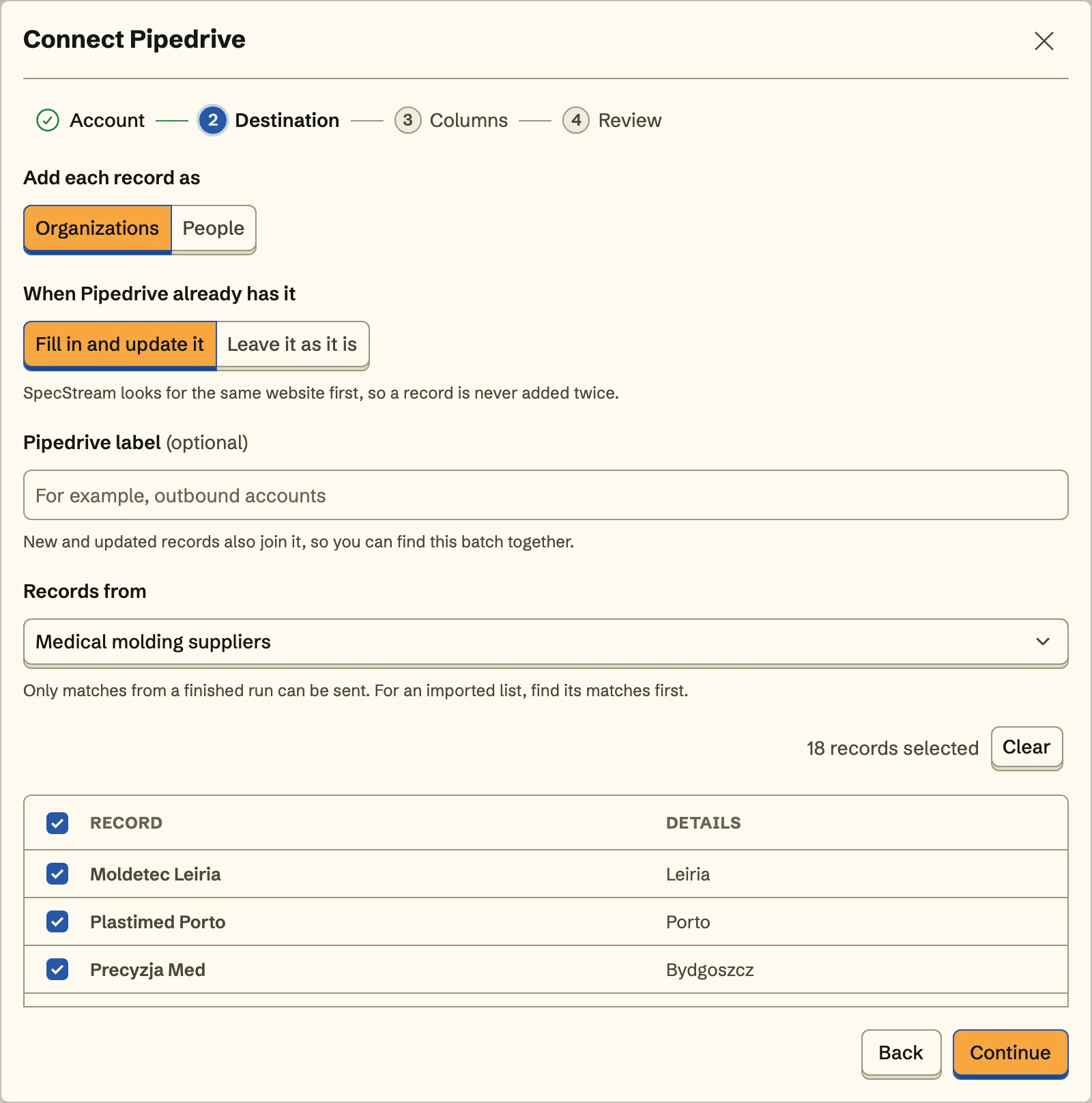
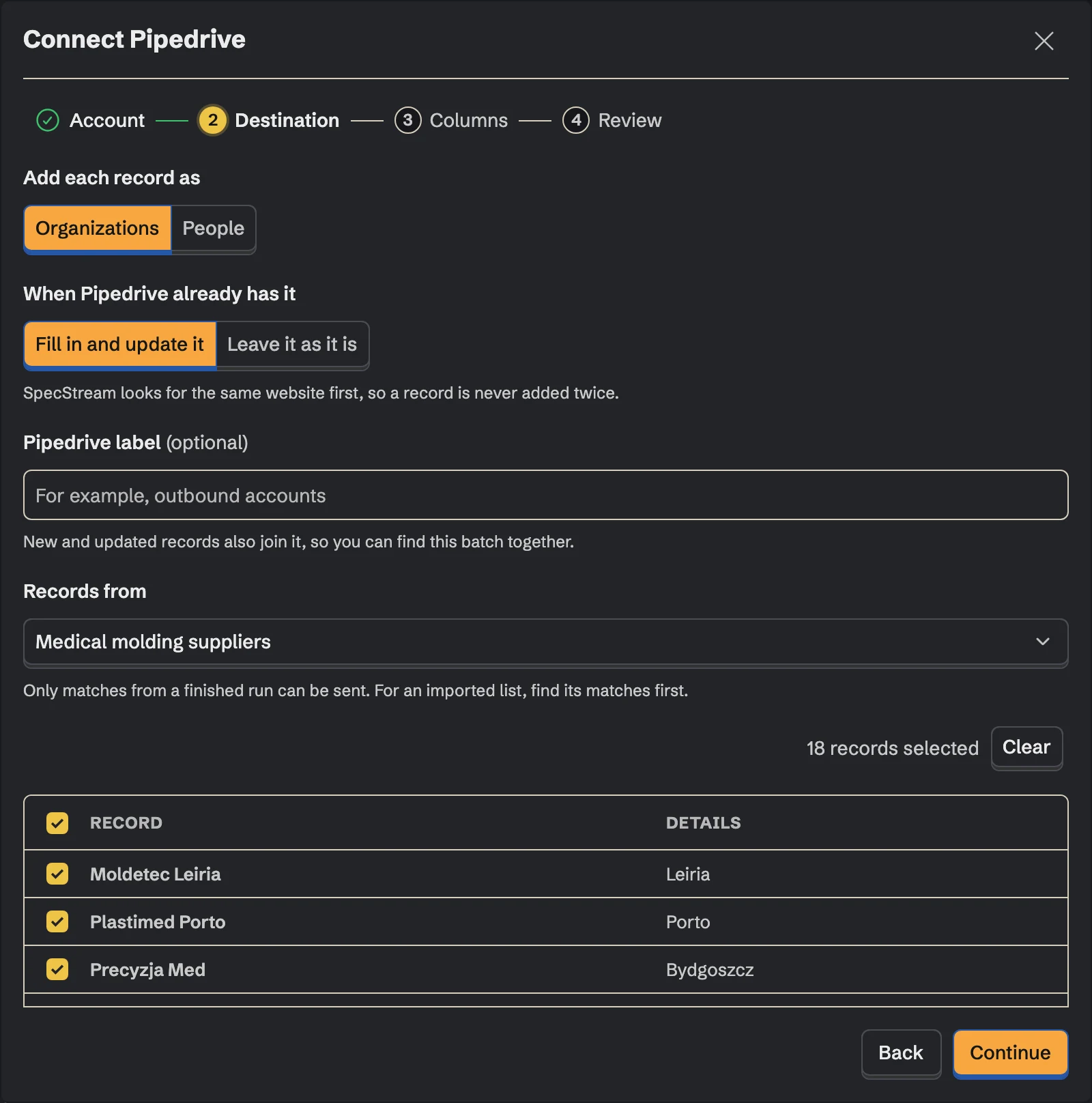
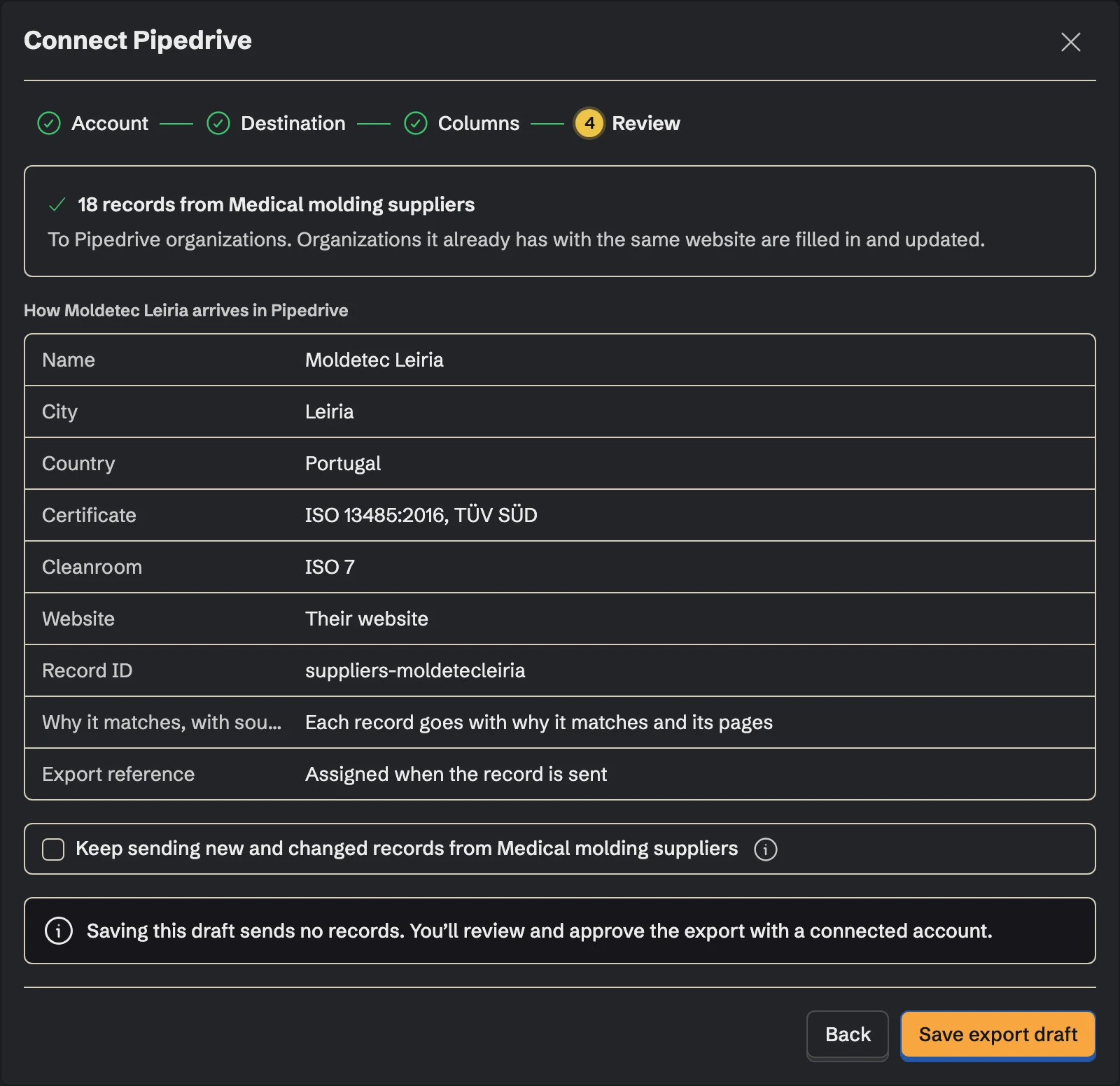
Add each record as an organization or a person, and decide what happens when Pipedrive already has it: fill it in and update it, or leave it as it is. A Pipedrive label is optional; new and updated records join it, so this batch is easy to find. Then pick the collection the records come from and select the ones to send.
- 3
3. Match the fields
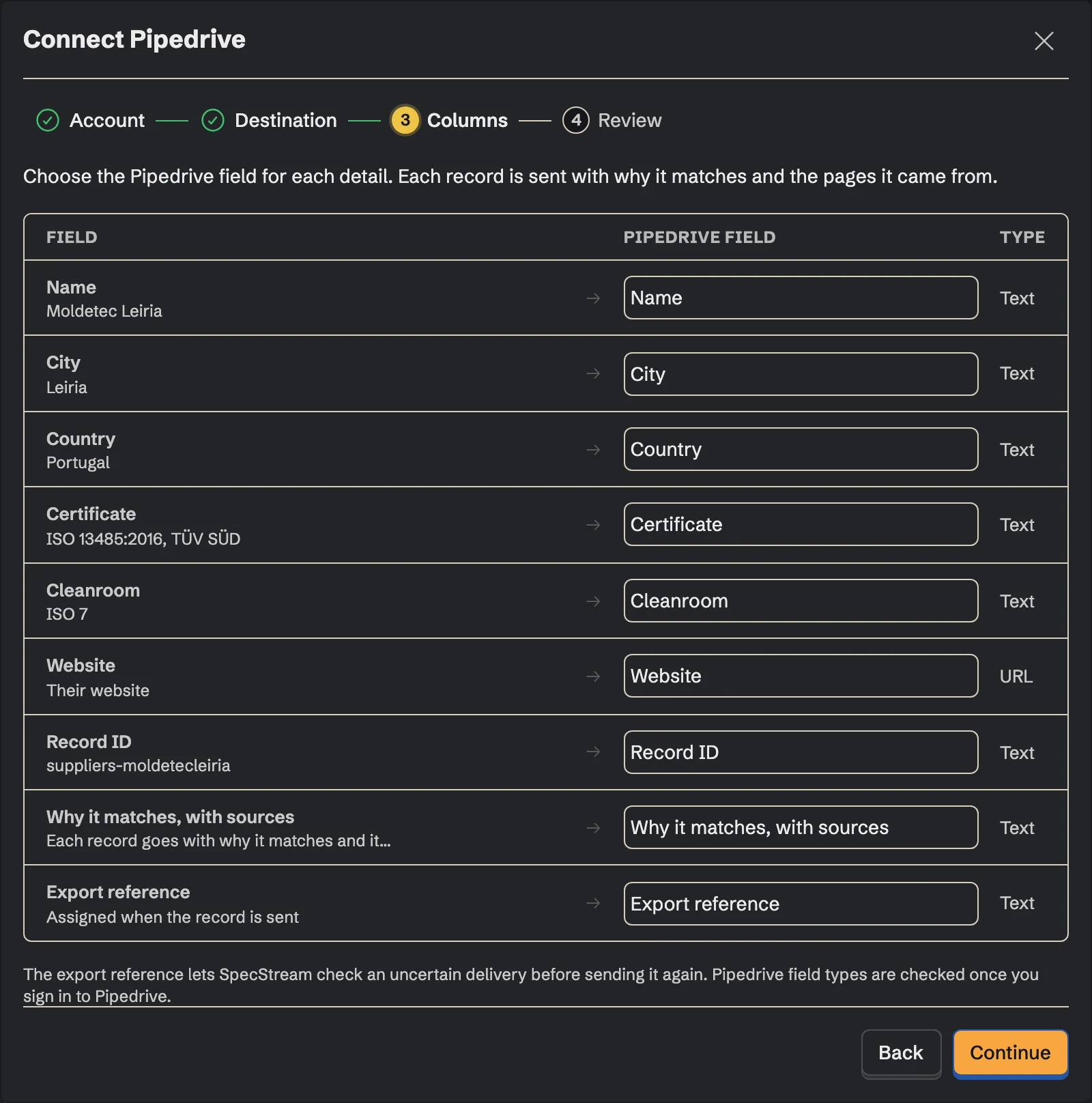
Choose the Pipedrive field for each detail, including the custom fields your company added. Fields you don't map aren't sent. Each record can also carry why it matches and the pages it came from, and an export reference that lets SpecStream check an uncertain delivery before sending again.
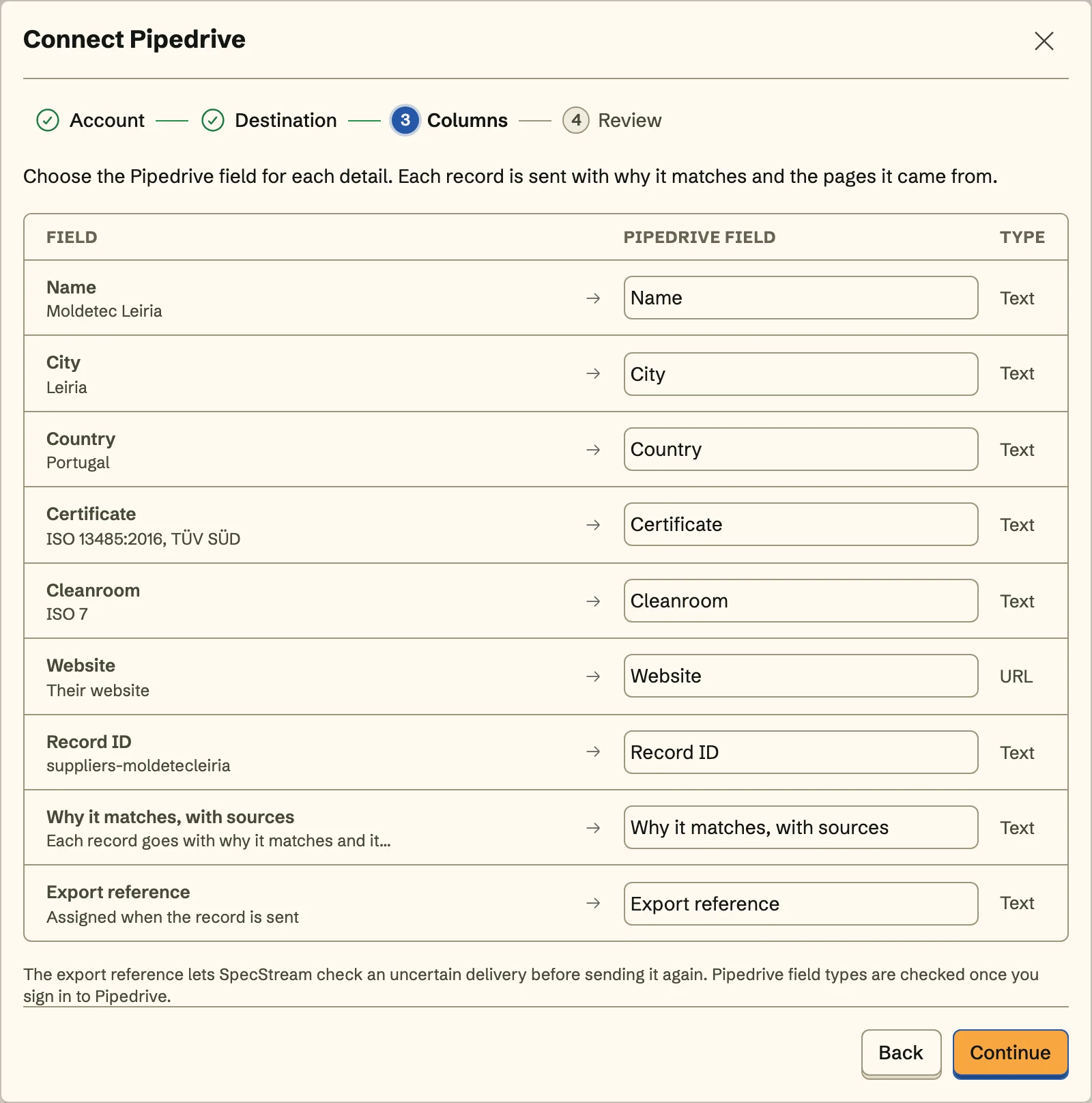
An organization needs its website or domain mapped to a searchable field, so SpecStream can find it again. A person needs an email address the source published; SpecStream never guesses one.
- 4
4. Review and send
Review shows exactly how the first record arrives in Pipedrive. Send the records, and turn on Keep sending to send the collection's new and changed records to the same place with the same mapping, including what a monitor finds on its schedule.
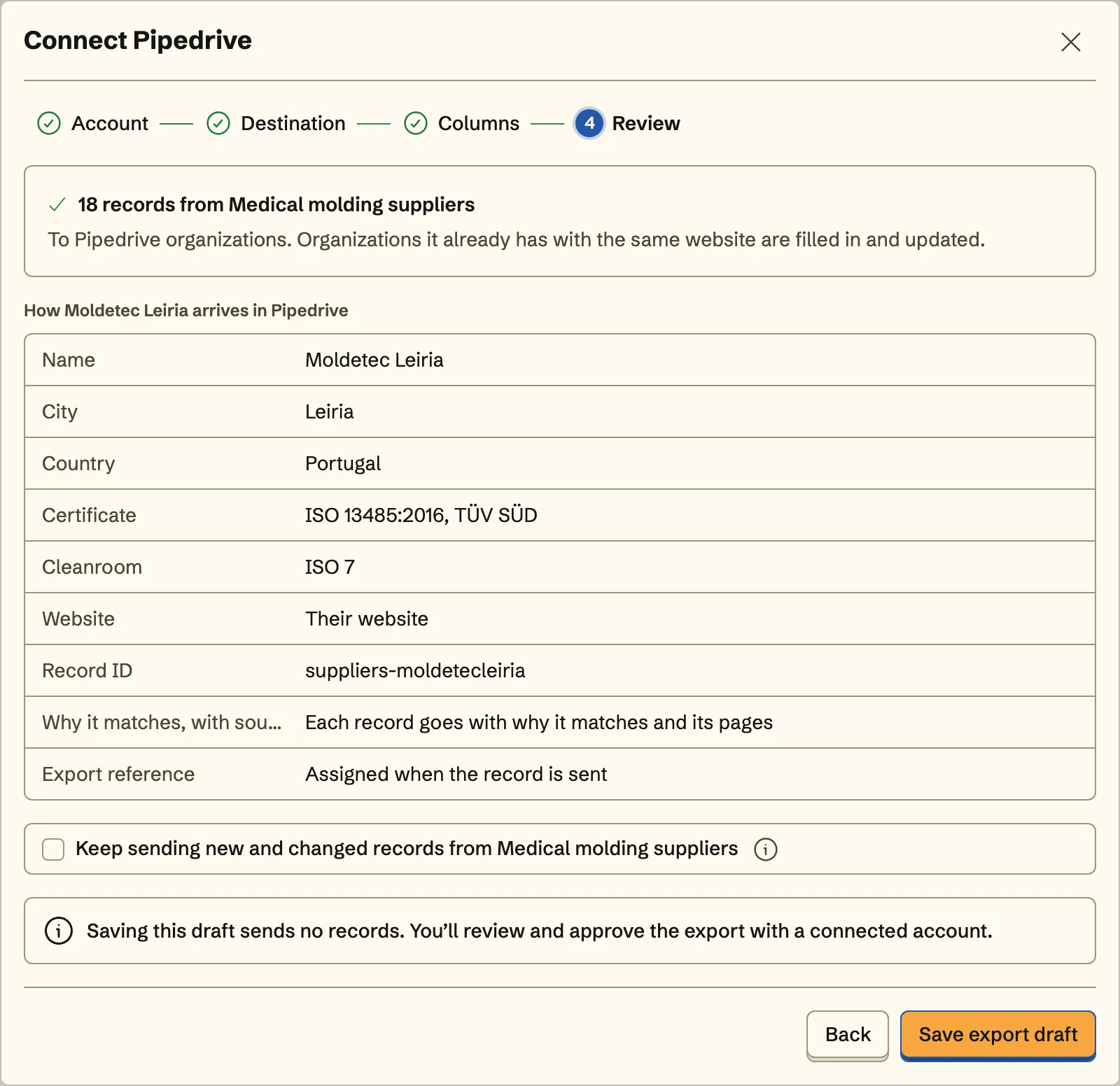
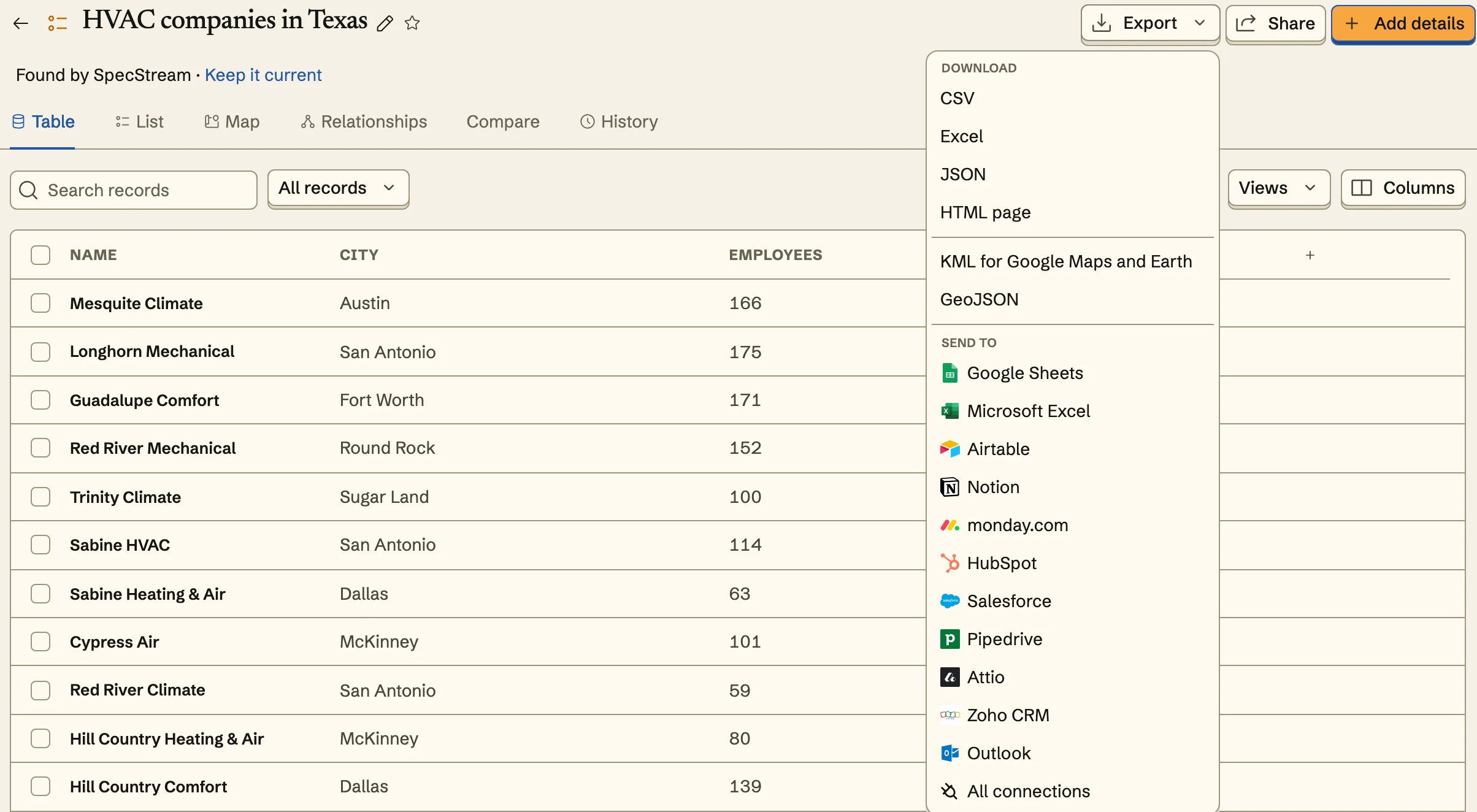
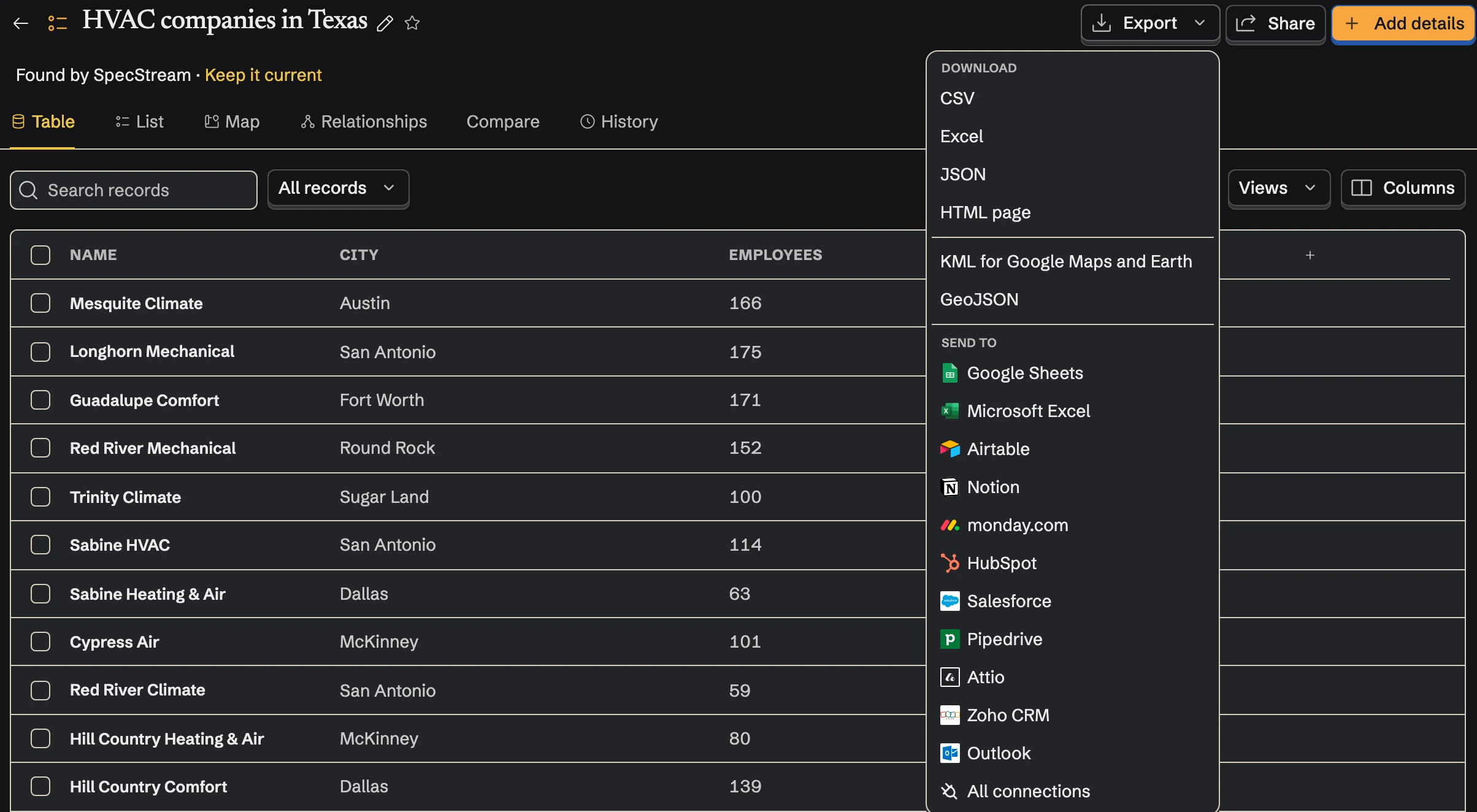
Once Pipedrive is connected, send from any collection too: select results, open Export and choose Pipedrive under Send to.
Matching
Before it creates anything, SpecStream searches Pipedrive: organizations by website or domain, people by email address. A match is updated or left alone, as you chose. If a write times out, SpecStream checks what arrived instead of writing it again.
SpecStream adds and updates organizations and people. It never sends email or starts a campaign.
Cost
Sending results to Pipedrive costs nothing. Requests are paid from your SpecStream balance, and each one shows the most it can cost before it starts. See balance, quotes and billing.
Disconnect
Disconnect from Connections in SpecStream, which also withdraws SpecStream's access in Pipedrive, or remove the app under Tools and apps in Pipedrive, which stops the connection in SpecStream. Records already in Pipedrive stay there. The other tools SpecStream connects to are in Connect your tools; for help, email [email protected].