Jira
Ask for live web data in Jira, in plain words: companies, local businesses, people at companies, job posts, filings. The SpecStream agent in Rovo shows how it read the request and the most it can cost, runs it on your own account once you approve, and brings back the results with the page every value came from.
Install
- A Jira site admin clicks Install SpecStream for Jira, picks the site and approves. Rovo has to be on for that site.
- In Jira, open Rovo chat, then Agents, and choose SpecStream.
- The first time you ask, Rovo shows Authorize SpecStream. Sign in to SpecStream, or create a free account, and allow access. Rovo picks the request back up by itself.
Each person connects their own SpecStream account, so every request runs and bills on it. Your requests, prices and results are yours; nobody else on the site sees them.
Ask for data
Say what you want, how many, and the details to bring back, for example:
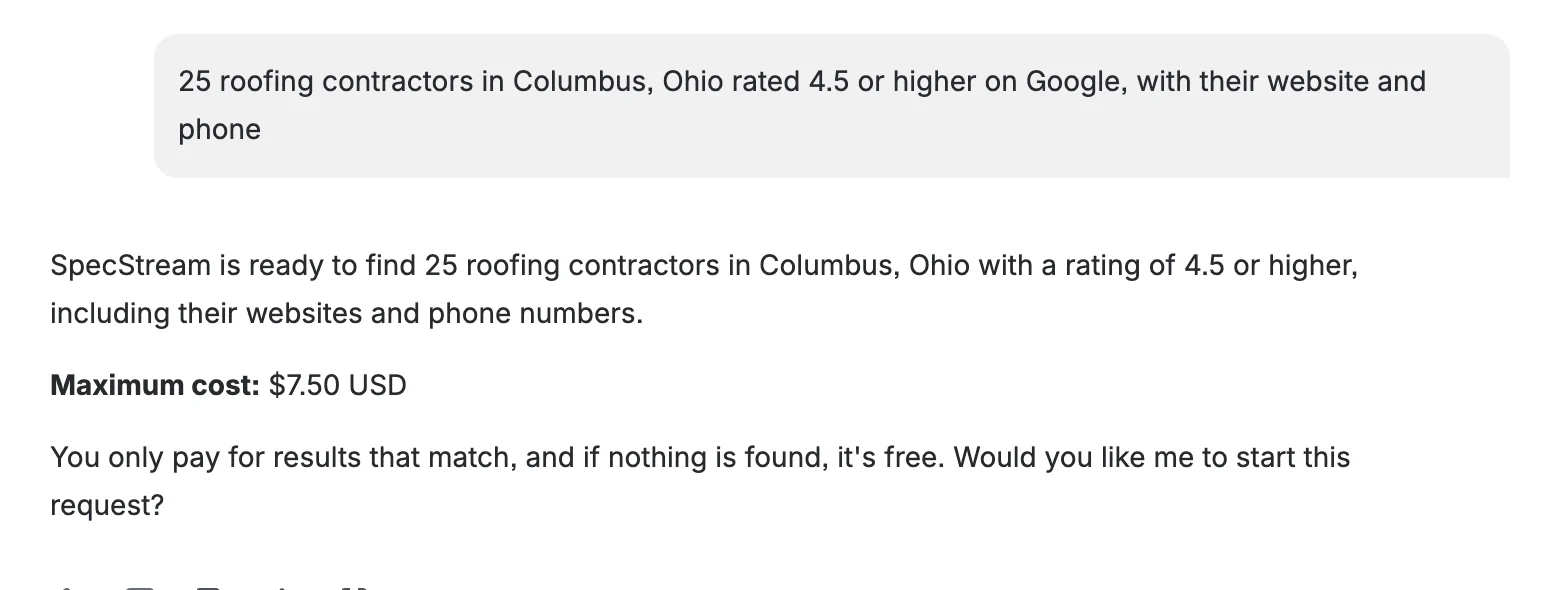
25 roofing contractors in Columbus, Ohio rated 4.5 or higher on Google, with their website and phone
SpecStream answers with how it read the request and the most it can cost. Nothing has run yet.
Approve the price
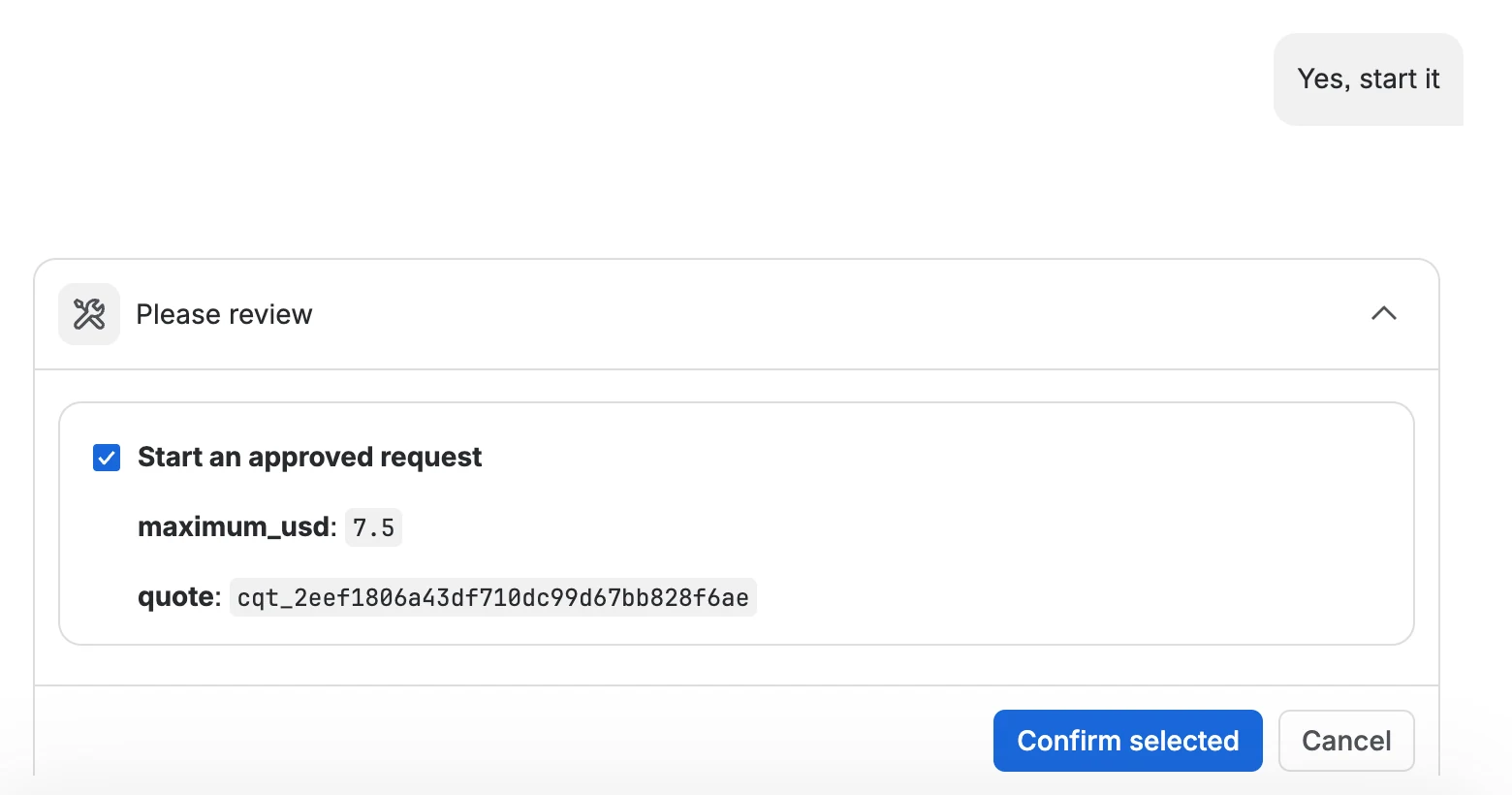
Say yes, and Rovo shows its own review card with the maximum you're approving. The request starts only when you click Confirm selected. Approving a quote twice starts it once.
Read the results
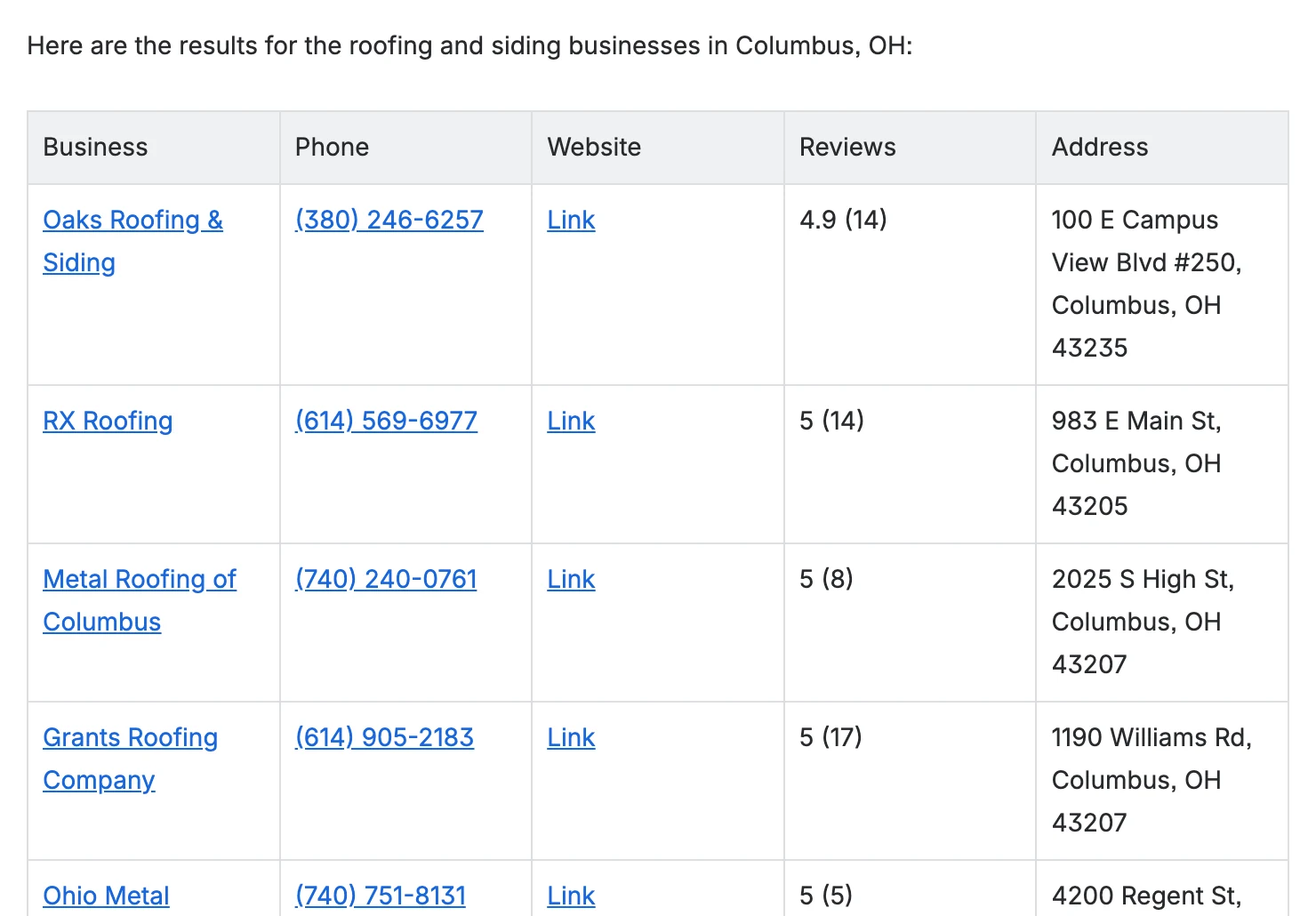
Results take a few minutes. Ask for them, or say "show the results of my latest request", and the agent lays them out as a table, each value linked to the page it came from. It shows up to 50 rows in the chat; the link under the table opens all of them in your SpecStream workspace, where you can export them or send them to another tool.
Ask for your recent requests to find an earlier one.
Your own Rovo agents
The same four actions are available to agents you build in Rovo Studio: Price a data request, Start an approved request, Get request results and List recent requests. Starting a request always goes through Rovo's review card, so an agent can't spend without a person confirming it.
Permissions and data
SpecStream for Jira asks Atlassian for no access to your Jira data: it can't read or change work items, projects, pages or people. It sends only what you ask the agent for to SpecStream at api.specstream.ai, signed in as you. Your SpecStream sign-in is kept by Atlassian's Forge platform, encrypted, and the app stores nothing else. See the privacy policy and security.
How SpecStream uses AI
SpecStream uses AI models to read your request and the pages it collects, so results can be wrong. Every value carries the page it came from and when it was read, so you can open the source. The AI services SpecStream uses don't keep what they read and may not train their models on it.
Cost
The app is free. Requests are paid from your SpecStream balance, only for the results that match, and a search that finds nothing is free. New accounts get $10 of work free, no card. See pricing and balance, quotes and billing.
Remove
To disconnect your SpecStream account, open Agents & API in your SpecStream workspace, then OAuth applications, and revoke Jira; the agent asks you to authorize again next time. A site admin removes the app for everyone under Apps, then Manage apps, in Jira. Results you got stay in your workspace. The other tools SpecStream works with are in Connect your tools. For help, email [email protected].