Google Sheets
Bring the lists SpecStream finds on the live web into Google Sheets: every company, person, place or posting as a row, each value next to the page it was read from. Ask for a new list and see its price from the side panel, without leaving the spreadsheet.
What you need
- A SpecStream account. Starting is free.
- A Google account and a spreadsheet you can edit.
- 1
1. Install the add-on
Open SpecStream in the Google Workspace Marketplace (opens in a new tab) and click Install. In any spreadsheet, the SpecStream mark then sits in the side panel on the right.
The add-on asks for access to the spreadsheet you use it in, never your whole Drive, and for permission to reach SpecStream. - 2
2. Connect your key
In SpecStream, open Agents & API and create a key. In the add-on, click Connect account, paste the key into the form that opens and click Connect. Close that tab and click Refresh connection in the add-on.
The key stays with your Google account and never goes into a spreadsheet. It keeps its permissions and spending limit, like anywhere else. Signed in to several Google accounts and the form says the page can't be found? Open it in a window signed in to just this one. - 3
3. Import a list
Pick one of Your lists, or search them by name, place or detail, and click Open list. Then click Import into a new sheet. The first time, Google asks you to let the add-on use this spreadsheet, and the import runs as soon as you do.
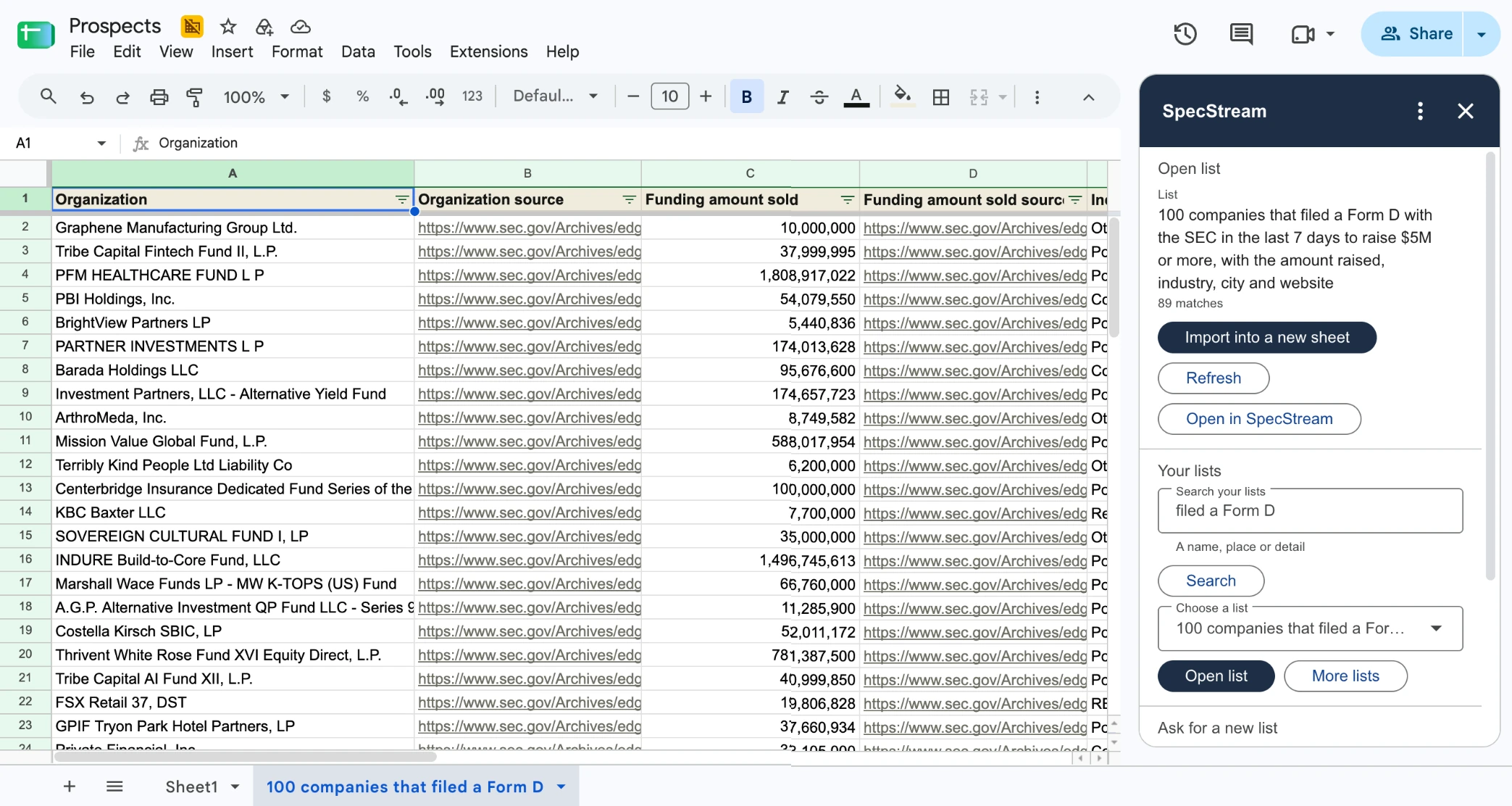
Each column is followed by its source column, the page the value came from. Columns no result has stay out. Values arrive as text, so nothing from the web runs as a formula, and each import adds a new sheet without touching your other cells.
- 4
4. Ask for a new list
Open Ask for a new list, say what you need, for example dentists in Leeds with their website and phone, add how many results you want and click Get a quote. The add-on shows how SpecStream read the request, the most it can cost and how long that price holds. Nothing has run yet.
To start it, type that maximum and click Approve this work. When the list is done, click Refresh, then import it.
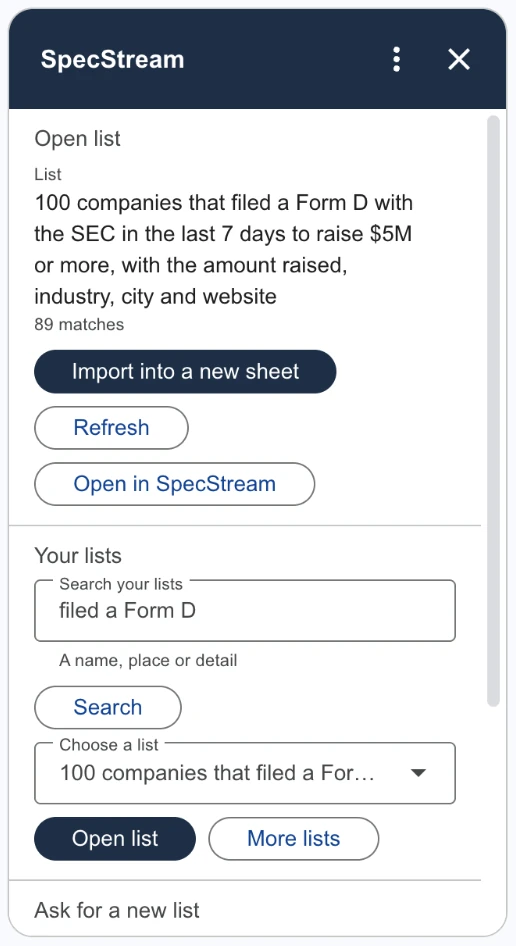
Importing the same list into the same spreadsheet again points you to the sheet it already made instead of writing a second copy.
Send from SpecStream instead
To fill a spreadsheet you already use, with your own column names, send results from the list in SpecStream: choose the sheet, match each field to a column and keep it in sync. See Connect your tools.
Cost
The add-on is free. Lists are paid from your SpecStream balance, and you pay only for the results that match. See balance, quotes and billing.
Disconnect
Click Disconnect account at the bottom of the add-on. Revoking the key in Agents & API stops it at once. Sheets you imported stay in your spreadsheet until you delete them. For help, email [email protected].