Coda
Bring the lists SpecStream finds on the live web into a Coda doc: every company, person, place or posting as a row, each value next to the page it was read from. Price a new request and start it from a button without leaving the doc.
Coda is now Superhuman Docs. The Pack works the same under both names. To see it before you set anything up, open the example doc (opens in a new tab): 25 plumbers in Dayton, Ohio.
What you need
- A SpecStream account. Starting is free.
- A Coda doc you can edit.
- 1
1. Add the Pack
Open the SpecStream Pack (opens in a new tab) and click Add to doc for free, or in a doc open Insert, choose Packs and search for SpecStream.
- 2
2. Connect your key
In SpecStream, open Agents & API and create a key. When Coda asks you to connect your SpecStream account, paste the key and click Continue. Coda shows the account by its email.
The key keeps its permissions and spending limit in Coda, like anywhere else. - 3
3. Sync a list
From the Pack panel, drag Records into a page and pick one of your lists. Each value arrives with a source column beside it, the page it was read from. A column that's empty in every record stays hidden; show it from the column menu.
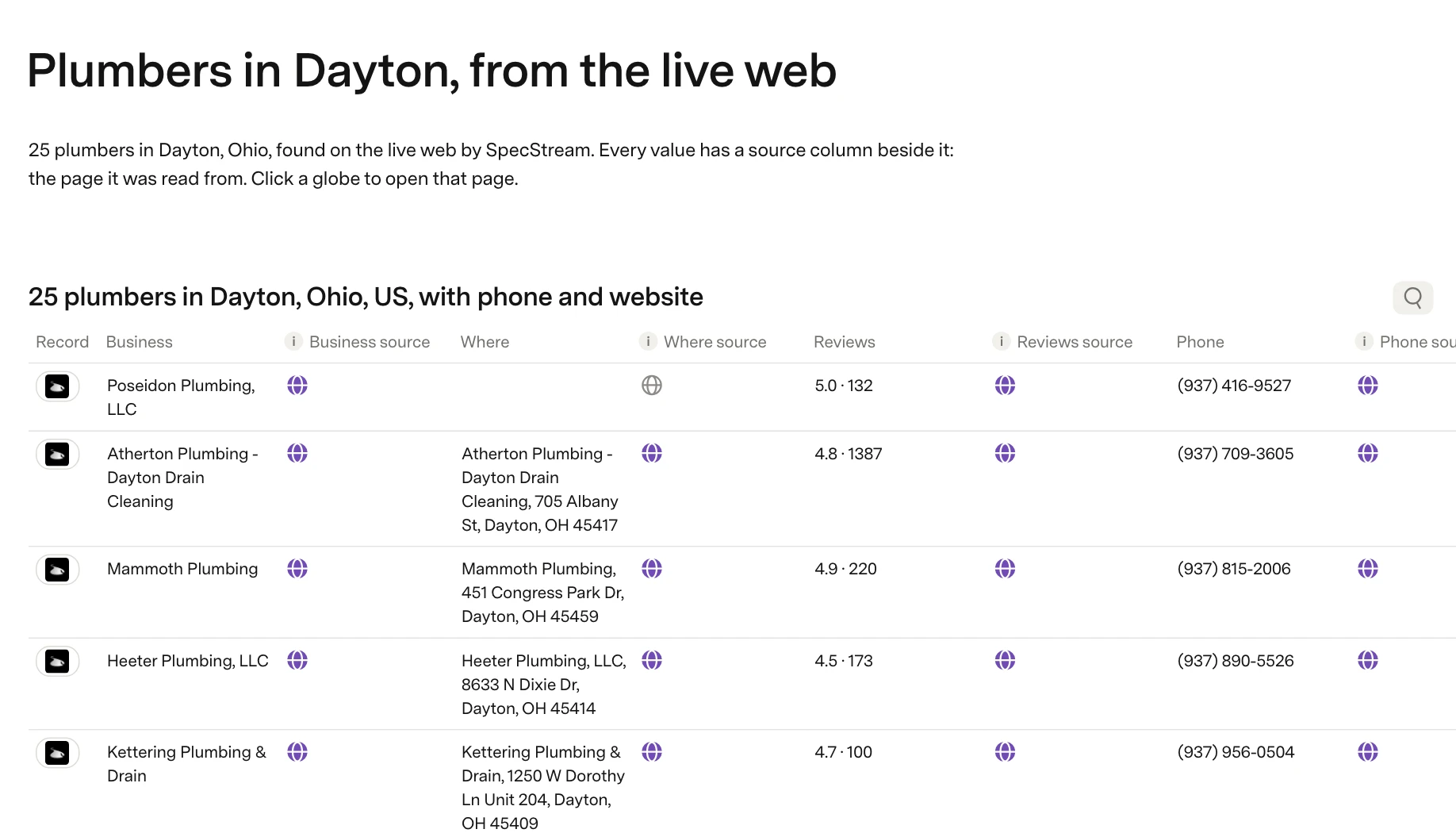
Click a globe to open the source page. Lists, the other table, brings in every list you have, with its size and a link to it in SpecStream.
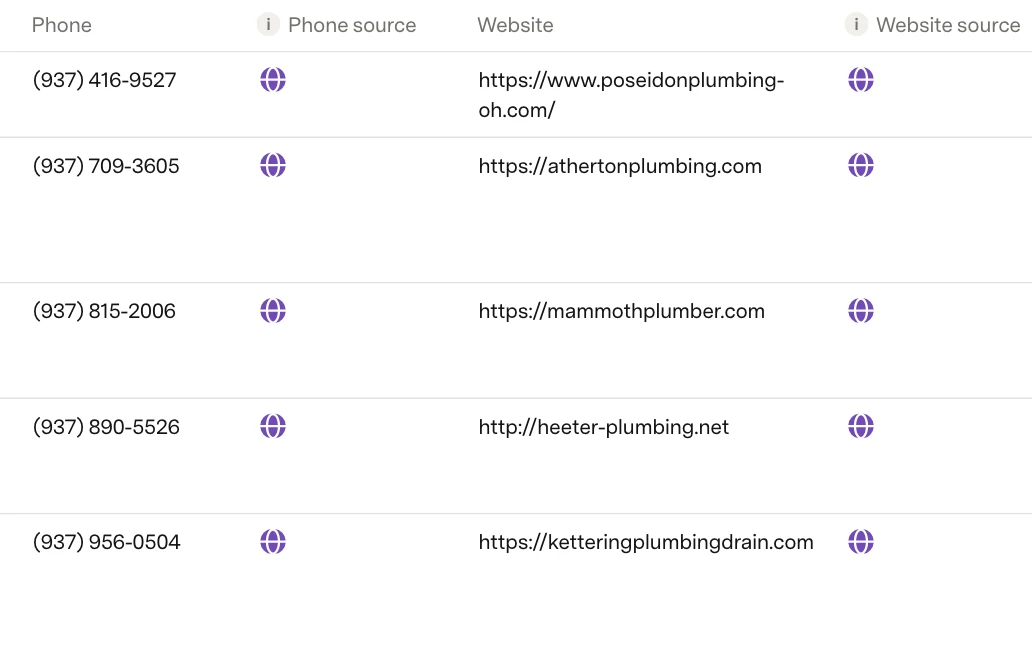 Refresh pulls the list's latest values. On Coda's paid plans the table can refresh itself daily or hourly.
 - 4
4. Price and find from your doc
Price("dentists in Leeds with their website and phone", 50)shows how SpecStream read the request, the most 50 results can cost and when that price expires. Nothing runs and nothing is spent.The Find list button takes a request, how many results and the most you'll pay. It starts the list only when the price is within your maximum. When the list is done, sync it into a Records table.
Pressing Find list again with the same request, count and maximum in the same hour returns the list it already started instead of buying a second one.
Cost
The Pack is free. Lists are paid from your SpecStream balance, and you pay only for the results that match. See balance, quotes and billing.
Disconnect
Remove the account in Coda under Account settings > Pack accounts. Revoking the key in Agents & API stops it at once. Rows already synced stay in the doc until you delete the table. The other tools SpecStream connects to are in Connect your tools; for help, email [email protected].