Ashby
Send the people SpecStream finds on the live web to Ashby as candidates. Every candidate arrives with why they fit and the pages that show it, and SpecStream looks for the same email in Ashby before it adds anyone.
What you need
- A SpecStream account. Starting is free.
- An Ashby API key with Candidates read and write and Hiring Process Metadata read. Only Ashby admins can create one.
- Results from a finished request for people, like "platform engineers in Berlin who maintain an open-source Rust project".
- 1
1. Connect Ashby
In Ashby, an admin opens Admin, then Integrations, then API Keys, and creates a key with the permissions above. Nothing else is needed: SpecStream never reads jobs, applications, interviews or feedback.
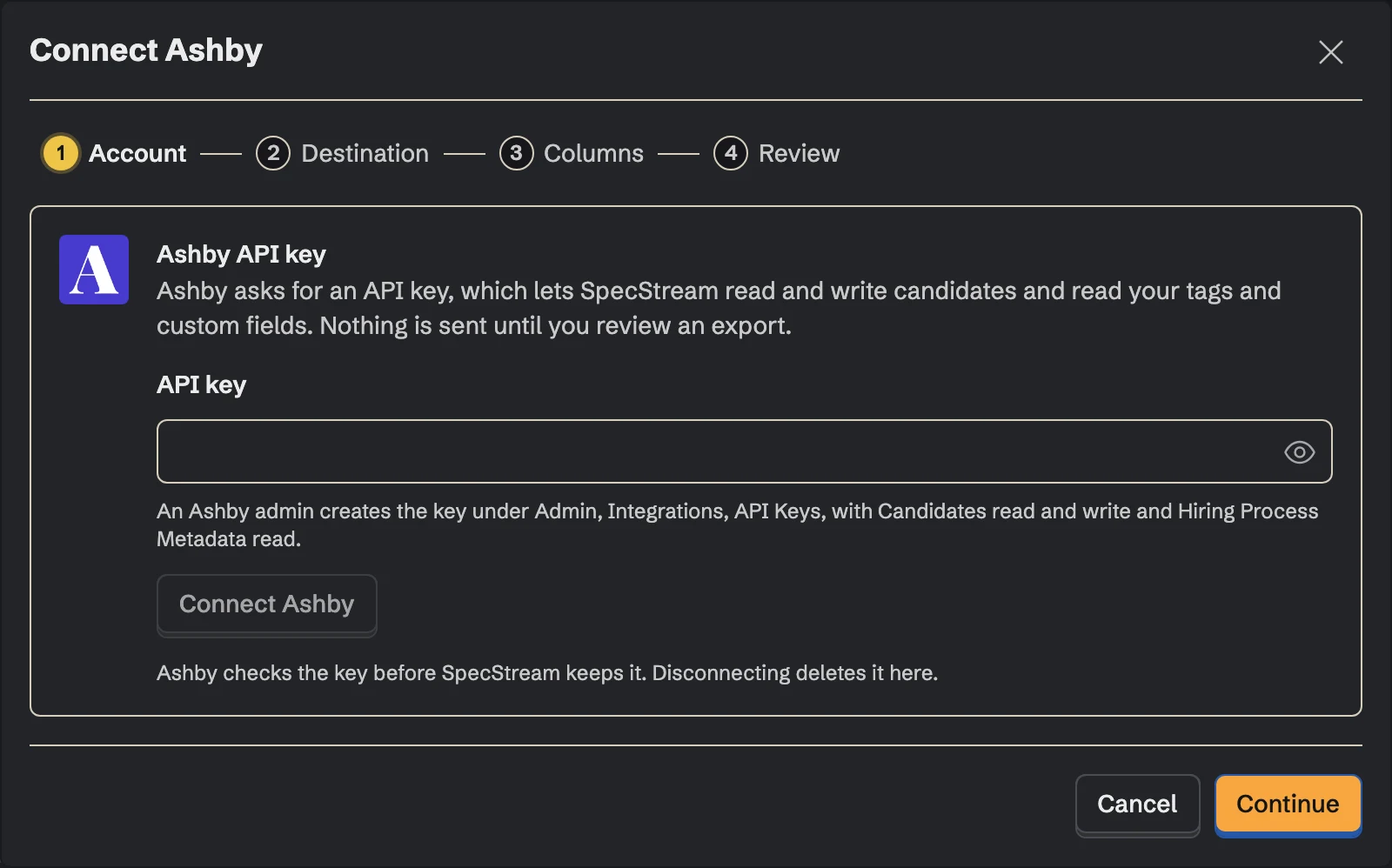
In SpecStream, open Connections and choose Ashby. Paste the key and click Connect Ashby.
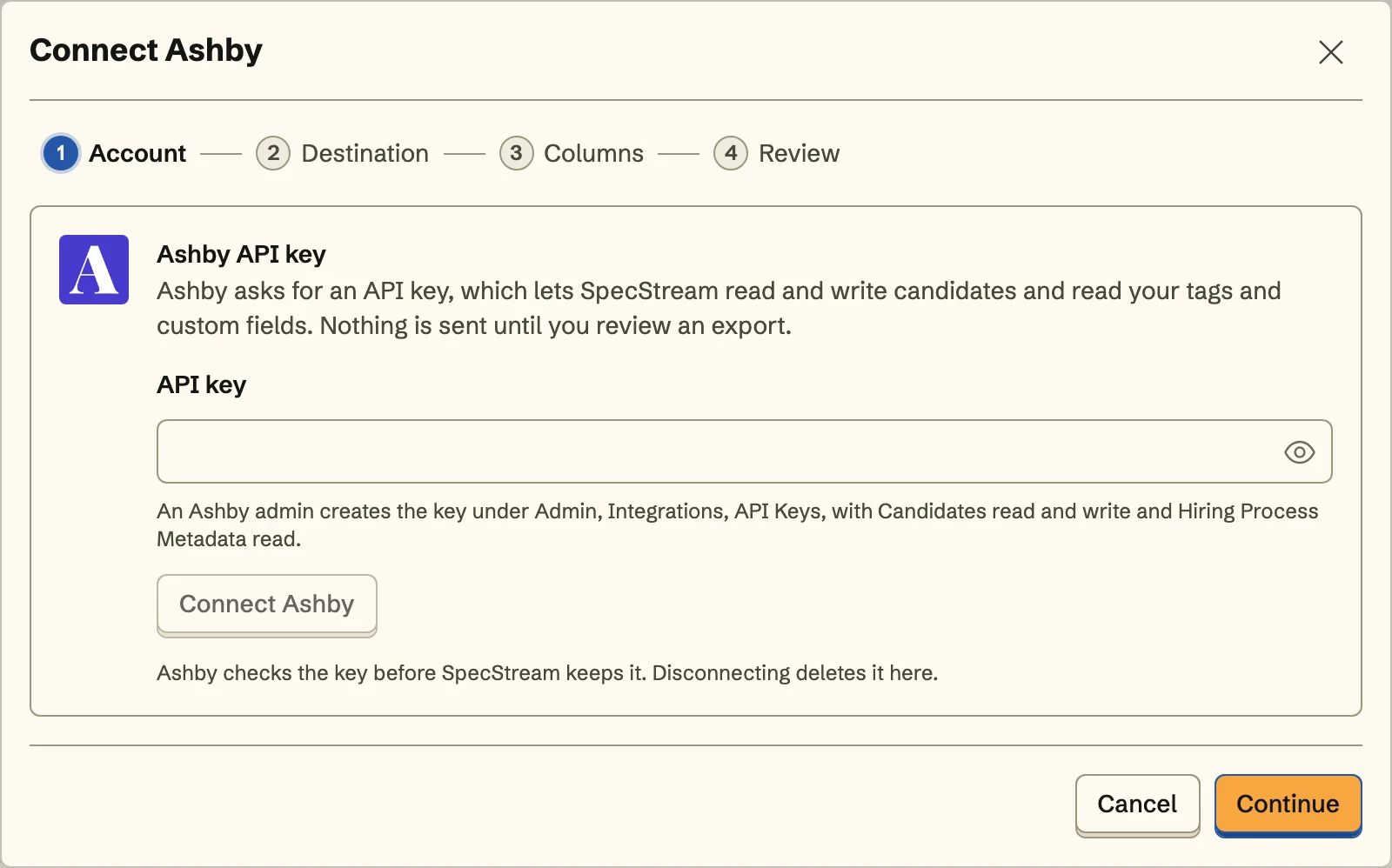 Ashby checks the key before SpecStream keeps it.
SpecStream only searches candidates by email, creates and updates candidates, reads your tags and candidate custom fields, and tags the candidates it sends. The key is stored encrypted and never shown again.
- 2
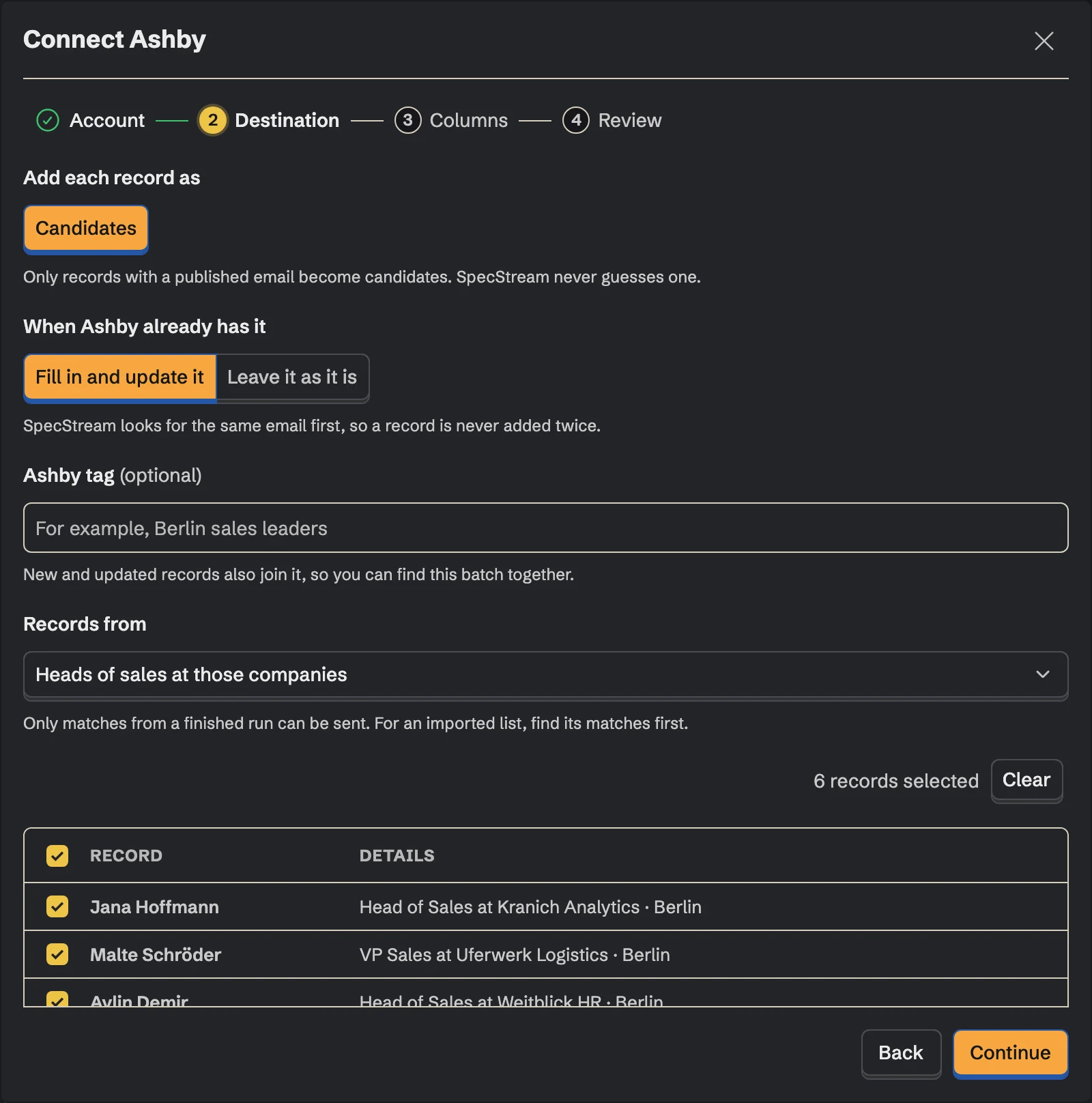
2. Choose where candidates go
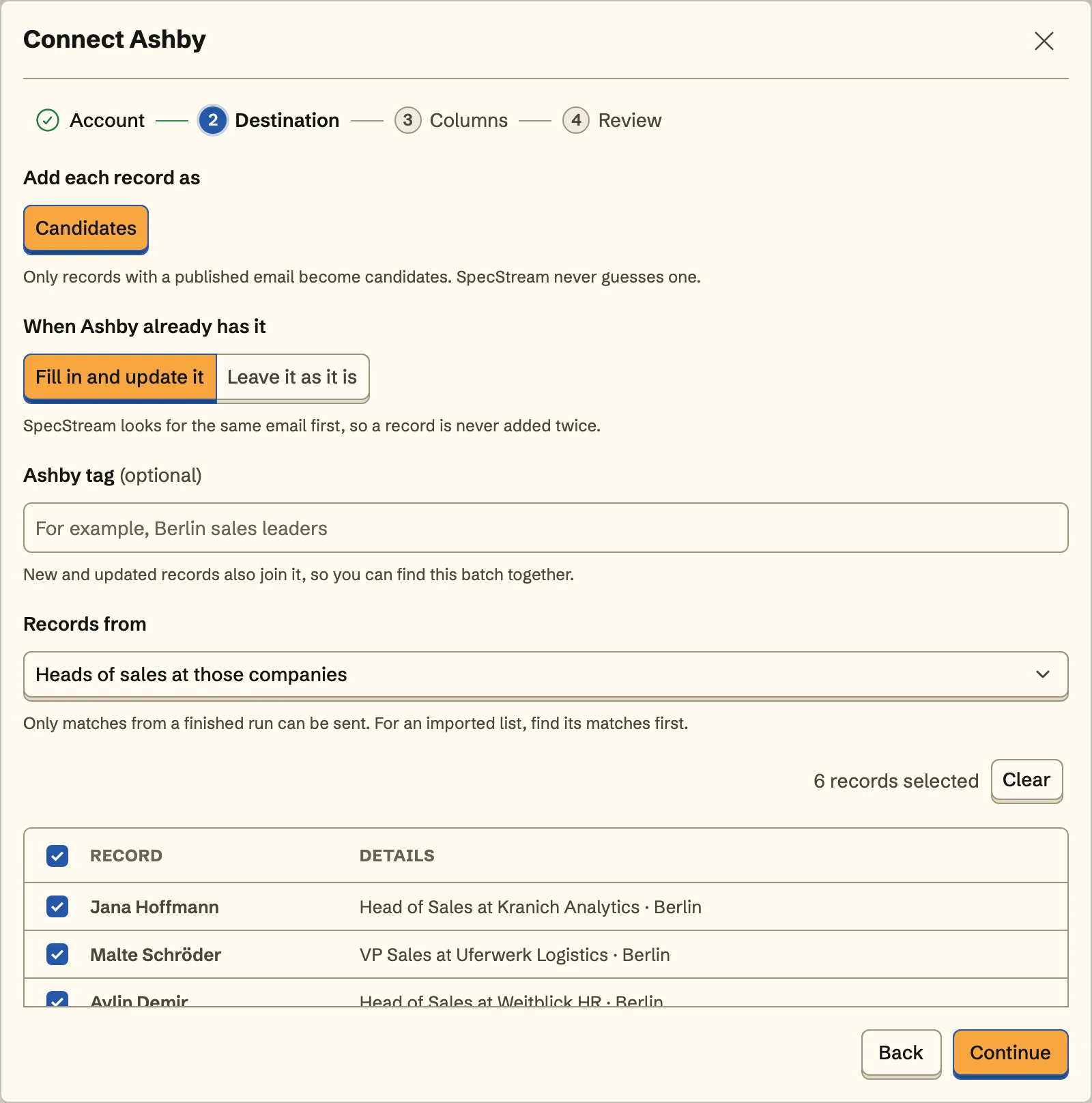
Decide what happens when Ashby already has the person: fill in and update the candidate, or leave them as they are. A tag is optional; every candidate in the batch carries it, so this week's sourcing is one search away. Then pick the collection the people come from and select the ones to send.
- 3
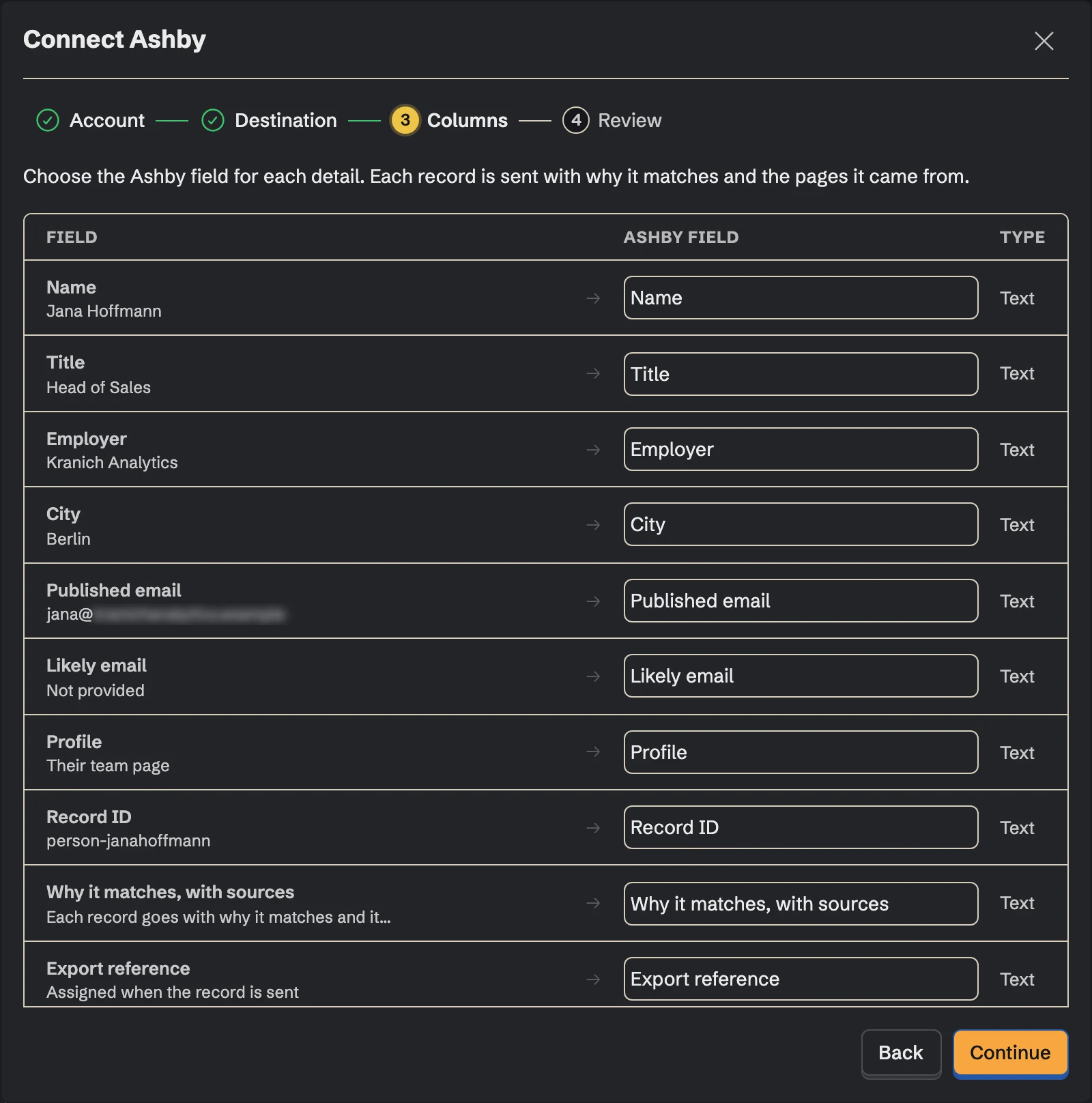
3. Match the fields
Choose the Ashby field for each detail:
name,email,phoneNumber,linkedInUrl,githubUrlandwebsite, plus your candidate custom fields by their Ashby titles. A talk, a paper or a repository can go to a URL custom field you keep for it. Fields you don't map aren't sent.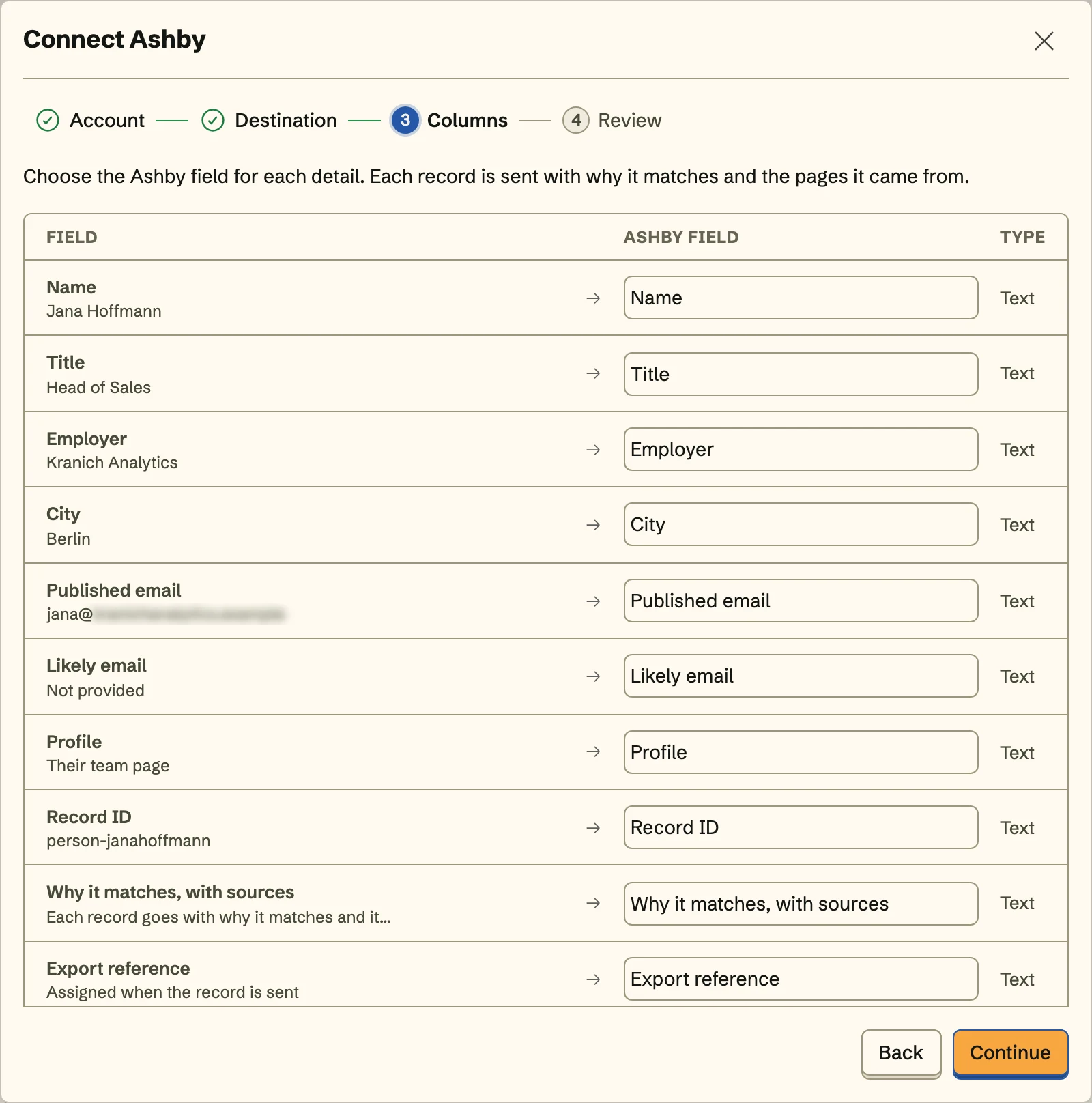
A candidate needs an email address the person published; SpecStream never guesses one. Custom fields that take text, numbers, dates, links, yes or no, or one option from a list can be filled.
- 4
4. Review and send
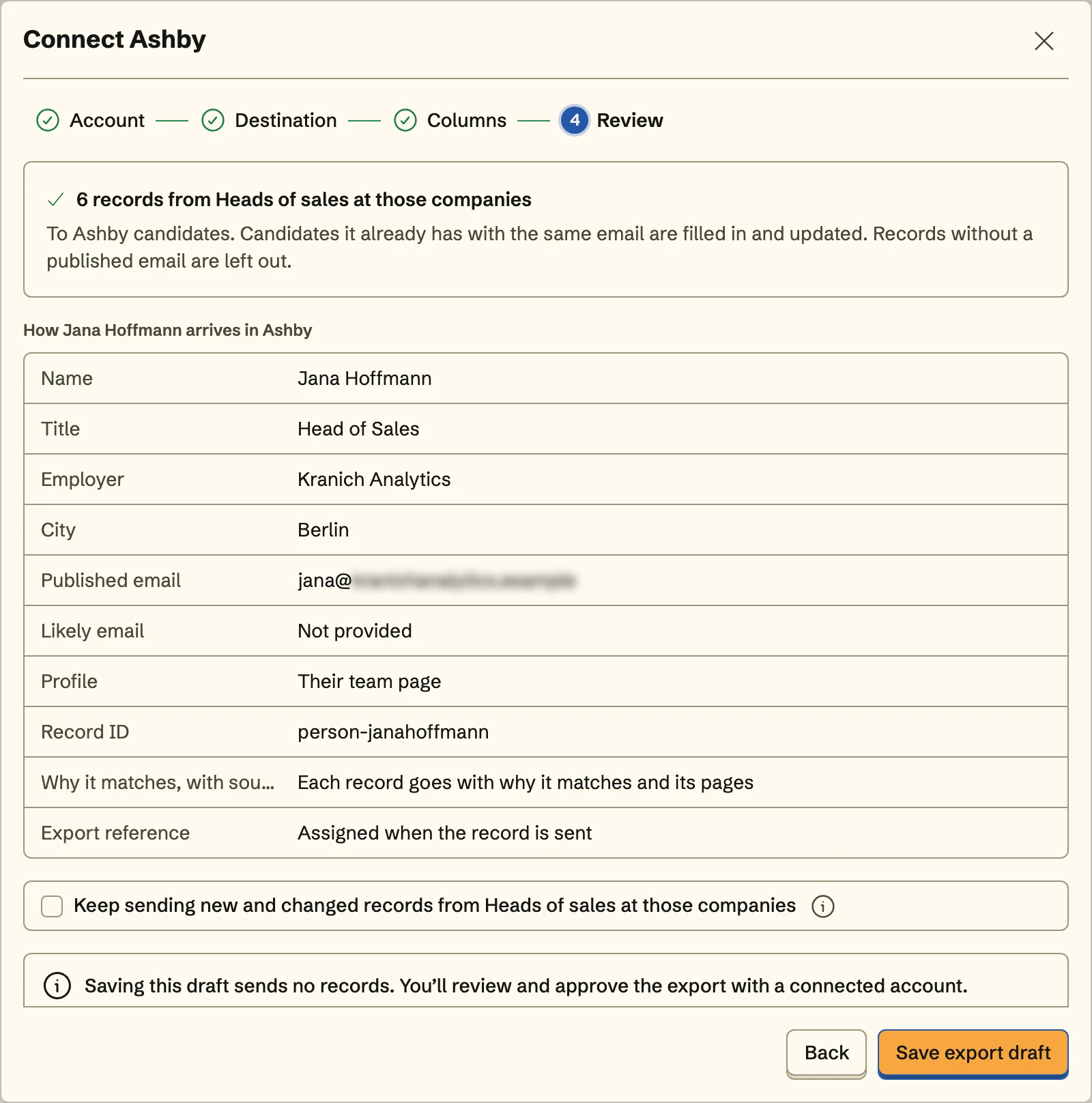
Review shows exactly how the first person arrives in Ashby. Send them, and turn on Keep sending to send the collection's new and changed people to the same place with the same mapping, including what a monitor finds on its schedule.
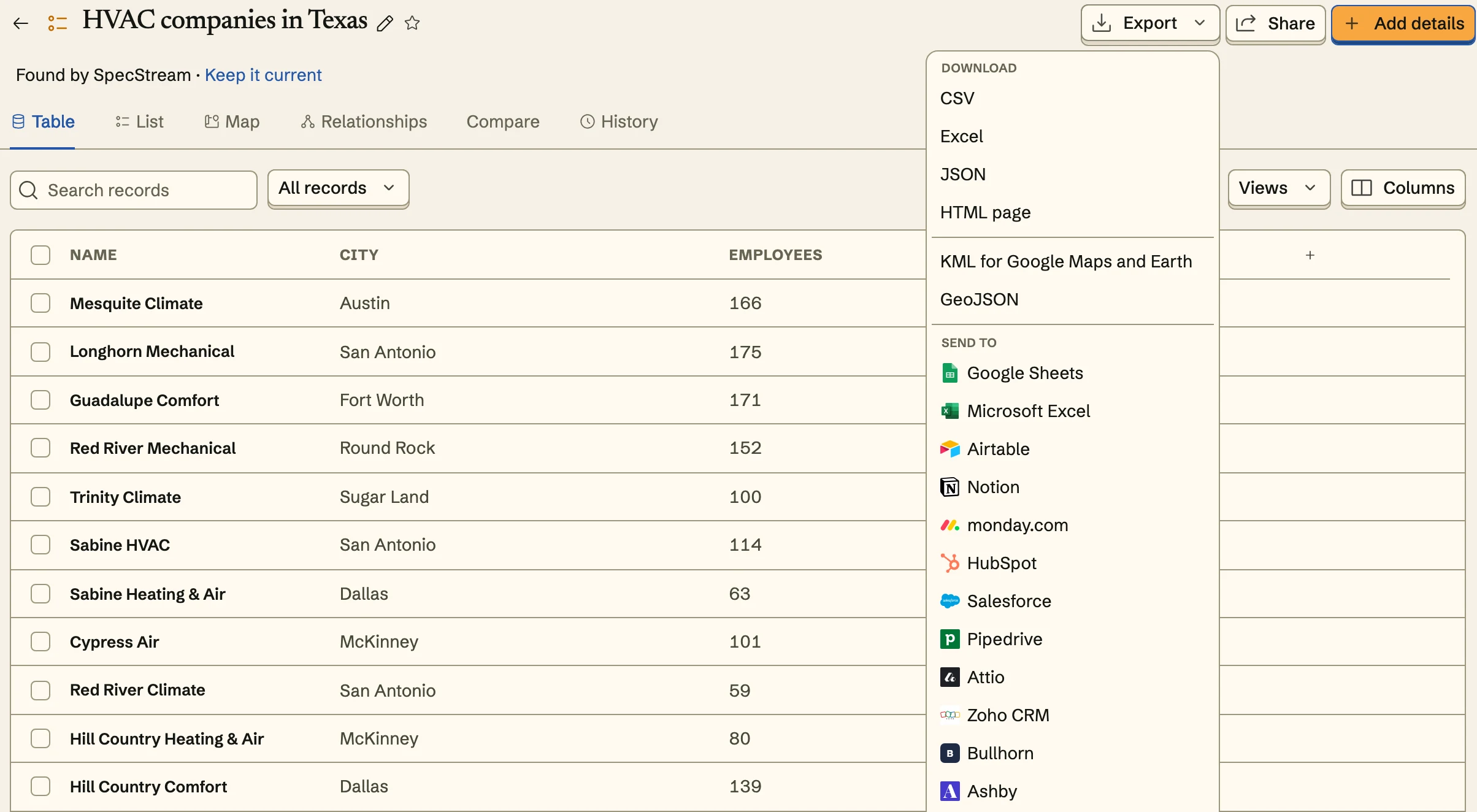
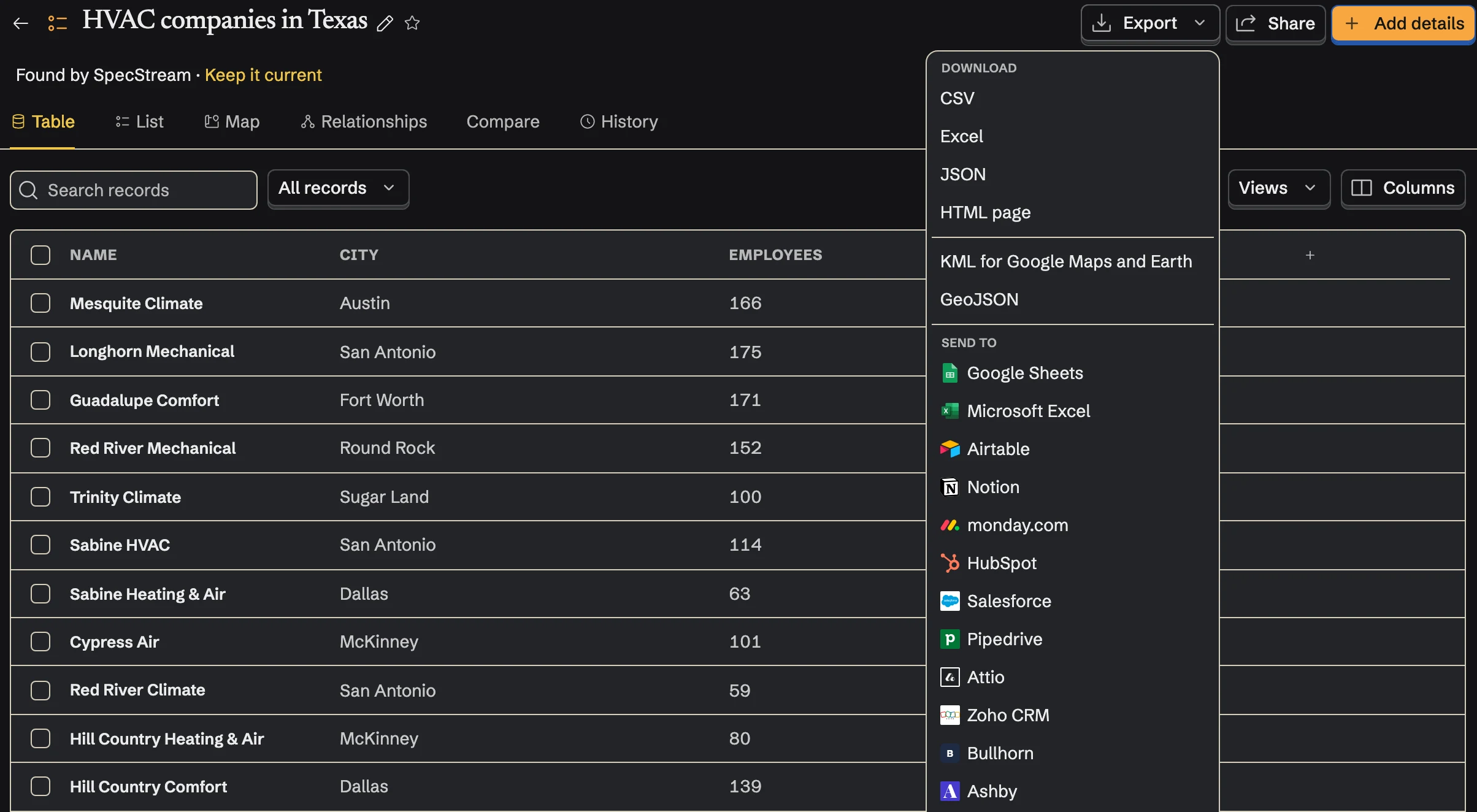
Once Ashby is connected, send from any collection too: select results, open Export and choose Ashby under Send to.
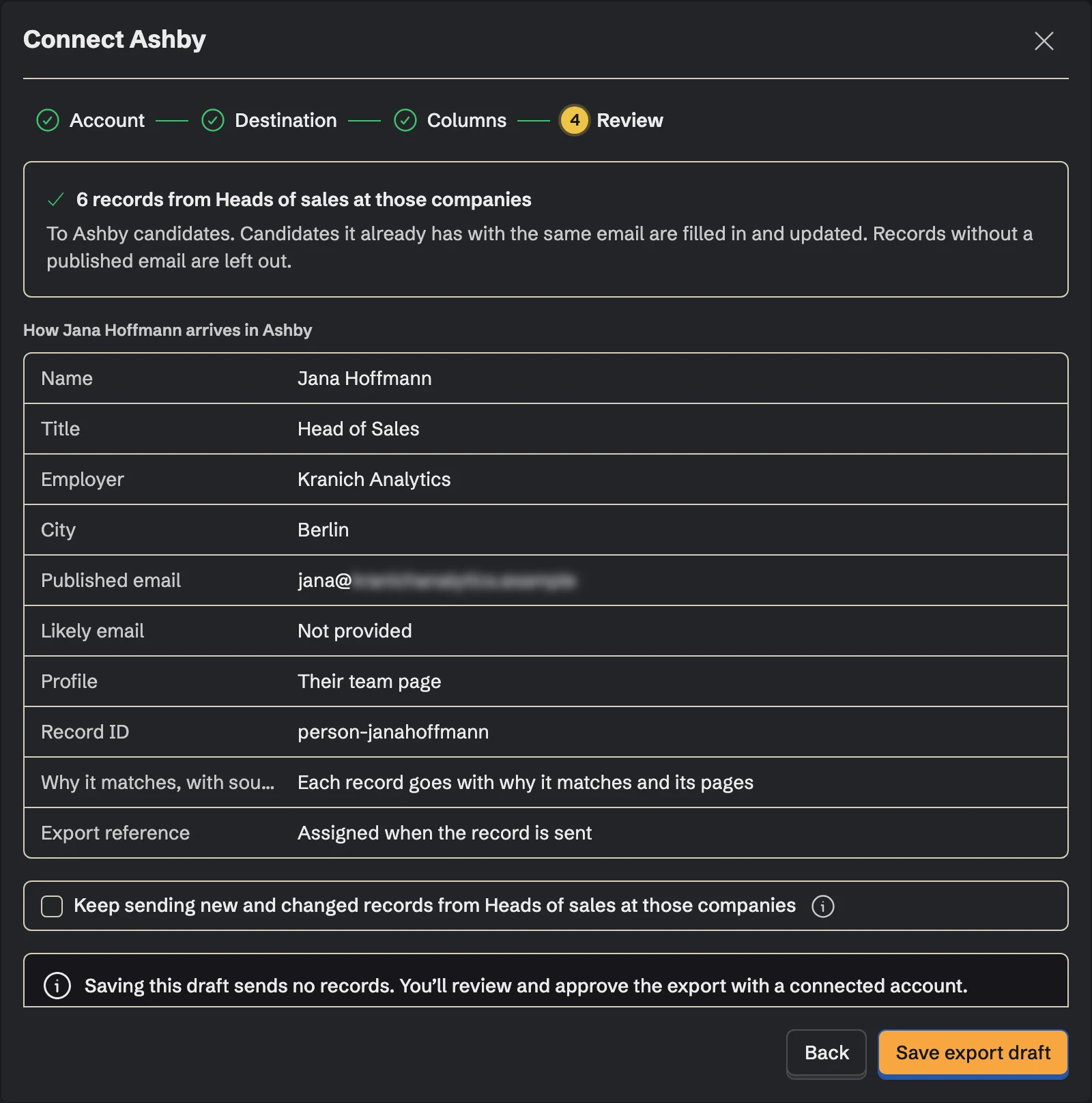
Matching
Before it creates anyone, SpecStream searches Ashby's candidates by email. A match is updated or left alone, as you chose. If a person matches more than one candidate, nothing is written for them. If a write times out, SpecStream checks what arrived instead of writing it again.
SpecStream never emails anyone, applies a candidate to a job or moves anyone through a stage. Outreach stays yours.
Cost
Sending results to Ashby costs nothing. Requests are paid from your SpecStream balance, and each one shows the most it can cost before it starts. See balance, quotes and billing.
Disconnect
Disconnect from Connections in SpecStream, which deletes the stored key. To retire the key in Ashby as well, revoke it under API Keys. Candidates already in Ashby stay there. The other tools SpecStream connects to are in Connect your tools; for help, email [email protected].