Integrations / Sheets, docs & databases


SpecStream for Trello
SpecStream turns live web data into Trello cards, one per match, with each fact listed beside the page it came from.
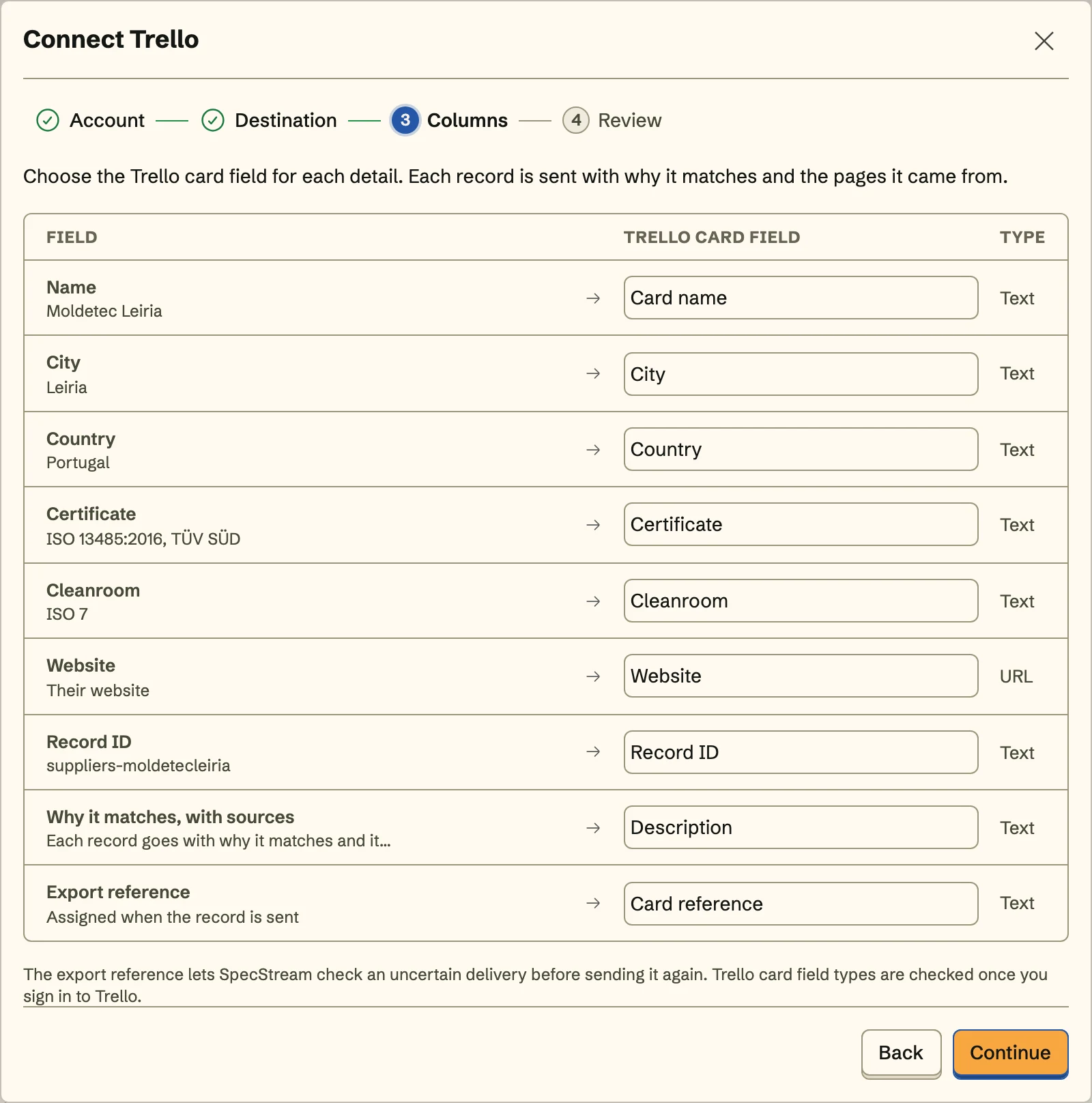
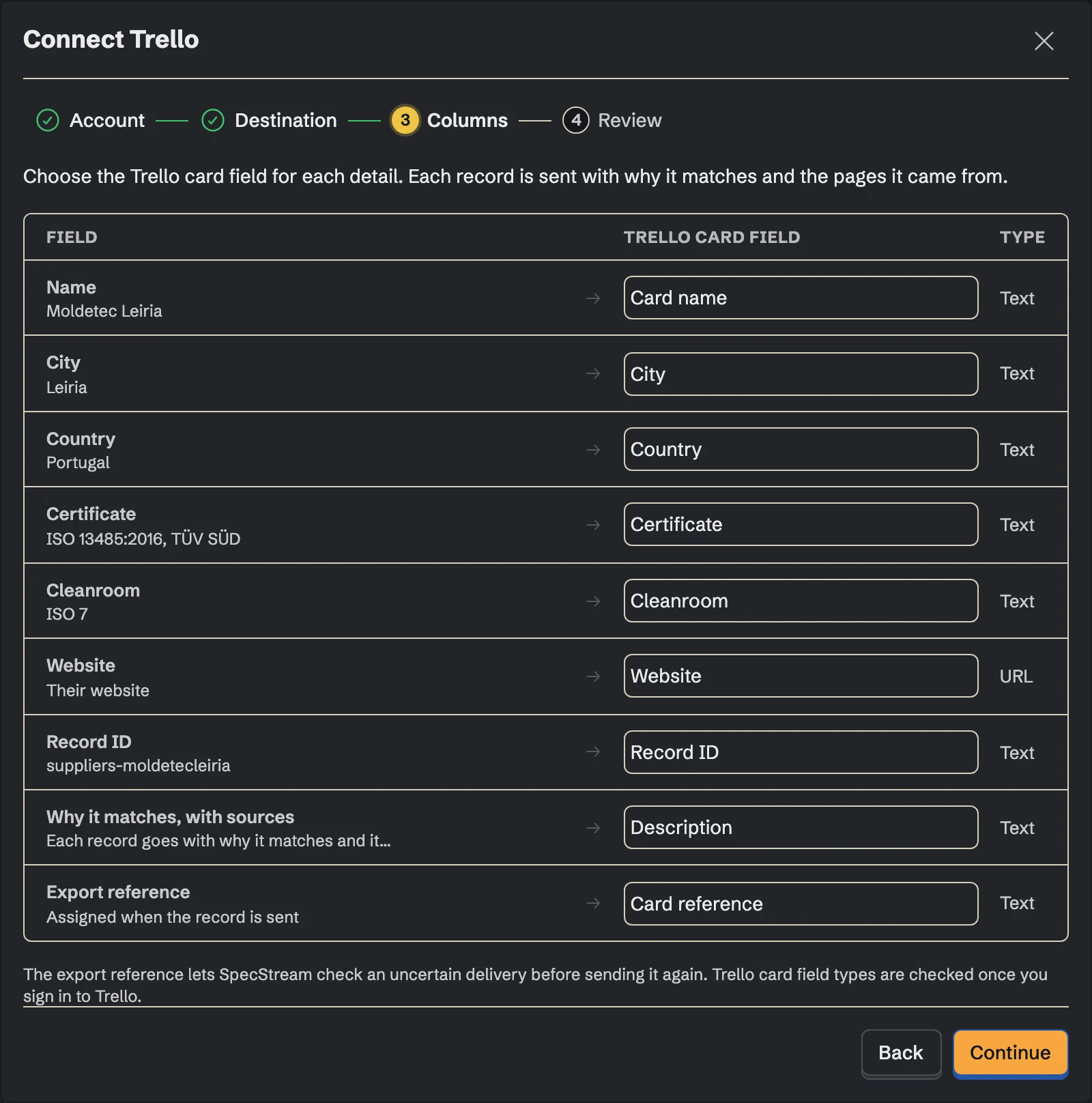
What you get
- Cards join To researchPick the open list new cards join, like New or To research, and each match lands at the bottom of it under its own name.
- Trello custom fields, filledThe board's text and number custom fields take the details you map to them, and a detail that goes empty clears its field on the next send.
- Resends follow the card to ContactedDragged a card to Contacted? A resend still updates that same card's name, description, and custom fields.
Set it up
- In SpecStream, open Connections, choose Trello, and allow it to read your boards and add and edit cards on them.
- Pick the board and the list new cards join, then choose what the description holds and which detail fills each custom field.
- See the first card in review, send, and turn on Keep sending so new matches become cards on the same list.
The full setup guide has every step, with what to do if something doesn’t arrive.
Related integrations
See all- Google SheetsRows under your own headers, kept in sync
- Microsoft ExcelRows in your .xlsx on OneDrive or SharePoint
- AirtableRecords in your base, every detail in its own field
- NotionA page per match in your Notion database
- monday.comItems in the board group you pick
- SmartsheetRows at the bottom of your sheet, updated in place






Live web data, in Trello
Ask in your own words for companies, places, people, filings or anything else the web lists. You see the price before anything runs and pay only for the matches.