Integrations / Sheets, docs & databases


SpecStream for Smartsheet
SpecStream adds live web data to a Smartsheet sheet, one row per match, with the source pages in a column of their own. A changed record updates its row.
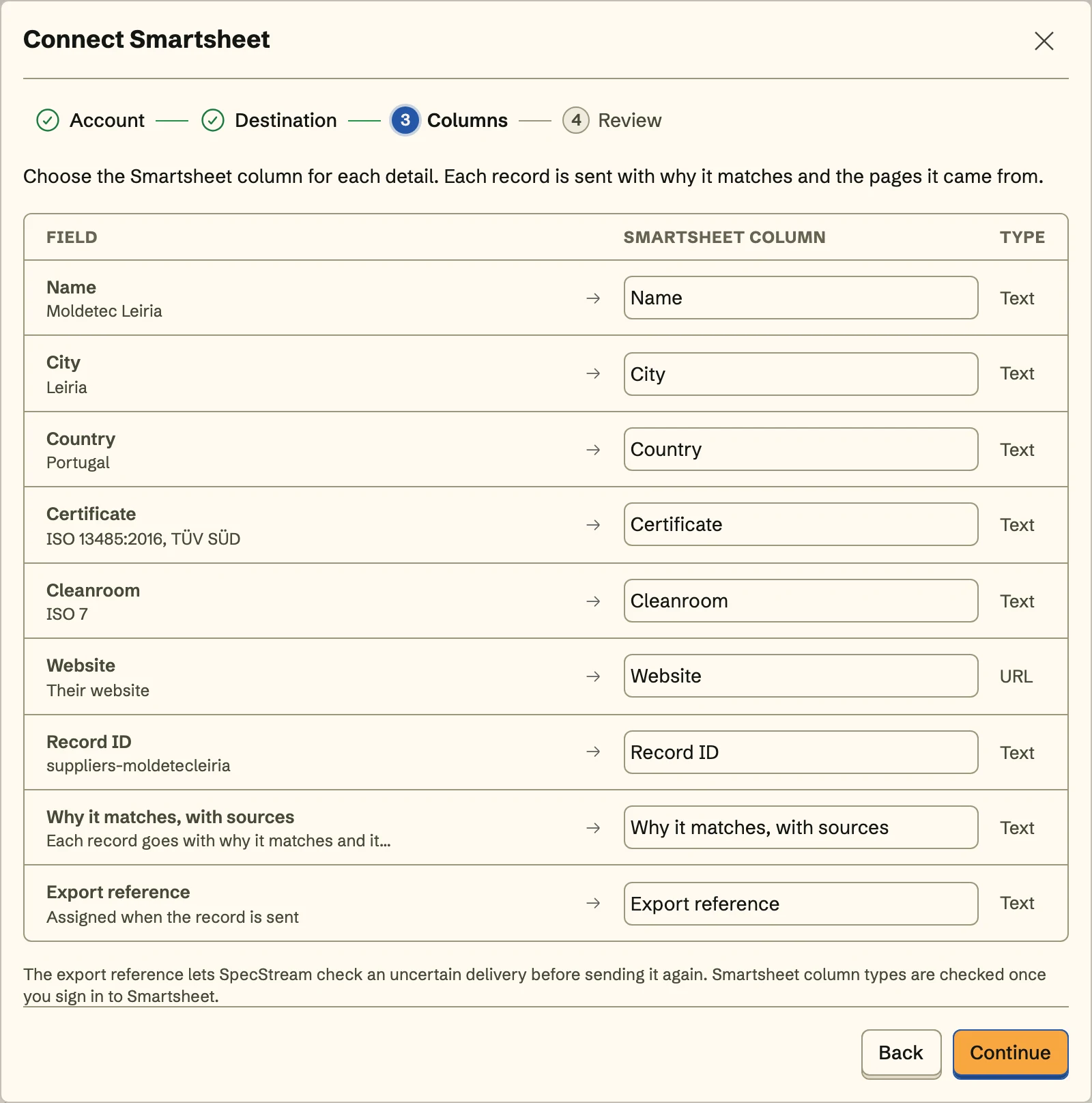
What you get
- Numbers land as numbersA headcount goes into a number column and a founding date into a date column, as if someone had typed them in.
- The row outlasts a sortSpecStream finds the row it wrote by Smartsheet's own row ID, so sorting or filtering the sheet between sends changes nothing.
- Formula columns untouchedFormula columns and system columns like Created and Modified are left alone, and so is every row SpecStream didn't write.
Set it up
- In SpecStream, open Connections, choose Smartsheet, and allow it to read and edit your sheets on smartsheet.com.
- Add a text column titled specstream_export_id, pick the sheet, and match each detail to a column by its title.
- Review the first row, send, and turn on Keep sending so what a monitor finds on its schedule joins the bottom of the sheet.
The full setup guide has every step, with what to do if something doesn’t arrive.
Related integrations
See all- Google SheetsRows under your own headers, kept in sync
- Microsoft ExcelRows in your .xlsx on OneDrive or SharePoint
- AirtableRecords in your base, every detail in its own field
- NotionA page per match in your Notion database
- monday.comItems in the board group you pick
- TrelloCards on your Trello board, one per match






Live web data, in Smartsheet
Ask in your own words for companies, places, people, filings or anything else the web lists. You see the price before anything runs and pay only for the matches.