Integrations / Sheets, docs & databases


SpecStream for Coda
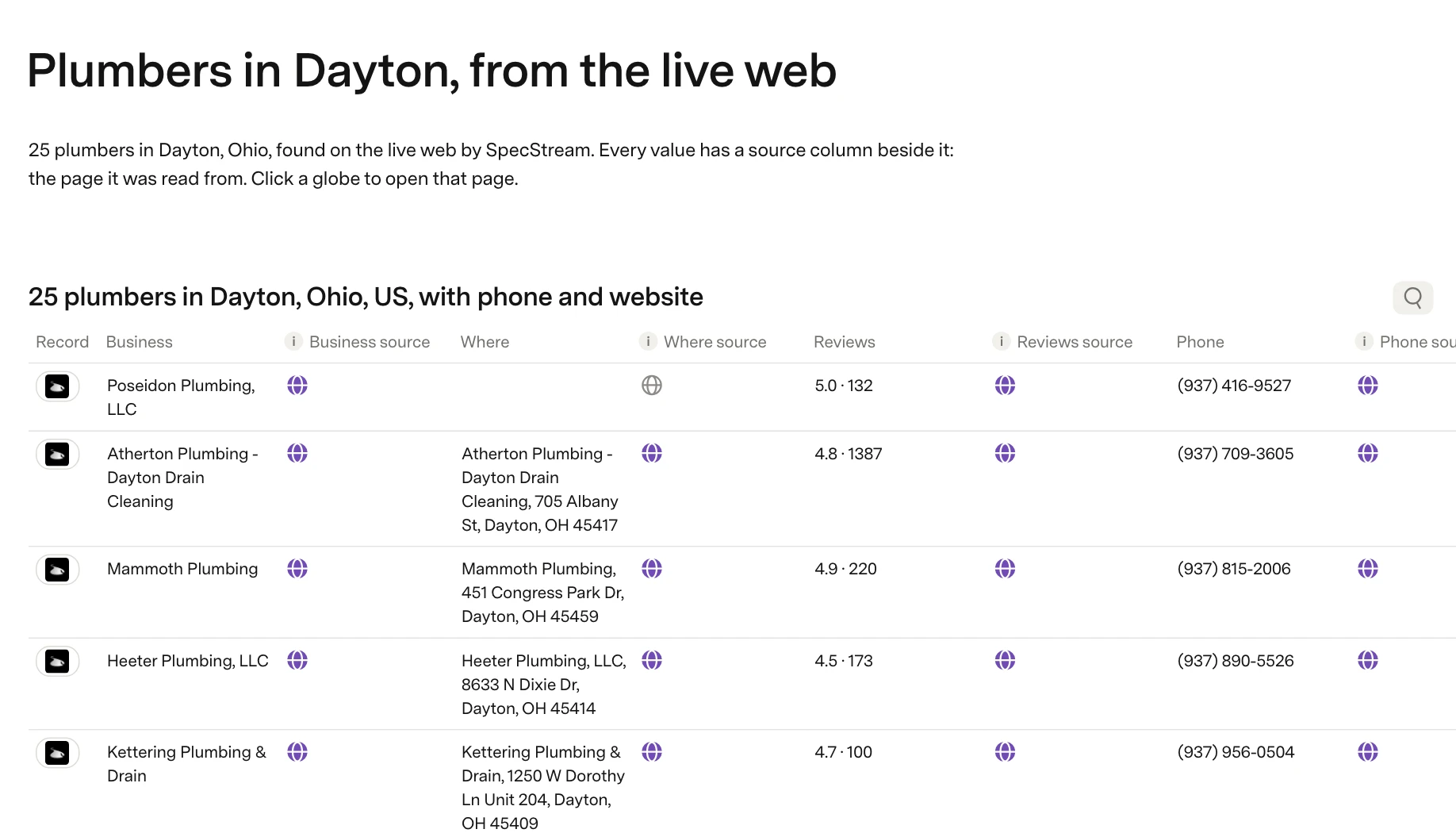
The SpecStream Pack brings live web data into Coda docs as Records tables, and a Find list button starts a new request from the page.
What you get
- A globe on every sourceEach column in Records comes with a source column, and clicking its globe opens the page that value was read from.
- Refreshes on Coda's clockRefresh pulls a list's latest values, and on Coda's paid plans the Records table can refresh itself every day or every hour.
- Price() then Find listPrice() shows how SpecStream read a request and the most it can cost, and the Find list button runs it only within the maximum you set.
Set it up
- Open the SpecStream Pack and click Add to doc for free, or find it under Insert, then Packs, in any doc.
- When Coda asks to connect, paste an API key from Agents & API in your SpecStream workspace.
- Drag Records from the Pack panel onto a page and pick a list, or put Find list on a button.
The full setup guide has every step, with what to do if something doesn’t arrive.
Related integrations
See all- Google SheetsRows under your own headers, kept in sync
- Microsoft ExcelRows in your .xlsx on OneDrive or SharePoint
- AirtableRecords in your base, every detail in its own field
- NotionA page per match in your Notion database
- monday.comItems in the board group you pick
- SmartsheetRows at the bottom of your sheet, updated in place






Live web data, in Coda
Ask in your own words for companies, places, people, filings or anything else the web lists. You see the price before anything runs and pay only for the matches.