

SpecStream for BullhornComing soon
SpecStream finds companies that are hiring, and the people to call there, and adds them to Bullhorn. The contacts go on the tearsheet your desk works from.
What you get
- Tearsheet, once per contactPick a tearsheet and each contact lands on it once, even when the same hiring manager shows up in next week's batch.
- Company first, then contactEvery Bullhorn contact needs a company, so SpecStream finds it by website and creates it first when Bullhorn doesn't have it yet.
- The opening in customTextMap the job a company is hiring for to a customText field, and a recruiter sees the opening behind the call on the company record.
Set it up
- Open Connections in SpecStream, choose Bullhorn, and type your Bullhorn username so SpecStream finds your company's server.
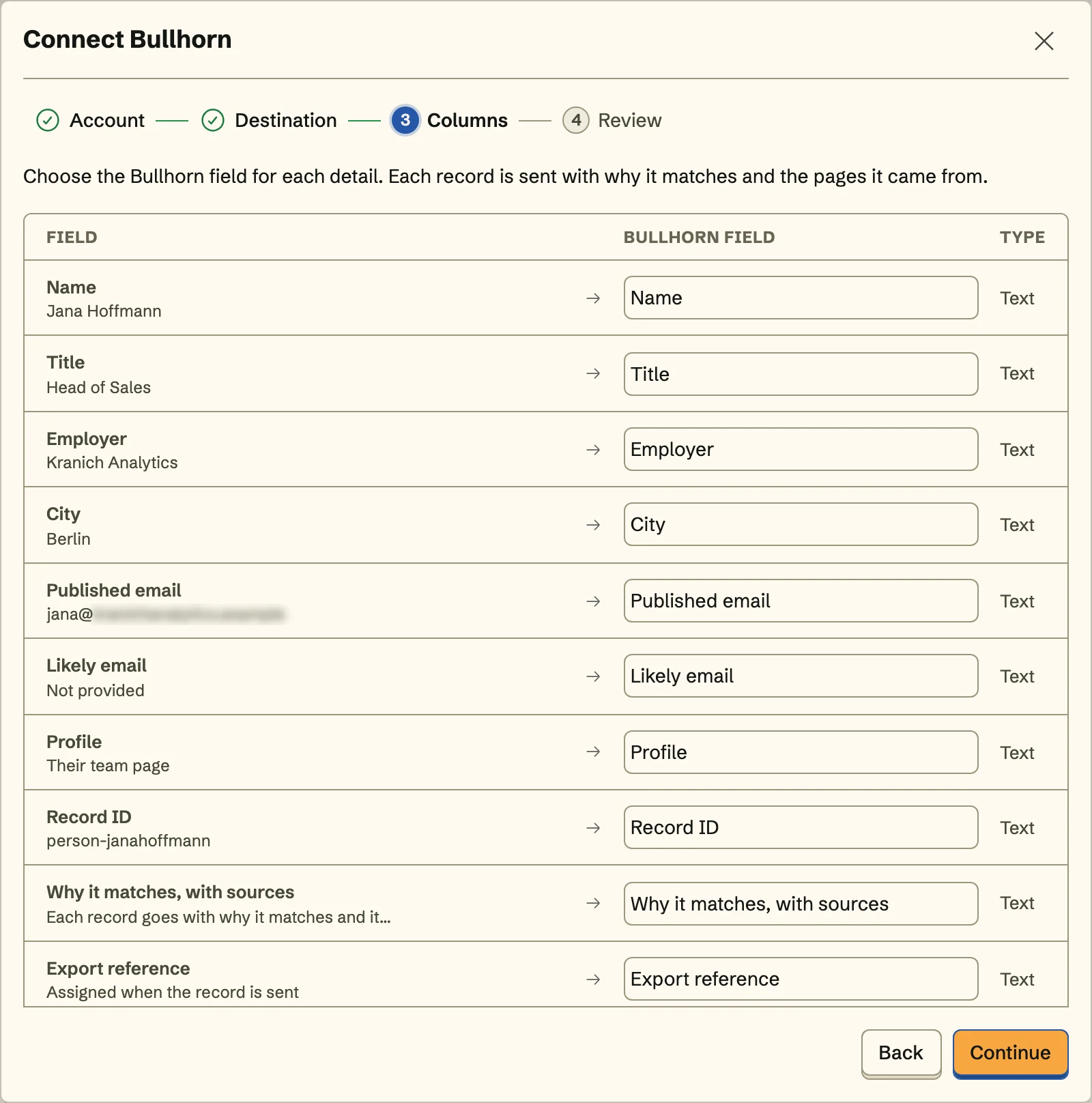
- Click Sign in to Bullhorn, allow access on Bullhorn's page, then pick companies or contacts and the tearsheet for contacts.
- Map occupation, phone, and your customText fields, review the first record, and turn on Keep sending for next week's openings.
The full setup guide has every step, with what to do if something doesn’t arrive.
Related integrations
See all- HubSpotCompanies and contacts, filed in a static HubSpot list
- SalesforceAccounts and leads, with leads in an active campaign
- PipedriveOrganizations and people, under one Pipedrive label
- AttioCompanies and people, as entries in an Attio list
- Zoho CRMTagged accounts, contacts, or leads, in any data center
- FreshsalesAccounts or contacts, with contacts added to a list






Live web data, in Bullhorn
Ask in your own words for companies, places, people, filings or anything else the web lists. You see the price before anything runs and pay only for the matches.