

SpecStream for Attio
SpecStream finds companies and people on the live web and writes them into Attio in its own attributes, entered in the list you pick. Records you already have are matched by domain or email and updated.
What you get
- Entries in your Attio listPick a company or people list and each record becomes an entry in it, so the whole batch shows up in that list's view.
- Matched on domains and emailCompanies are looked up by their domains attribute and people by email, and when a result fits two Attio records, nothing is written for it.
- New matches on a scheduleTurn on Keep sending and a scheduled request adds each new match to the same list, mapped to the same attributes.
Where it works
Set it up
- Open Connections in SpecStream, choose Attio, and approve access to records, object and list configuration, and list entries.
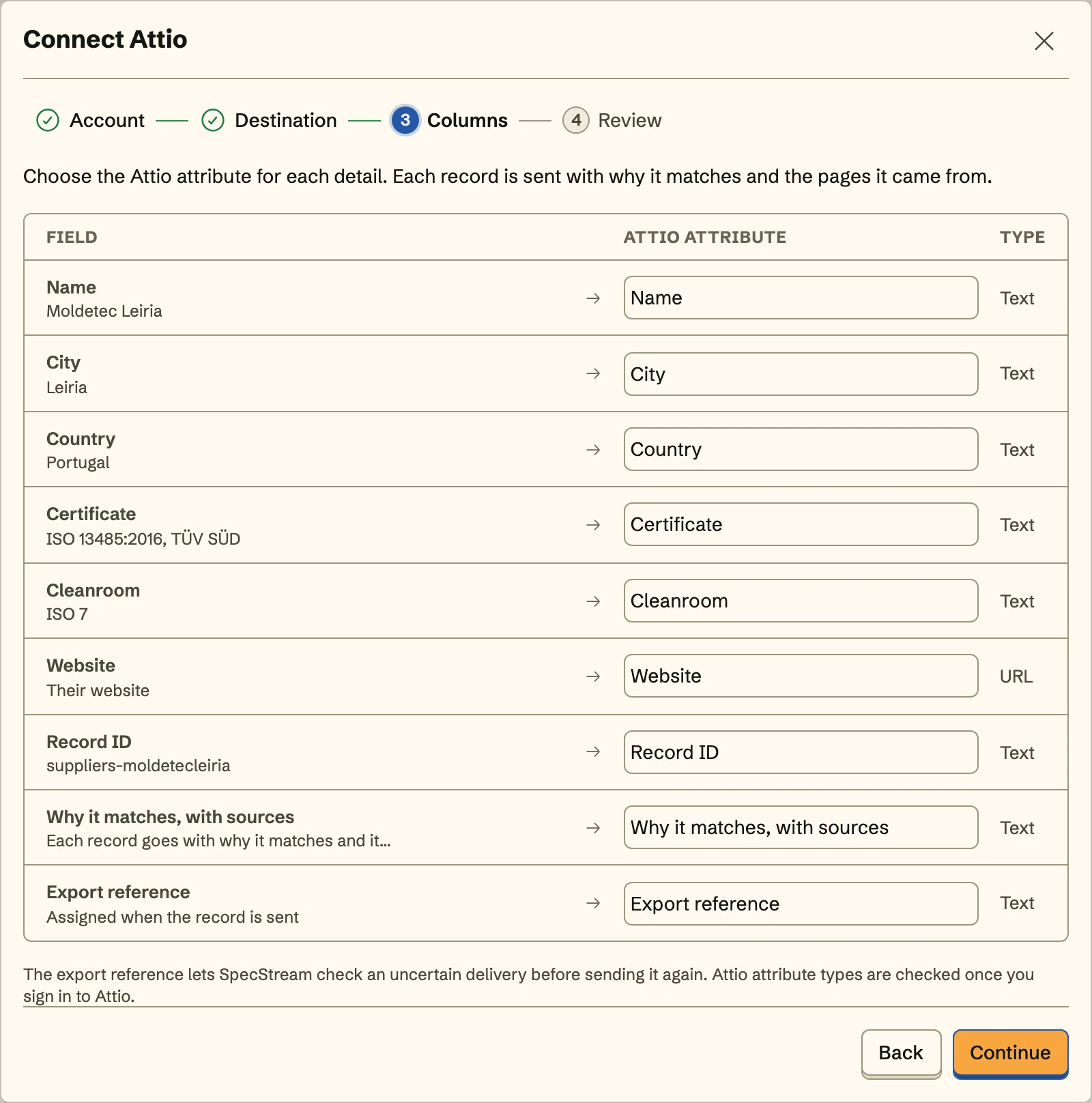
- Choose companies or people and an Attio list, then match each detail to an attribute, like a company's domain to domains.
- Review how the first record reads in Attio and send. Later batches go from any collection through Export, under Send to.
The full setup guide has every step, with what to do if something doesn’t arrive.
Related integrations
See all- HubSpotCompanies and contacts, filed in a static HubSpot list
- SalesforceAccounts and leads, with leads in an active campaign
- PipedriveOrganizations and people, under one Pipedrive label
- Zoho CRMTagged accounts, contacts, or leads, in any data center
- FreshsalesAccounts or contacts, with contacts added to a list
- BullhornComing soonHiring companies, with their contacts on a tearsheet






Live web data, in Attio
Ask in your own words for companies, places, people, filings or anything else the web lists. You see the price before anything runs and pay only for the matches.