

SpecStream for Ashby
SpecStream finds people on the live web who fit a role and adds them to Ashby as candidates, tagged as one sourcing batch. Only email addresses people published themselves are used.
What you get
- Tagged as one sourcing batchEvery candidate in the send carries the Ashby tag you pick, and a recruiter pulls up this week's sourcing by that tag.
- Only emails they publishedA person becomes a candidate only with an email they published, and anyone Ashby already has under that email is updated in place.
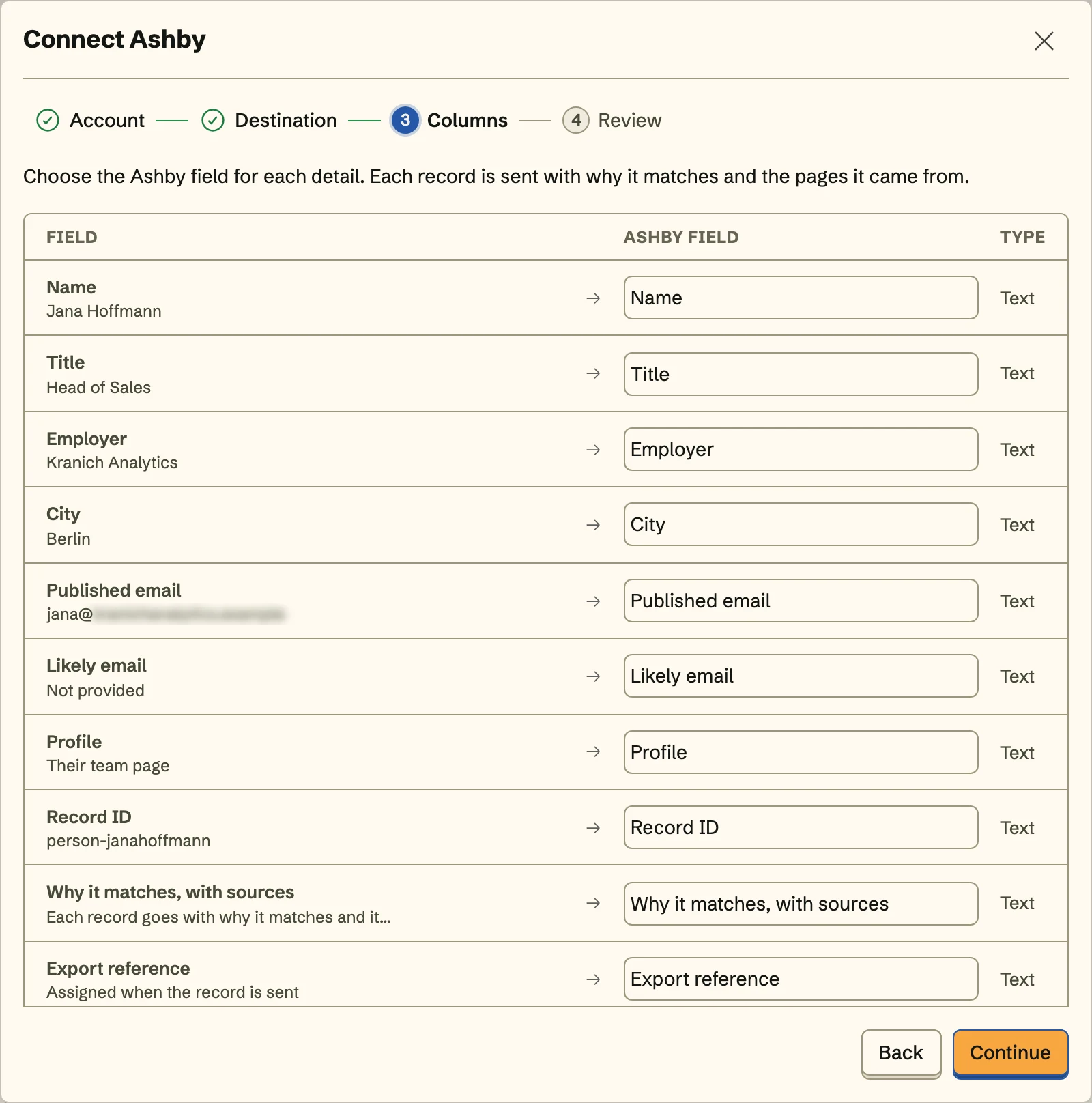
- Repos and talks on fileSend githubUrl and linkedInUrl to their own fields and a talk or paper to a URL custom field, so the hiring manager sees the work before the screen.
Set it up
- An Ashby admin creates an API key under Admin, Integrations, API Keys, with Candidates read and write and Hiring Process Metadata read.
- In SpecStream, open Connections, choose Ashby, paste the key, and click Connect Ashby. Ashby confirms the key before SpecStream stores it.
- Pick a tag, map name, email, githubUrl, and your custom fields, review the first candidate, and send.
The full setup guide has every step, with what to do if something doesn’t arrive.
Related integrations
See all- HubSpotCompanies and contacts, filed in a static HubSpot list
- SalesforceAccounts and leads, with leads in an active campaign
- PipedriveOrganizations and people, under one Pipedrive label
- AttioCompanies and people, as entries in an Attio list
- Zoho CRMTagged accounts, contacts, or leads, in any data center
- FreshsalesAccounts or contacts, with contacts added to a list






Live web data, in Ashby
Ask in your own words for companies, places, people, filings or anything else the web lists. You see the price before anything runs and pay only for the matches.