

SpecStream for Affinity
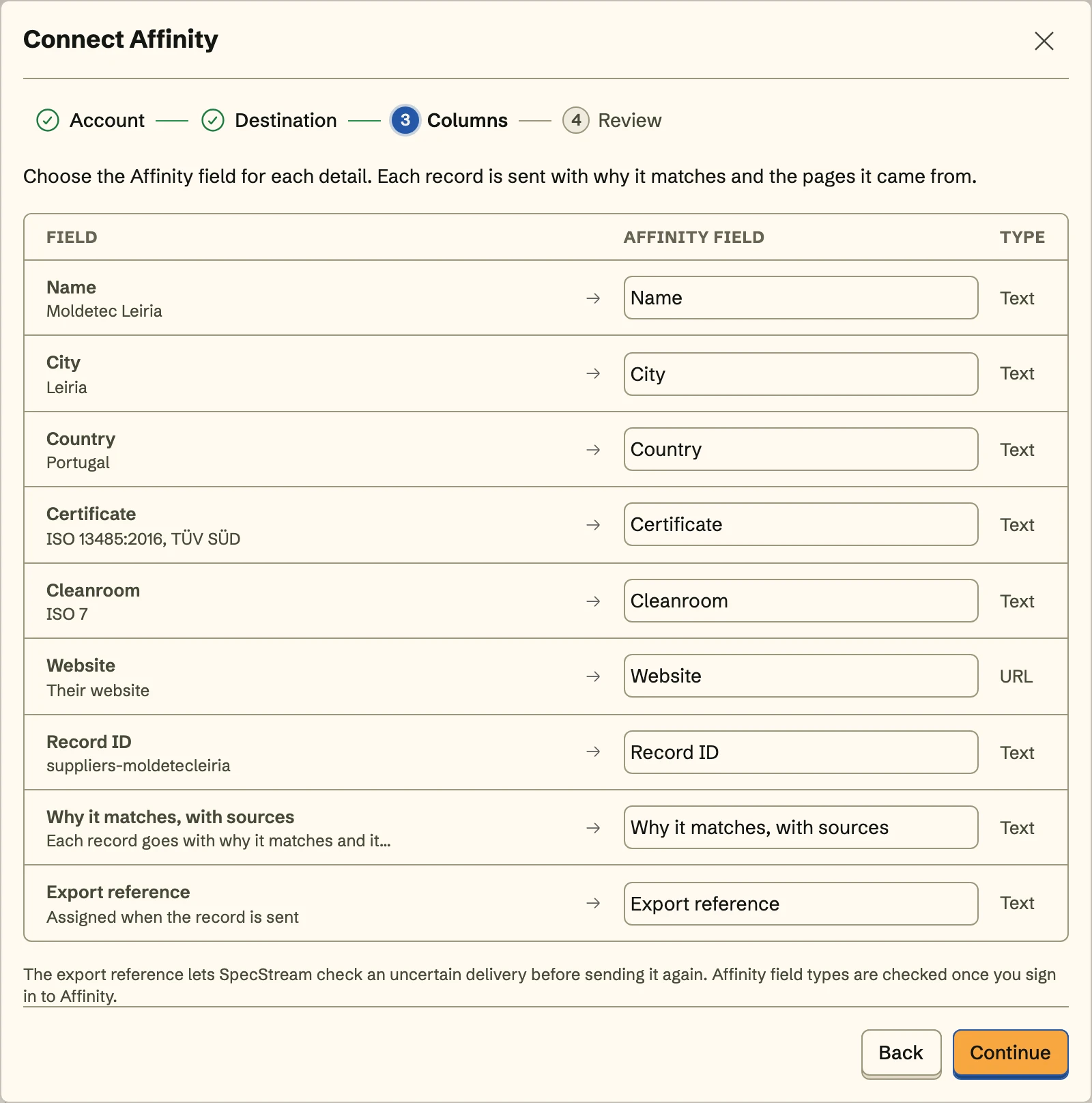
SpecStream finds companies on the live web and adds them to your Affinity list as organizations, with your list fields filled in. Each one gets a note tracing every fact to its page.
What you get
- List columns or shared fieldsFields every list shares go on the organization, and a list's own columns, like funding round, go on that company's row in your list.
- Domain decides the matchSpecStream searches Affinity by domain, its own company records included, so two firms sharing a name on different domains stay two organizations.
- Why it fits, in one noteEach organization keeps one note on why it fits, with every reason linked to its page. Send it again and SpecStream rewrites that note.
Set it up
- In Affinity, open Settings, then Manage Apps, and generate an API key.
- In SpecStream, open Connections, choose Affinity, paste the key, click Connect Affinity, and pick an organization list.
- Map headcount and funding round to your fields, review the first organization, and turn on Keep sending so new companies join the list.
The full setup guide has every step, with what to do if something doesn’t arrive.
Related integrations
See all- HubSpotCompanies and contacts, filed in a static HubSpot list
- SalesforceAccounts and leads, with leads in an active campaign
- PipedriveOrganizations and people, under one Pipedrive label
- AttioCompanies and people, as entries in an Attio list
- Zoho CRMTagged accounts, contacts, or leads, in any data center
- FreshsalesAccounts or contacts, with contacts added to a list






Live web data, in Affinity
Ask in your own words for companies, places, people, filings or anything else the web lists. You see the price before anything runs and pay only for the matches.