

SpecStream for JiraComing soon
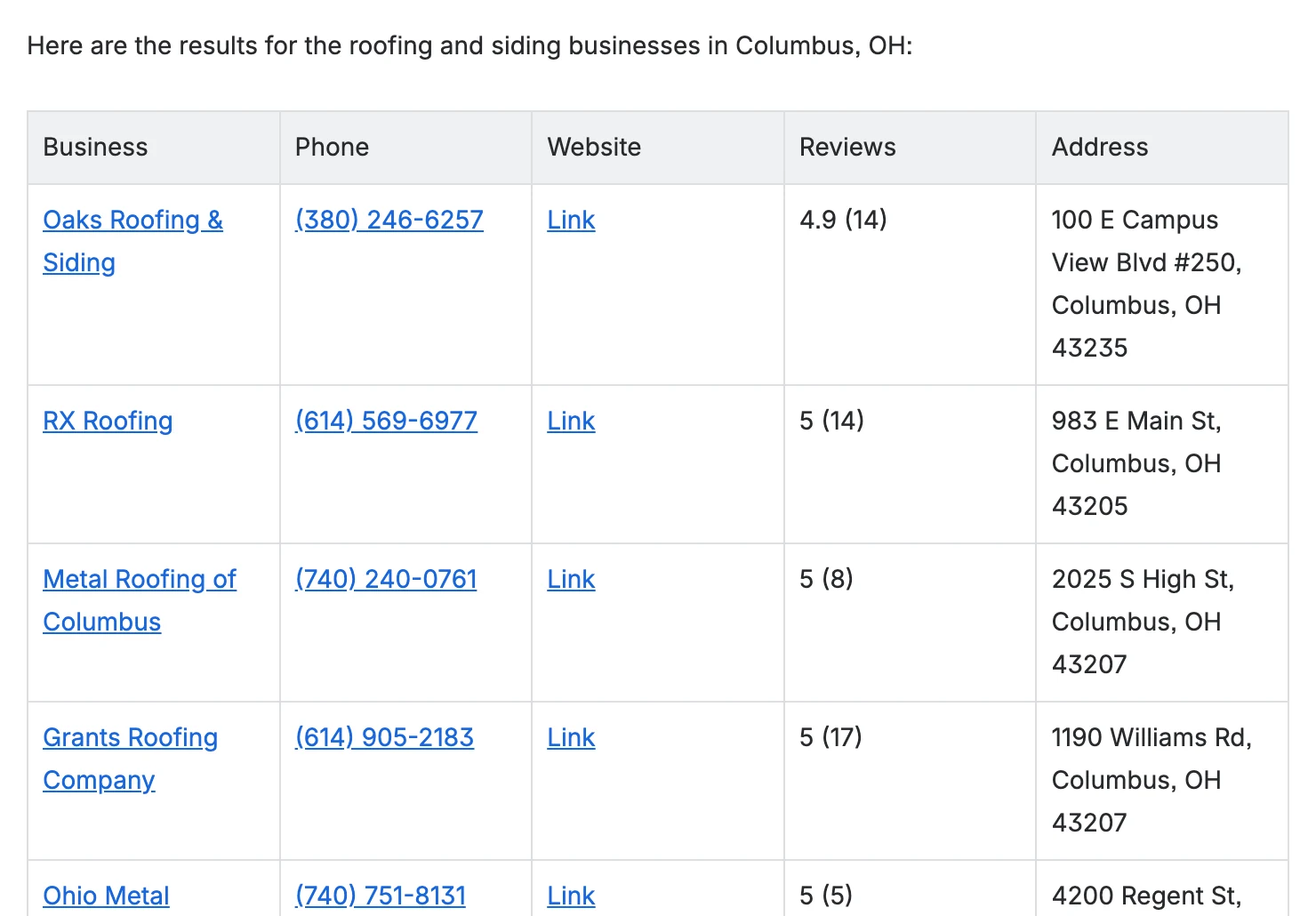
The SpecStream agent in Rovo chat finds companies, local businesses, job posts and filings for your Jira work. It shows the most a request can cost, and once you confirm, the results come back as a table.
What you get
- Rovo's review cardSay yes to the price and Rovo opens its own review card with the maximum on it. The request starts when you click Confirm selected, and approving twice starts it once.
- A table in the chatAsk to see the results of your latest request and the agent lays out up to 50 rows, each value linked to the page it came from. The link under the table opens the rest in your workspace to export or send on.
- Actions for Rovo StudioAgents you build in Rovo Studio can call Price a data request, Start an approved request, Get request results, and List recent requests. A person confirms every start.
Set it up
- A Jira site admin installs SpecStream from the Atlassian Marketplace on a site with Rovo turned on.
- In Jira, open Rovo chat, then Agents, and choose SpecStream.
- Ask, and click Authorize SpecStream the first time to sign in. Rovo picks the request back up by itself.
The full setup guide has every step, with what to do if something doesn’t arrive.
Related integrations
See all- SlackAsk with /specstream, new matches posted to a channel
- LinearMention @SpecStream, results posted in the issue thread
- AsanaComing soonEvery record as a subtask, its source in the description
- IntercomComing soonThe company behind a conversation, as an internal note
- ZendeskComing soonThe company behind a ticket, saved to its organization
- ZoomComing soon/specstream in Team Chat, results as a CSV




Live web data, in Jira
Ask in your own words for companies, places, people, filings or anything else the web lists. You see the price before anything runs and pay only for the matches.