Integrations / Outreach & sales


SpecStream for Outreach
SpecStream, the live web data engine for teams and agents, finds companies and people on the live web and adds them to Outreach as accounts or prospects, with their fields filled and every value linked to the page it came from. A resend writes only the values that changed.
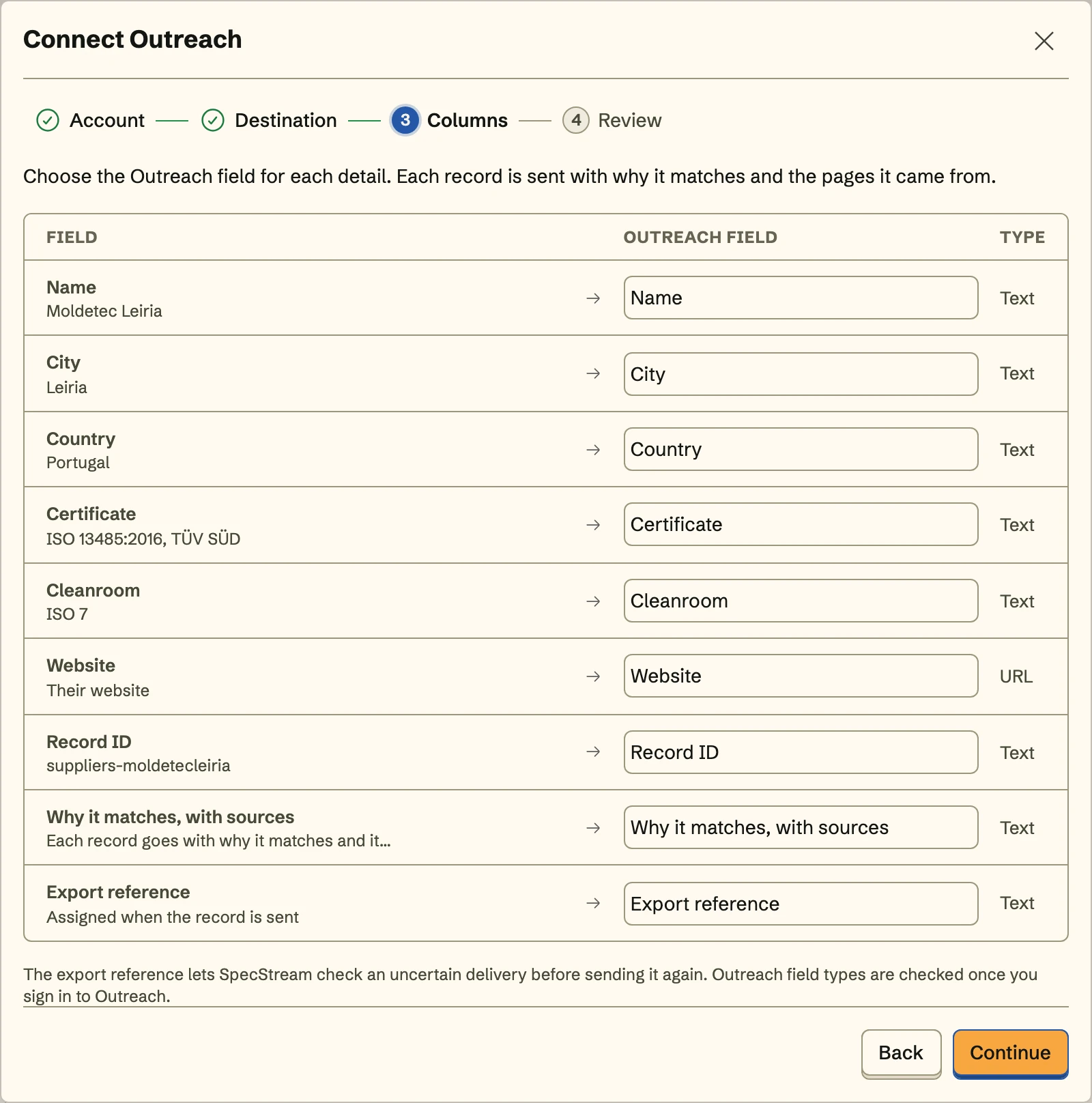
What you get
- Accounts or prospectsCompanies arrive as accounts, matched by their website. People arrive as prospects, matched by an email they published. SpecStream never guesses one.
- Your fields, by your namesMap each detail to an Outreach field or to a custom field your admin named, including why each record matches, with its pages.
- Tagged and kept currentEvery record in a send carries the tag you choose, and Keep sending adds the new and changed ones with the same mapping.
Set it up
- In SpecStream, open Connections, choose Outreach, and sign in to Outreach to approve access to accounts and prospects.
- Choose accounts or prospects, a tag, and the collection the records come from.
- Map each detail to an Outreach field, review the first record, and send.
The full setup guide has every step, with what to do if something doesn’t arrive.
Related integrations
See all- lemlistEvery new match added to a lemlist campaign as a lead
- SmartleadMatches added to a Smartlead campaign, from a CSV or an n8n workflow
- InstantlyEvery new match added to an Instantly campaign as a lead
- HeyReachPeople with their LinkedIn profiles, added to a HeyReach list or campaign
- ApolloCompanies and people from the live web, added to Apollo as accounts and contacts
- PhantomBusterA Google Sheet of live web data that your phantoms read as input






Live web data, in Outreach
Ask in your own words for companies, places, people, filings or anything else the web lists. You see the price before anything runs and pay per match.