Integrations / Sites, design & reports


SpecStream for FramerComing soon
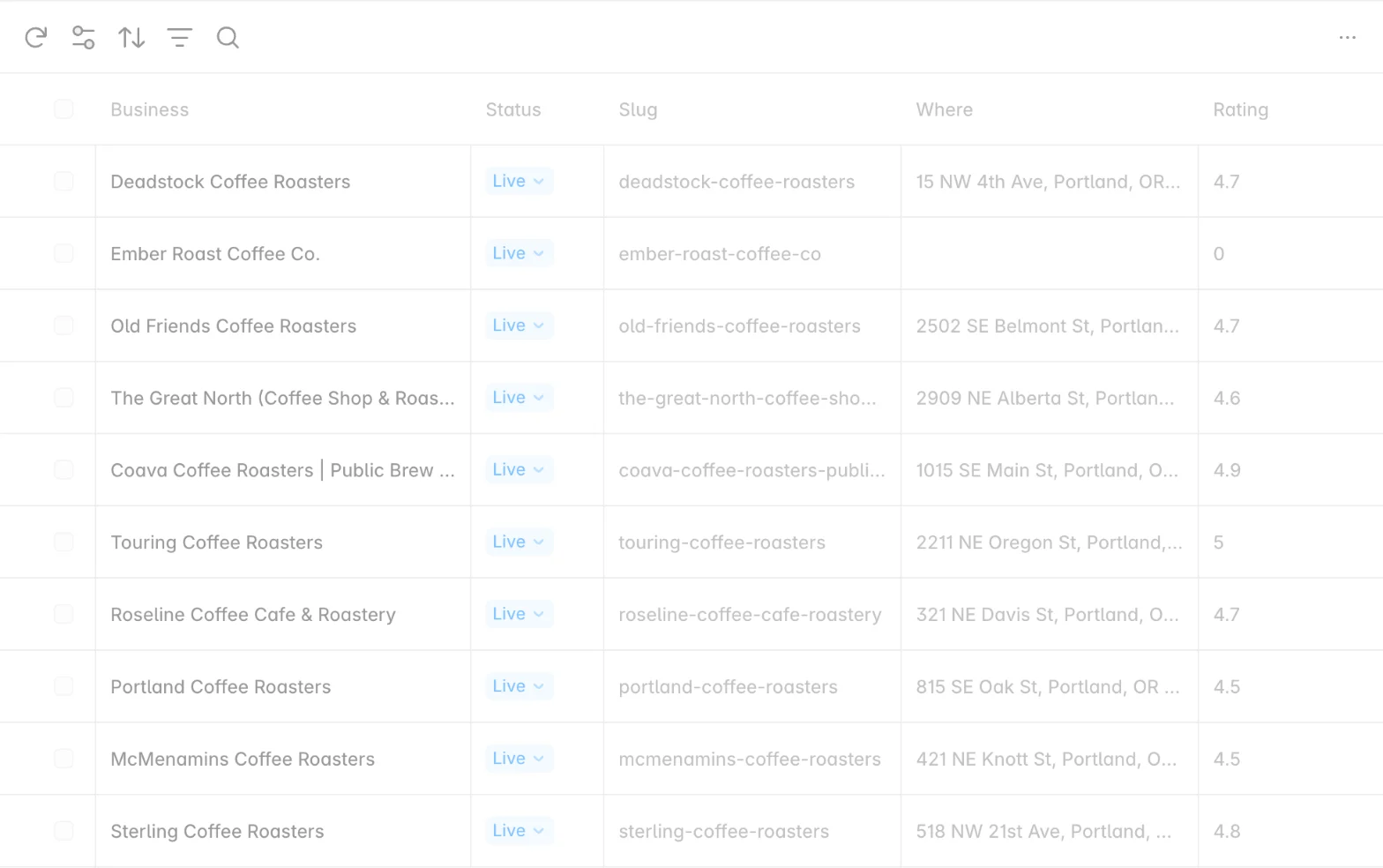
SpecStream syncs live web data into a Framer CMS collection, one item per match, with a Source link on every item for directory and comparison pages.
What you get
- Rename fields, choose the slugUntick the columns you don't need, rename the rest, and pick the one that builds each item's slug under Slug from.
- Free Sync from the CMSClick Sync on the collection to update every item in place and drop the ones that left the results.
- A key collaborators never seeYour SpecStream key stays in your browser. The project saves only the request and which results the collection holds.
Set it up
- In your Framer project, open the CMS, add a collection, and choose SpecStream.
- Create a key under Agents & API in your SpecStream workspace, paste it into the plugin, and click Connect.
- Type what you want, approve the price, choose the fields, and click Sync.
The full setup guide has every step, with what to do if something doesn’t arrive.
Related integrations
See all


Live web data, in Framer
Ask in your own words for companies, places, people, filings or anything else the web lists. You see the price before anything runs and pay only for the matches.